
Your runs never leave your phone
There's no account because there's nothing to log in to. The app reads Apple Health on your phone and keeps everything it works out in the same place.
Most running apps want an account before they’ll show you anything, and your runs go to their servers from then on. Apex Run is the other kind of app. What follows is the plain version of the Privacy Policy, written for the person who wants to know what actually happens.
What the app reads, and that it only reads#
On first launch the app asks for Apple Health access. That one sheet is the entire sign-up.
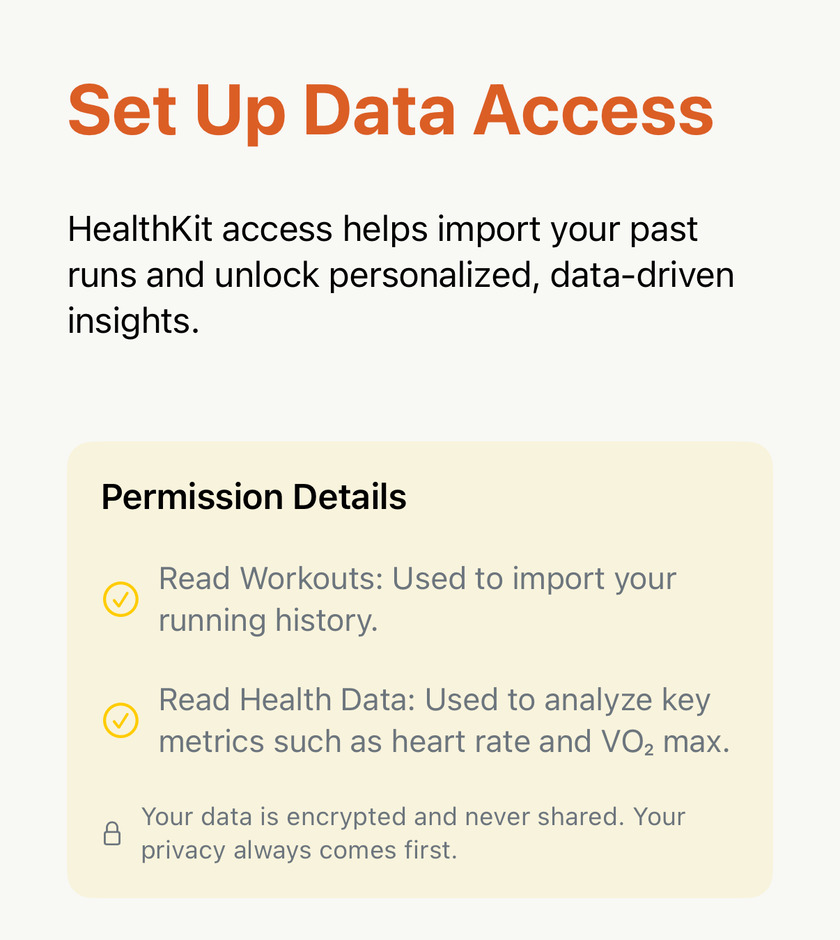
The permission is read-only. Apex Run reads your workouts and their routes, heart rate, distance, steps, running power, cadence, stride length and the other running-form metrics, VO₂ max, and, for the recovery screens, resting heart rate, HRV, sleep, respiratory rate and blood oxygen.
It doesn’t have a write permission, and that shapes three things you might otherwise worry about:
- Nothing you do in Apex Run changes Apple Health. Deleting a run removes it from the app; the workout is still in Fitness. Converting a hike to a run brings a copy in; the hike stays a hike.
- The app can’t damage your Health history, even by mistake, because it was never given the ability to.
- Anything wrong in Health stays wrong in the app, which is why the fix for a bad run is always at the source, in the watch or the app that recorded it.
You can see and change the permission any time in your iPhone’s Settings→Privacy & Security→Health→Apex Run . Turn something off and the app simply stops seeing it.
Where it all lives#
On the phone. Every run the app imports, and everything it works out from them, is stored in the app’s own database on the device. There is no Apex Run server, no cloud copy, no account it’s tied to. If you back up your iPhone, it goes wherever the backup goes, and nowhere else.
Two consequences follow, and both are worth knowing before they surprise you:
- An iPhone and an iPad don’t sync with each other. Each reads Apple Health on its own and builds its own library. The runs match because Health matches; nothing passes between the two apps.
- What you add by hand stays on the device where you added it. Names, notes and race labels, favourites, shoes and trophy photos are yours on that phone only. A new phone restored from a backup keeps them; a fresh install on a second device starts without them.
The Home Screen widgets read a small summary the app leaves for them on the same phone. Nothing about a widget involves a network.
The short list of what does leave#
Honesty means naming these rather than saying “nothing”.
- Usage counts. The app reports which screens are opened, which features are used, how long a sync took and whether a purchase or trial completed, through Google’s Firebase Analytics. It’s counts, durations, outcomes and screen names. No heart rate, no pace, no distance from any run, no route, and no user ID, because the app doesn’t have one for you.
- A purchase. A completed subscription reports its price, currency, App Store product and Apple’s transaction identifier, so revenue can be attributed. Your payment details never reach the app at all; Apple handles them.
- Map tiles. The maps are Apple Maps. Showing a route means asking Apple for the tiles of that area, exactly as the Maps app does. Your track is drawn on top of them locally and isn’t sent anywhere.
- Whatever you choose to share. A share card is an image you export, and a FIT file is a file you hand to another app. Both leave only when you send them, and only to where you send them.
That is the whole list. The web tools on this site, the file converter and the track comparator among them, run entirely inside your browser and upload nothing either.
Taking it back#
Revoke Health access in your iPhone’s Settings and the app stops reading. Delete the app and everything it stored goes with it, in the ordinary iOS way. There’s no account to close and no request to send, because nothing was ever held on your behalf.
The formal version, with the contact address, is the Privacy Policy.
Get the app
Grant Health access once. That's the whole sign-up.
No account to create, no email to confirm, no server to trust with your heart rate. Your running history is read from Apple Health on the phone and analysed right there.
↓ Download Apex Run