
Read your splits at a glance
Negative split or fade? You shouldn't have to read twelve numbers to find out. The dashed line across your splits is your average pace for the run, which turns the whole table into one shape you can read in a second.
A splits table tells you what each kilometre cost. What it usually doesn’t tell you, without arithmetic, is the thing you actually want to know: did you hold it together, or did you give it away in the back half?
What you’re looking at#
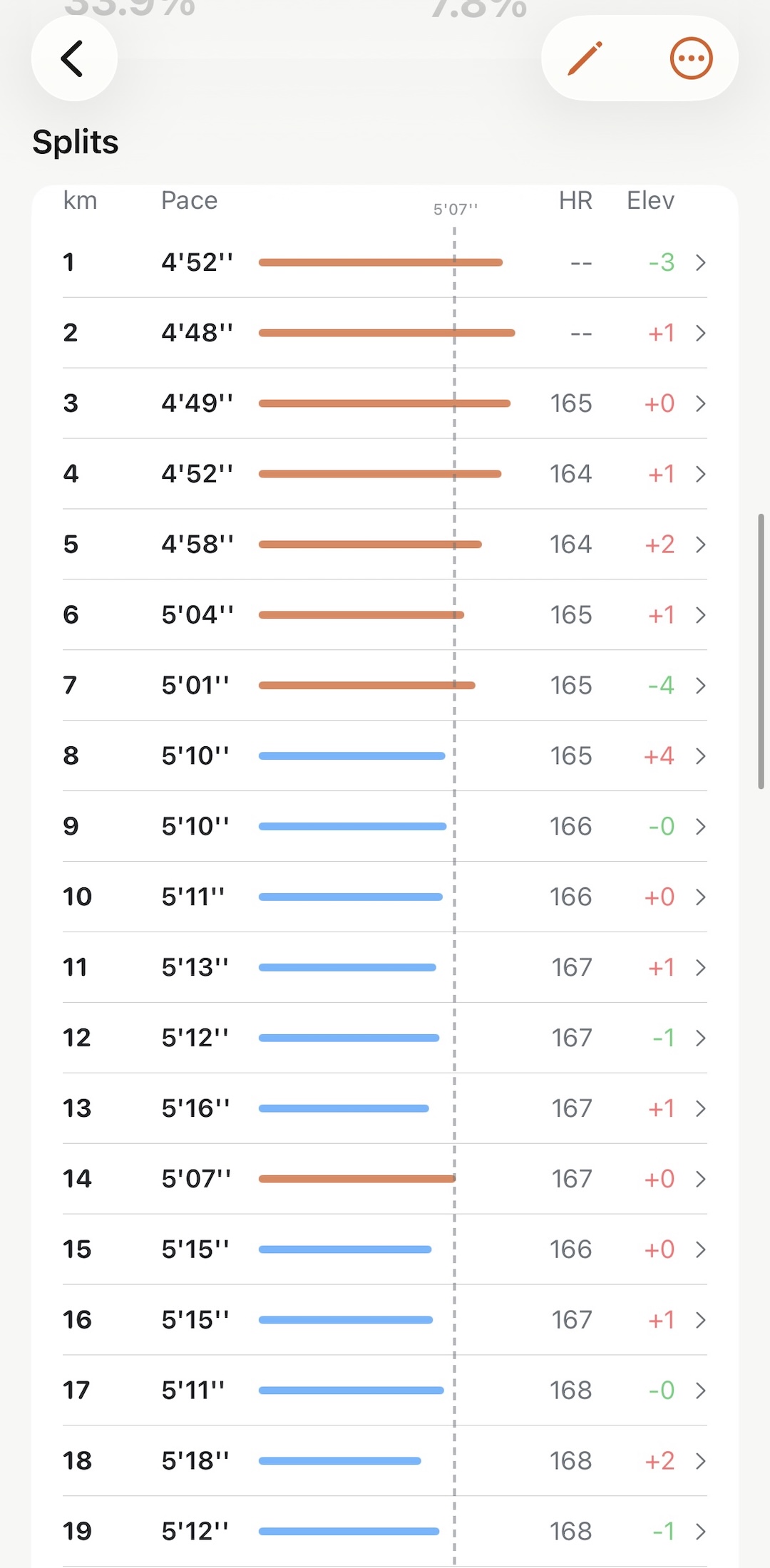
Each row is one split, with:
- Split — the kilometre or mile number
- Duration — time spent on it
- Pace — the number you came for
- Elevation — how much of the difference the hill explains
- Avg. Heart Rate — what it cost you
And across the bars, the dashed line: your average pace for the run. That one line is what makes the table readable at a glance:
- Bars growing past the line as you go down — negative split, you finished faster than you started.
- Bars pulling back from it — a fade.
- Bars sitting on it — an even run, which for a long run is usually the goal.
Tap any split#
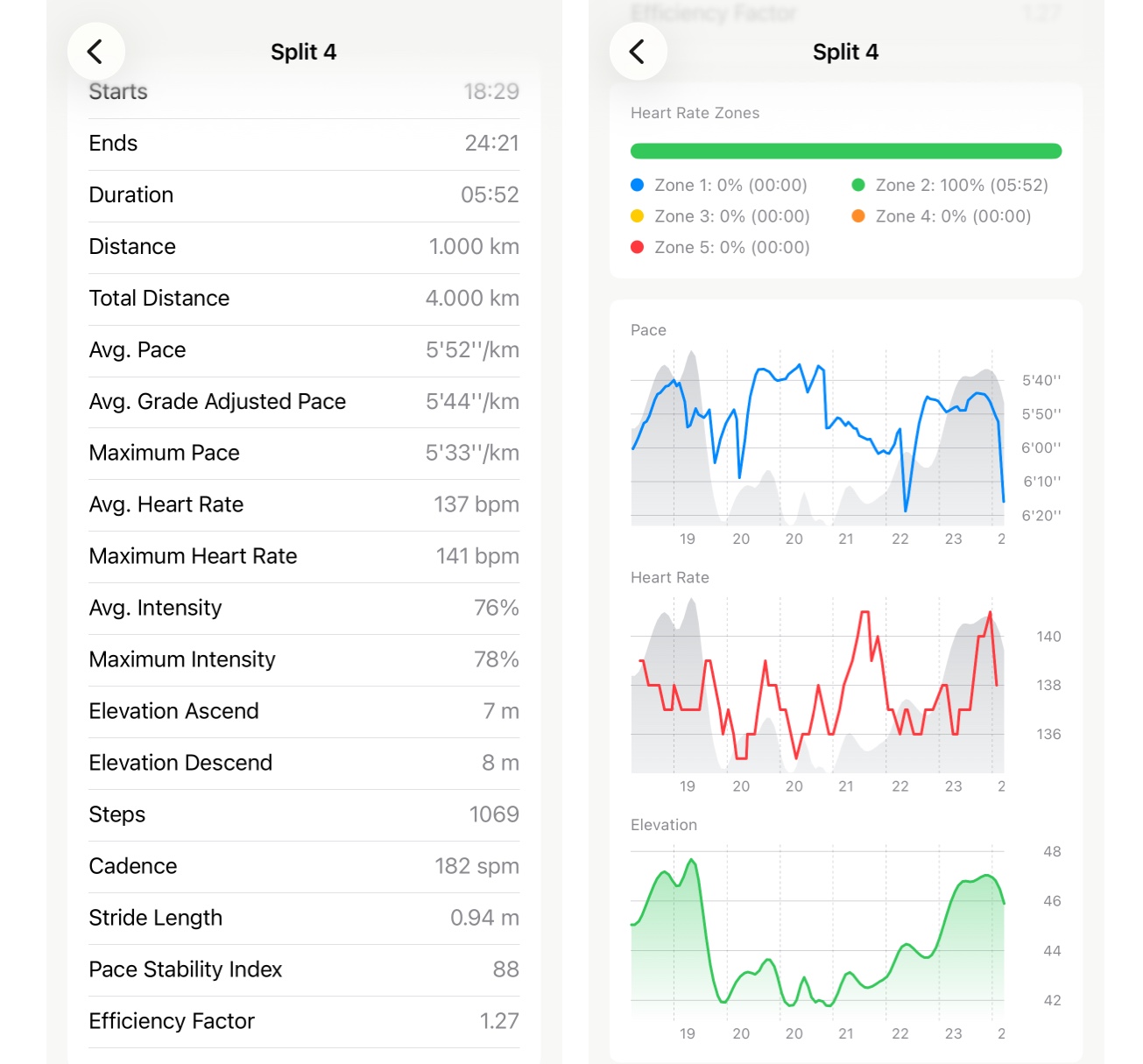
Tapping a row opens that single split — including Elevation Ascend and Elevation Descend separately, which is often the whole story behind a slow one. A kilometre 20 seconds off your average with 30 m of climb in it wasn’t a bad kilometre.
Pro adds two more numbers per split: Pace Stability Index and Efficiency Factor, for when you want to know whether a split was steady or just averaged out to the right pace.
There’s a page on the whole split screen, line by line.
5K splits, for longer runs#
On anything long, kilometre splits become a wall of numbers. 5K splits roll them up into blocks big enough to show pacing strategy instead of noise — the natural unit for reading a half or a full marathon, and the one race reports have always used. (That’s where the idea came from.)
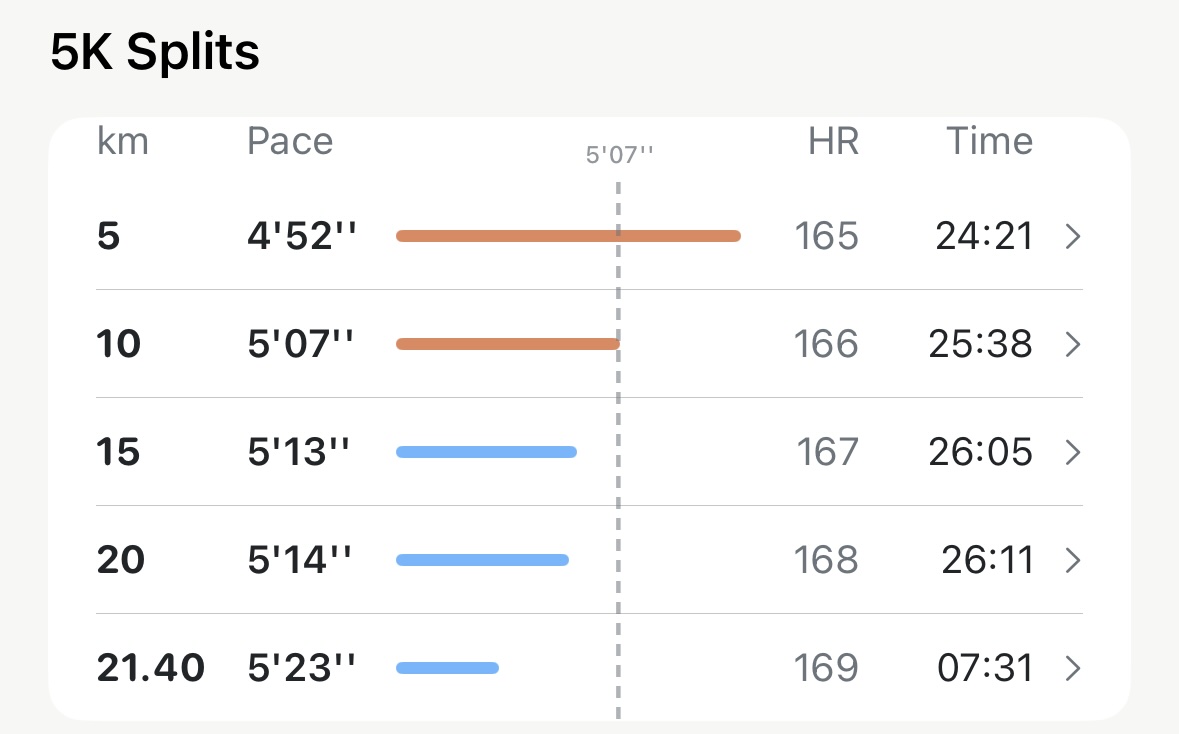
The table sits right under the kilometre splits on any run of 10 km or more, and reads the same way:
- Each row is a block of five splits, so a half marathon is 5, 10, 15, 20 and then whatever is left — the 21.40 row above is the last 1.4 km on its own, which is why its time is seven minutes rather than twenty-five.
- Time is the block’s own time, not the running total. 24:21 for the first 5 km, 25:38 for the next. Race reports print it this way, and it’s the number you compare block to block.
- The dashed line is the same average, so the same rule applies: a bar past it is a block you ran faster than the run.
- HR is the block’s average, and on a steady race it climbs a beat or two per block even when the pace holds — that’s the cost of the distance, not a change of effort.
- Tap a row and it opens like any other split, with its own charts and zone bar for just that stretch.
Five rows is the right amount of information for a long run. If block three is where the pace went, that’s where to open the kilometre splits and look closer.
Worth knowing#
- Segments is a different thing. If your watch recorded structured work — intervals, laps you pressed — those appear under Segments or Intervals, matching the efforts you actually ran rather than arbitrary kilometre marks. Segments and intervals covers both.
- A treadmill run still gets splits, worked out from your recorded distance.
- In miles, the blocks are five miles. The section keeps its 5K name, but the rows read 5, 10, 15 mi.
- Don’t read a single split too hard. GPS settles over the first few hundred metres, so an opening kilometre is the least trustworthy one in the table.
Why it was built this way: Why splits show an average line
Get the app
See the shape of your last run.
Splits, 5K splits and the average line are free, on every run already in Apple Health — including the ones you did years ago.
↓ Download Apex Run