
The one notification Apex Run sends
A run lands on your phone, a banner says it's ready. That's the whole notification story, and it's meant to be.
Running apps have a habit of turning notifications into a marketing channel. This one has a single banner, and it only fires when there’s something new of yours to see.
What sets it off#
A new run from your watch reaching your phone. When Apple Health hands the app a workout it hasn’t seen, the app imports it and, a few seconds later, posts a banner titled Run Complete! with a short line of encouragement underneath. By the time you pick the phone up, the run is usually already in the app.
- One banner per arrival, however many runs came in together. Two runs syncing at once means one banner, not two.
- Each run is announced once. A run the app has already told you about never triggers a second banner, even if Health delivers it again.
- It shows even if you’re in the app, so you know the new run has landed without leaving the screen you’re on.
- Tapping it opens the app. It doesn’t jump to the run; the Summary tab’s Latest Run card is already showing it.
The two switches#
Both have to be on for a banner to appear.
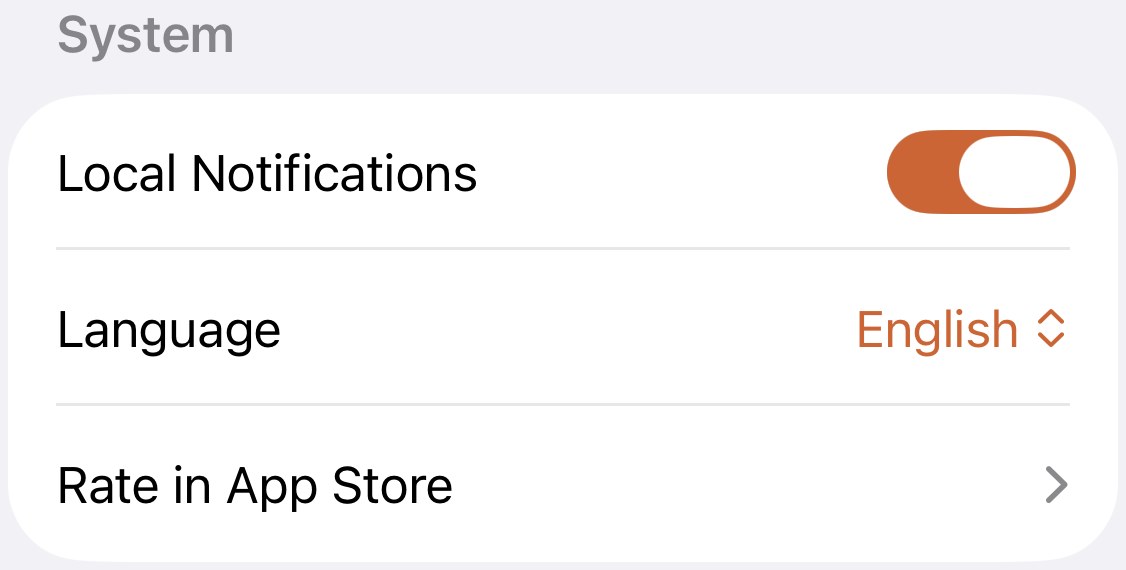
- Local Notifications in Profile→Settings→System . The app’s own switch, on by default. Turn it off and the app stops asking iOS to post anything.
- Apex Run’s permission in iOS. Asked once, the first time you open the app. If you said no then, or turned it off later, iOS drops the banner silently. It lives in your iPhone’s Settings→Notifications→Apex Run .
If runs are arriving but banners aren’t, it’s almost always the second one.
What it will never send#
Reminders to run. Streaks. Weekly summaries. “You haven’t opened the app in a while.” Recovery verdicts. Pro promotions. Anything at a scheduled time. None of these exist, so turning Local Notifications off costs you exactly one banner and nothing else.
Worth knowing#
- No banner and no run means the run didn’t arrive, and that’s not a notification problem. Open the app; runs usually land on the first open. If one is still missing, Sync All Data fetches it.
- A merged, converted or reimported run doesn’t announce itself. The banner is for runs arriving from your watch, and those three are things you did in the app.
Get the app
One banner when your run is in. Nothing else, ever.
No streak reminders, no weekly nags, no Pro promotions. The only notification is the one that tells you the run you just finished is ready to look at, and one switch turns even that off.
↓ Download Apex Run