
Fix a run that came in wrong
The distance is right, the pace is right, and where the map should be there's nothing. The run was fine; the route just didn't make it across. One tap goes back and gets it.
Almost everything in a run comes from Apple Health, and once in a while a piece of it doesn’t arrive — most often the route. Reimport goes back for that one run and fetches it again.
It’s free, and it only affects the run you’re on.
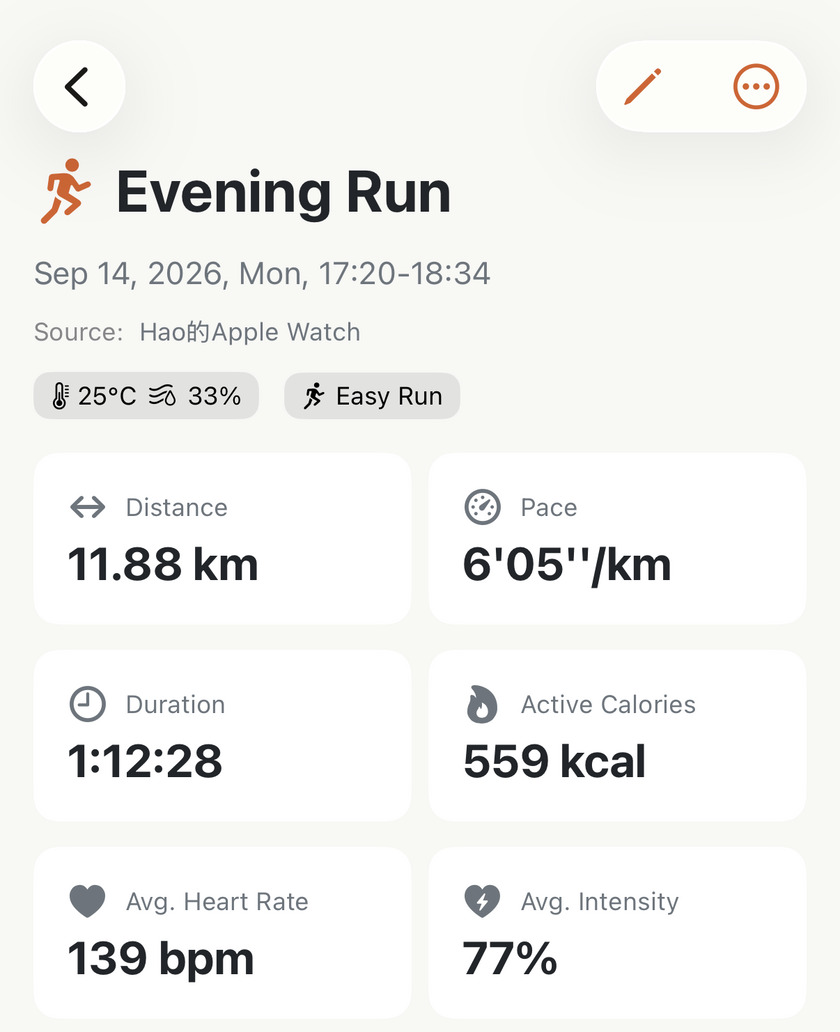
Nothing is wrong with the run. The recording is complete and the numbers are right; one piece of it didn’t come across.
Where it is#
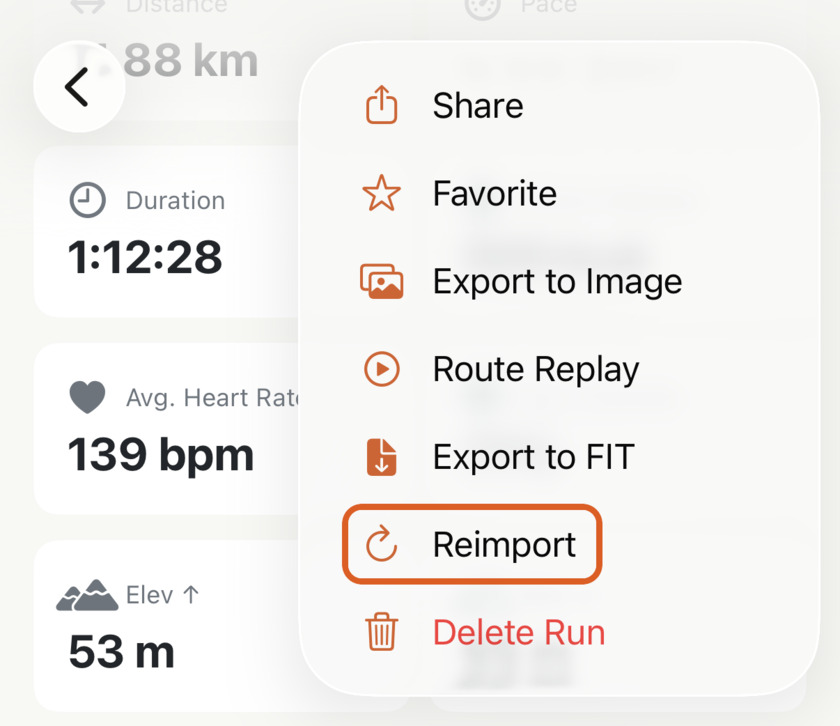
Open the run, tap ⋯ in the top-right corner, and choose Reimport.
When to reach for it#
Four cases, and they cover almost every reason you’d want this:
- The map is empty on a run you know was outdoors. This is the common one. The route is in Apple Health; it just didn’t land in the app. Worth a glance at Apple’s own Fitness app first — if that shows no map either, the route isn’t on this device at all, and nothing Apex Run does can conjure it.
- A chart is blank — no heart rate trace, no pace line — on a run where your watch was definitely recording.
- The workout changed in Apple Health after Apex Run imported it, because another app corrected it. Reimport is what brings the newer version across.
- You want an old run re-labelled under the heart rate zones you use now. Apex Run keeps each run’s type as it was when the run came in, so a reimport is the one thing that re-reads it against your current zones.
Once the route is back, everything built on it comes back with it: the map, the charts, your splits, your best efforts and their all-time ranks.
What it keeps, and what it replaces#
This is the part worth knowing before you tap it.
Kept, every time — the things you typed or chose:
- the run’s name and your notes
- the gear you assigned
- favourite status
- any Trophy Room photos on the run
Replaced with whatever Apple Health holds now: distance, duration, pace, heart rate, elevation, calories, cadence, the route itself — and the run type.
If Reimport isn’t in the menu#
It only appears on runs that came from Apple Health, because those are the only ones there’s anything to go back to:
- A run you added by hand has no Health original.
- A merged run is stitched from two workouts, so it isn’t one either. Its halves are still in Health — delete the merged run and Profile→Settings→Data→Sync All Data brings them both back, then merge again.
Worth knowing#
- Nothing looks like it’s happening. There’s no spinner. The menu closes, a few seconds pass, and the page fills in. On a long run give it a moment before deciding it didn’t work.
- If the screen goes blank, the workout is no longer in Apple Health. Nothing was lost — go back and open the run again and it’s still there, exactly as it was. This is what you’ll see if the workout was deleted from Health after Apex Run imported it.
- Deleted and re-added in Health? That’s a different workout now. Reimport won’t find it. Use Profile→Settings→Data→Sync All Data instead, and the new copy comes in as a new run.
- Your personal bests won’t double up. A reimport re-checks the run’s best efforts against your history rather than adding a second set, so a reimported 5 km doesn’t take two places in your top ten.
Get the app
One run, fetched again.
Reimport is free and it only touches the run you're looking at. If one run in your log looks thinner than you remember it, this is the ten-second fix — and your name, notes and gear stay exactly as you left them.
↓ Download Apex Run