
Find out what you could run todayPro
Signing up for something in eight weeks and no idea what number to put next to your name? Apex Run already has six weeks of your running. It turns that into four finish times, and tells you how much to trust each one.
Most race calculators ask you for a recent race result. If you had one of those, you’d already know roughly what you could run. This one works from training.
What you’re looking at#
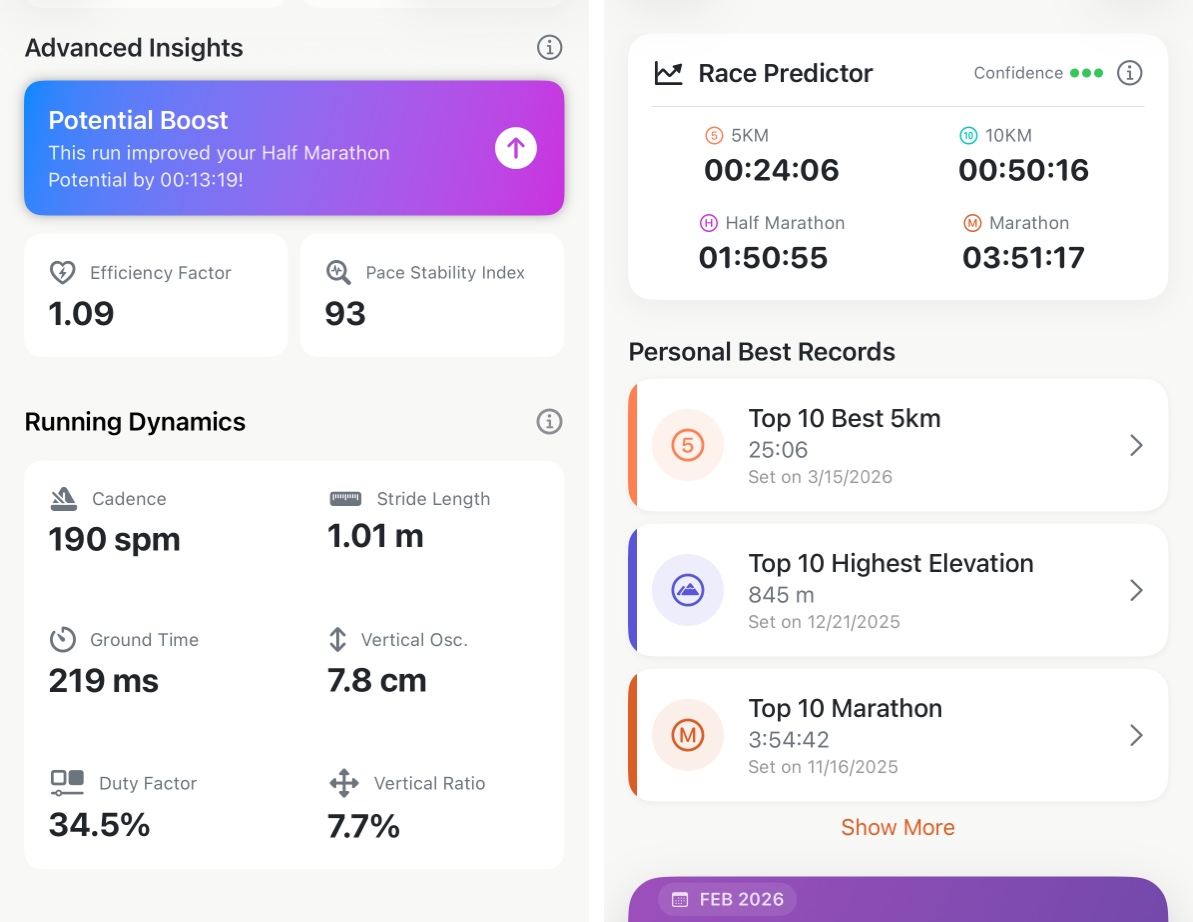
- The four times — what your current training says you could run for 5K, 10K, half marathon and marathon.
- Confidence, one to three dots — how much recent running went into the answer. Three dots means several qualifying runs agreed; one dot means it’s working from a single run.
- A dash instead of a time — nothing in the last six weeks was long enough to project that distance from.
The ⓘ opens the app’s own note on why a prediction can sit behind your personal best.
Why a distance is blank#
Each prediction needs at least one run of a sensible length behind it, inside the last six weeks:
| Prediction | Needs a recent run of at least |
|---|---|
| 5K | 3 km |
| 10K | 5 km |
| Half marathon | 10 km |
| Marathon | 16 km |
So a month of 5 km lunch runs fills in the first two rows and leaves the other two blank. That’s the honest answer — a marathon time extrapolated from a parkrun isn’t information.
Why it’s slower than my PB#
Because it’s describing this month, not your best month. A personal best is the top of a peak you were on at the time; the prediction is what today’s training supports.
If your best is recent, it pulls the prediction toward it — heavily in the first month, less as the months pass, until after about half a year it barely counts. A marathon PB from two years ago has almost no say in what you could run this weekend, which is the correct amount of say.
Potential Boost, on the run that did it#
When a run raises one of these four times, that run’s own page carries a Potential Boost card under Advanced Insights, naming the distance and the improvement.
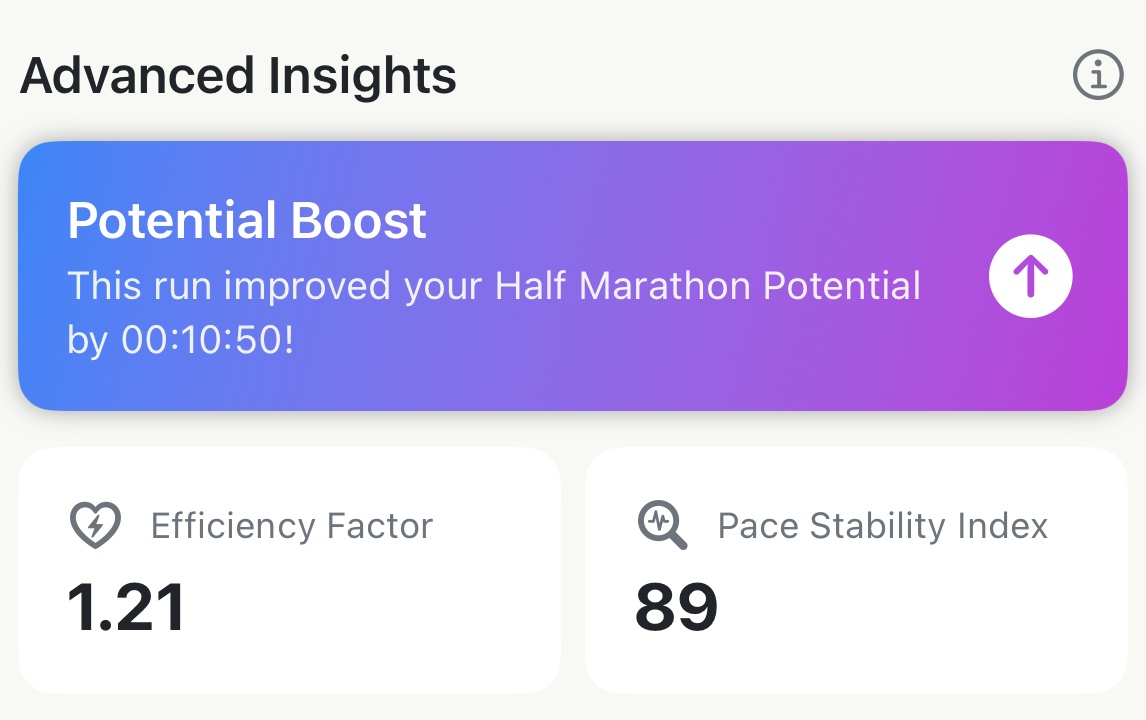
It’s the clearest feedback in the app that a session did something — and it appears on the run, not buried in a trend.
How to actually use it#
- Pick a goal pace from it, not a goal time. Divide a predicted time into per-kilometre pace and go run that pace — that’s the part you can practise.
- Watch the direction over a block, not the number today. Six weeks of training should walk it down. That trend is the useful signal.
- Treat the marathon number with the most suspicion. Projecting 42 km from a 16 km run assumes fuelling and durability nobody can measure from a training file.
- Get the dots up before you trust it. More long runs in the window, more agreement, more confidence.
Try it in your browser: Race predictor
Get the app
See your four times.
The predictor reads the runs already in your library, so it has an answer the day you install. Part of Pro, with a 14-day trial.
↓ Download Apex Run