
Your ten best, at every distance, kept for you
You know roughly what your best 10K is. The board knows exactly, and it also knows your second best, your fifth, and the day each one happened — because it was reading the runs you did before you had the app.
Records in Apex Run aren’t one number each. Each of the ten record types is a board of your ten best, in order, with the run behind every row. So the question isn’t only “what’s my fastest 5 km” but “what were the ten fastest, and which was the race”.
Where the boards are#
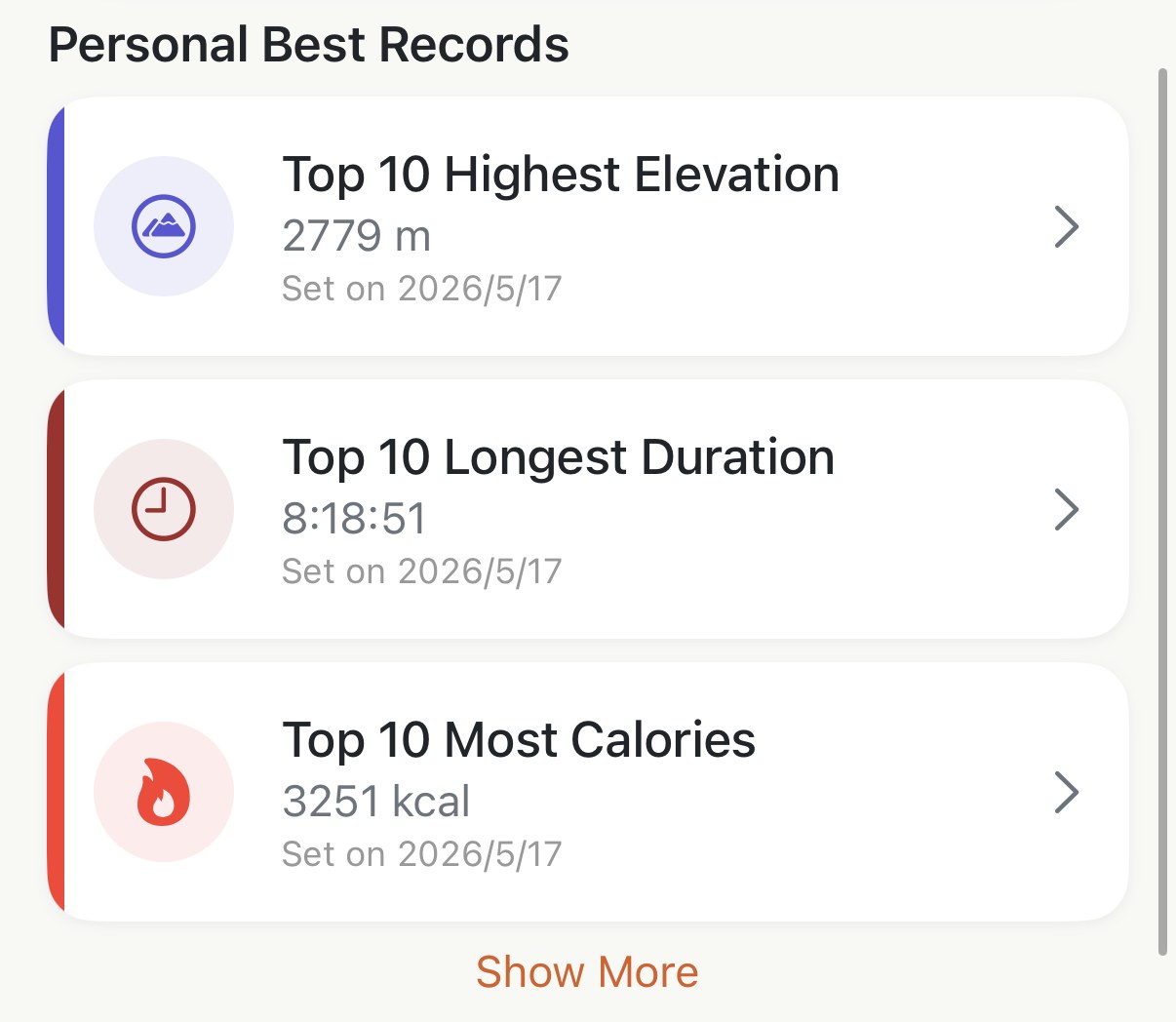
Profile shows three boards under Personal Best Records — the three whose top spot was set most recently — with Show More for the rest. The same ten, as a full screen, sit behind the Records chip on the Insights tab.
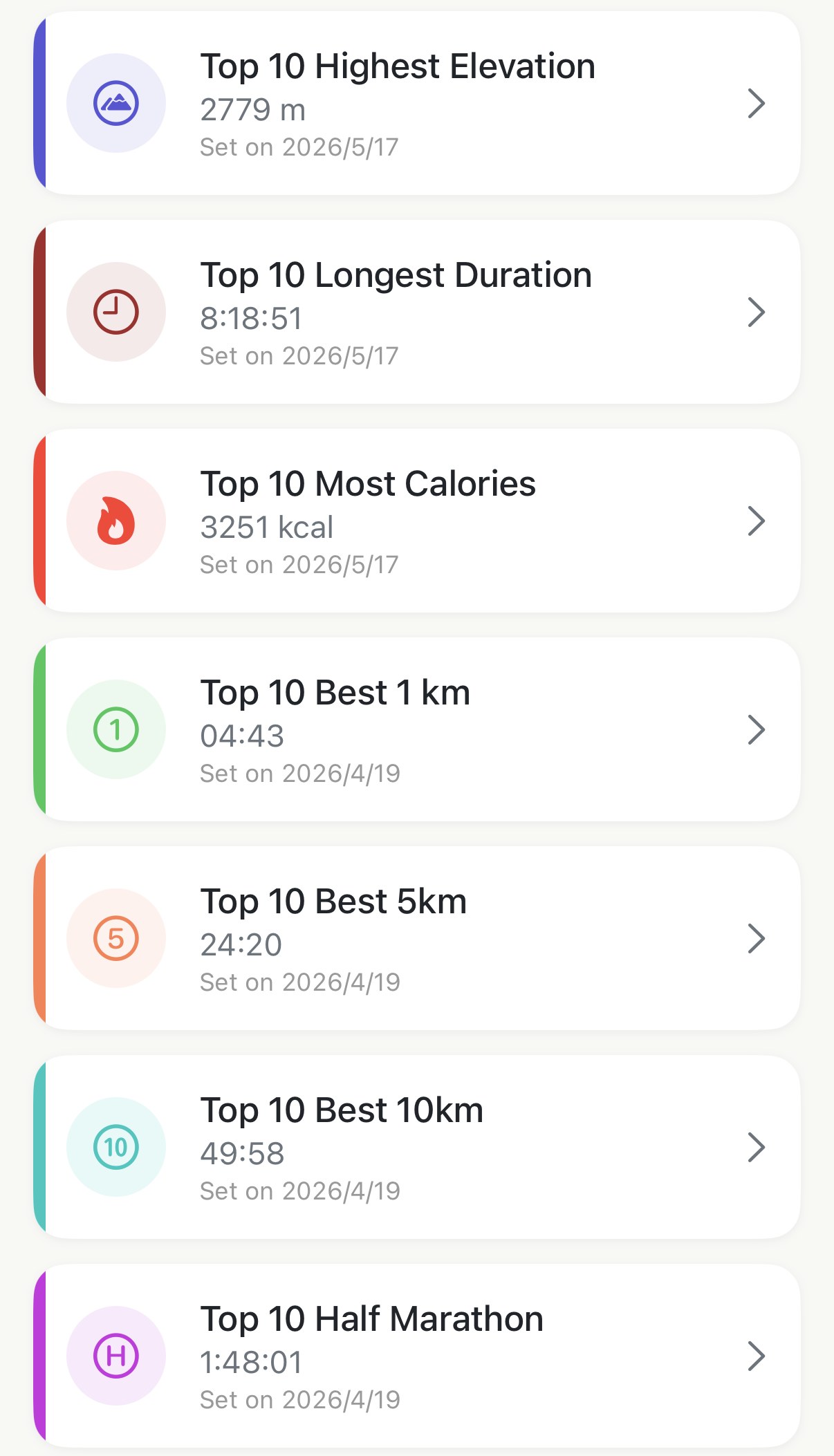
Each card is a board’s top row: the value and the date it was set. Boards are ordered newest-set first, so whatever you just beat is at the top. A board with nothing on it yet reads No record yet. Go for it!
The ten boards#
Five are distances, and they’re filled from the best efforts inside every run:
- Best 1 km, Best 5 km, Best 10 km, Half Marathon, Marathon
A 10 km best doesn’t need a 10 km run. It’s the fastest 10 km stretch inside any run you’ve done — your half marathon’s opening 10 km counts, and often wins.
Five are whole-run records, read off each run as it is:
- Longest Distance, Longest Duration, Highest Elevation, Most Calories, Fastest Pace
Fastest Pace is the average over a whole run, whatever its length. A short, sharp one can hold it, and that’s fair: it was your fastest run.
Open a board#
Tap a card and the board opens: ten rows, ranked, each with the run’s name, its date, the record figure in orange beside two others for context — the half marathon’s pace and distance, say — and the route underneath when the run has one. Tap a row and it opens the run.
A run holds one row per board, its best. So ten rows are ten different runs, which is what makes the board readable as a history: it’s the ten days you were fastest at that distance, not one great day counted ten times.
What a row means elsewhere#
- On the run itself, the #1 to #5 badges on the Best Effort cards are that run’s rows on these boards. A #3 on the 5 km card means row three here; rows six to ten earn no badge on the run, only their place on the board.
- In the monthly report, the Achievements section is the month’s new rows, each with its rank on the board.
- When you set a #1, the run’s Best Effort section shows a New PR banner the first time you open it.
Worth knowing#
- Every board is free, and they fill from your whole history on day one. A best you set two years ago is already on it.
- A hike you converted into a run counts, and it’s usually how Highest Elevation and Longest Duration get set. If you’d rather they were runs only, that’s a reason to leave the hike where it was.
- Deleting a run takes its rows with it, and the next row moves up. On the five distance boards nothing refills the empty tenth place until a new run earns it — see what a delete does.
- The boards use your distance unit for how they read, not for what counts. Best 5 km is 5 km on a phone set to miles too.
Why it was built this way: The number that made me want to tap
Get the app
Find out what your best 10K really is.
Ten boards, all free, already filled from the runs in Apple Health. Nothing to set up — open Profile and they're there.
↓ Download Apex Run