
See which pace zone each minute of a run landed inFree + Pro
A tempo run has a pace it's meant to be run at. This section tells you whether it was — how much of the session sat in Threshold, and how much drifted into the grey stretch just below it that trains neither thing well.
Heart rate zones answer how hard. Pace zones answer how fast, against paces that are yours — worked out from a race you actually ran, not a chart. Once they’re set, every run carries a Training Pace Zones table that says how much of it was spent at Easy, Marathon, Threshold, Interval or Repetition pace, and how much fell in the cracks between them.
Set it up once#
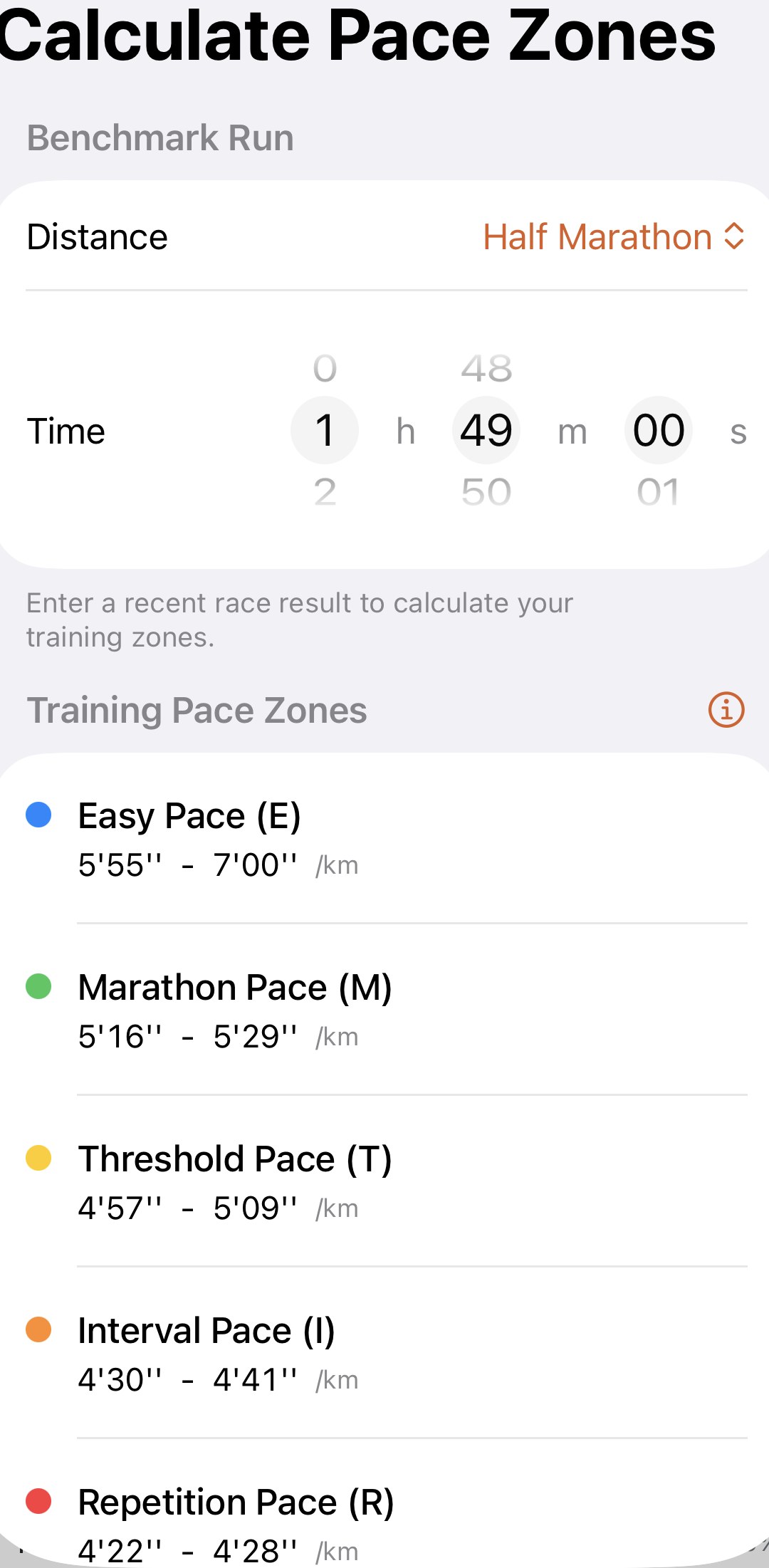
Go to Profile→Settings→Calculate Pace Zones , or tap Set Up in the section on any run — it’s the same screen. Pick the distance of a recent race, 5 km, 10 km, Half Marathon or Marathon, and dial in your time. The five zones appear underneath, each with its pace range, and that’s it. Every run you’ve ever recorded now has the table.
Use the most recent race you’re proud of, not the fastest you’ve ever run. The zones describe what you can do now, and paces from a PB three years ago will make every run look slow. When you run a breakthrough race, come back and enter it. Every run re-reads against the new zones on the spot.
The ⓘ beside the list explains what each zone is for — Easy for building the base, Threshold for holding a hard pace longer, and so on. The Learn page goes deeper, and the web calculator gives you the same paces in a browser.
What you’re looking at#
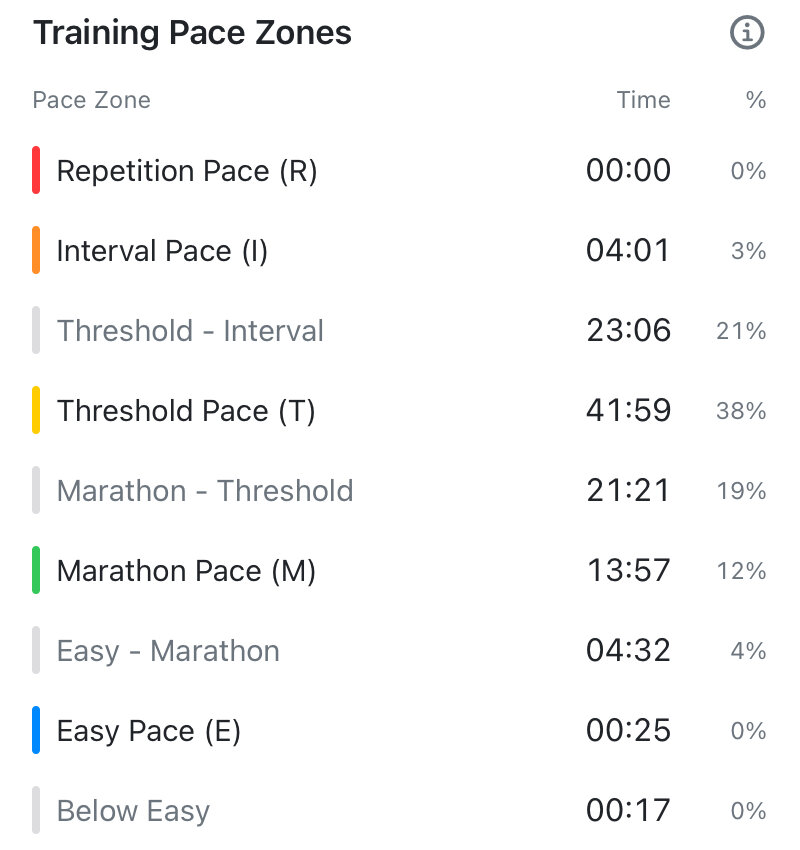
Scroll past the heart rate zones on any run and the table lists paces from fastest to slowest, each with the time spent there and its share of the run:
- The five coloured rows are the zones — Repetition, Interval, Threshold, Marathon, Easy. They’re always there, even at 00:00, so you can see at a glance which ones a run touched.
- The grey rows are the gaps between zones — the paces that are too slow for one zone and too fast for the next. A grey row only appears when the run actually spent time there.
- The percentages are shares of the run’s moving time, so they add to 100 across all the rows together.
Pro names the gaps. With Pro, each grey row says which two zones it sits between — Marathon - Threshold, Threshold - Interval, Below Easy — so you know which way you drifted. Without Pro, everything between zones is folded into one Uncategorized row. The five zones and their times are the same either way.
Reading it#
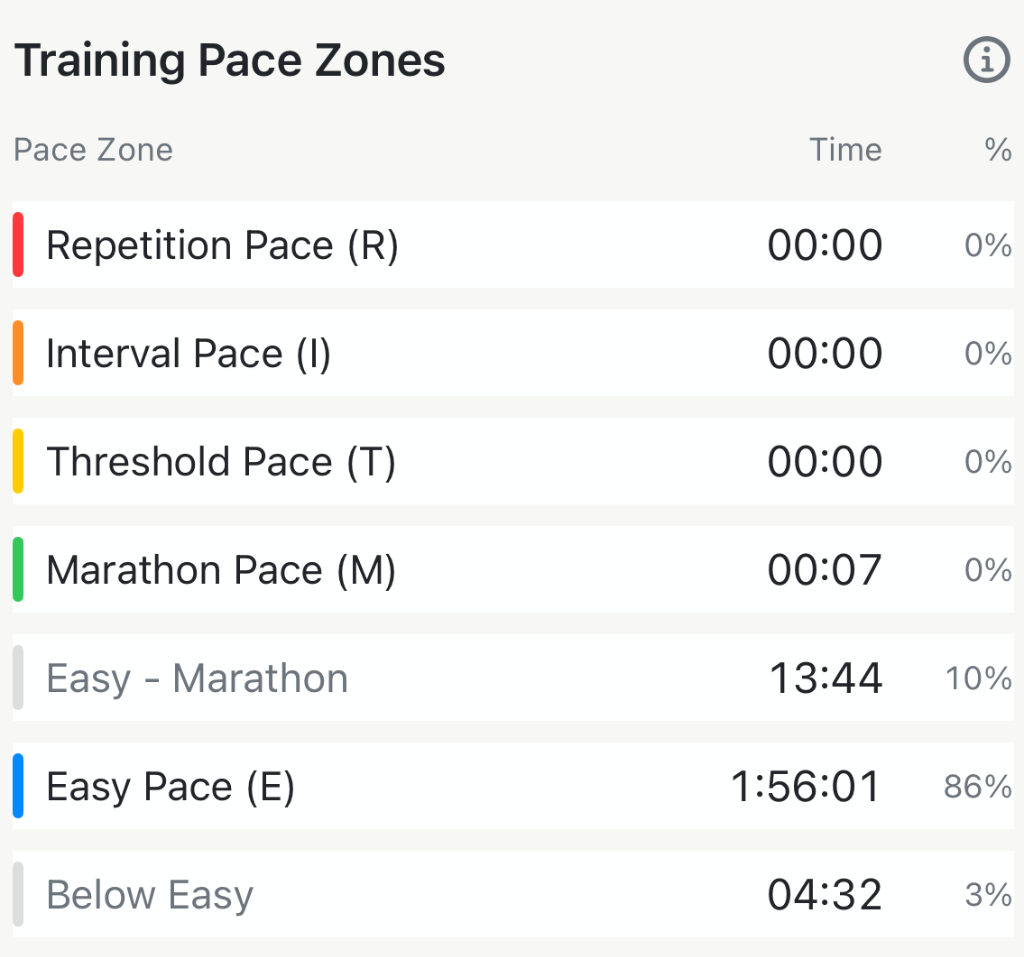
The coloured rows tell you what the session was. The grey rows tell you where it leaked:
- An easy run should be almost all Easy. Ten percent in Easy - Marathon is a normal amount of drift. A third of it there is an easy run that was run too hard, and it will show up as fatigue later in the week.
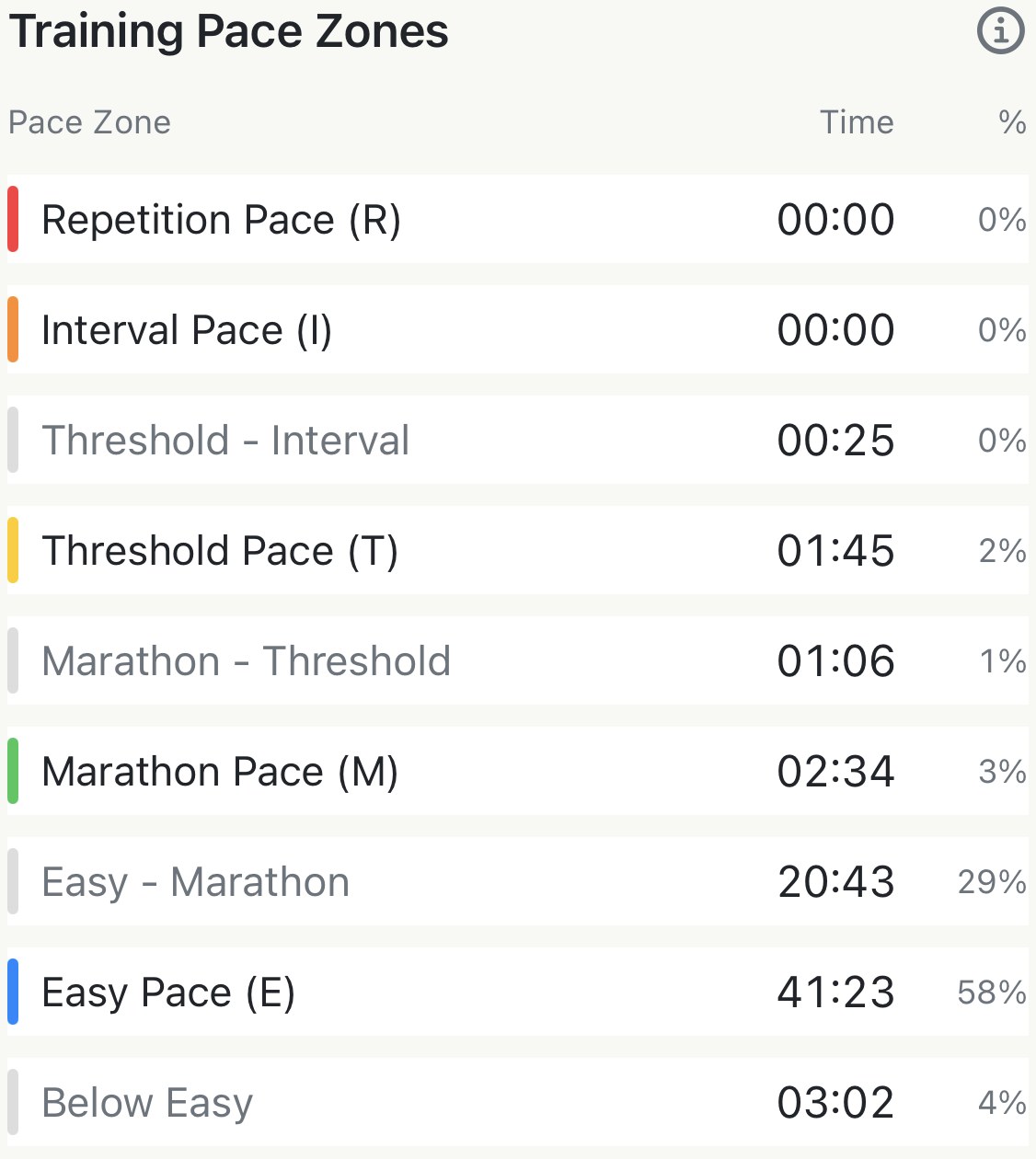
- A tempo run wants a big Threshold row. If the biggest row is Marathon - Threshold instead, the pace was a touch soft — you got a hard run, but not the one that moves your threshold.
- A race is allowed to be messy. The half marathon above spent a fifth of its time between Threshold and Interval; that’s the first 5 km of a race going out fast, and the split table will show it.
The grey rows are the ones to act on. Time between zones isn’t wasted, but it isn’t targeted either, and a run that was meant to train one thing is better spent inside its zone.
Worth knowing#
- Set-up and the table are free, on every run, however old. Pro’s part is the names on the grey rows, and nothing else in the section changes with it.
- Pace zones and heart rate zones sit on the same run for a reason. Pace is the target on a session with a target; heart rate is what it cost. A tempo that hit its Threshold pace but sat in heart rate Zone 5 was a tempo run on a bad day, and both tables together tell you that.
- The ⓘ on the run’s table opens the set-up screen, not a help sheet — the explanation of each zone is the ⓘ inside that screen.
- Miles or kilometres follow your distance setting, in the table and in the set-up screen alike.
The metric behind it: Jack Daniels' running formula and VDOT explained
Try it in your browser: VDOT and training pace calculator
Get the app
Know whether the session was the session.
One race time gives you five training paces, and every run you've recorded shows its minutes in each. Set-up and the zone table are free; Pro names the stretches in between.
↓ Download Apex Run