
Put an accidentally split run back together
Half marathon in the bag, and your log says 18.41 km and 3.02 km. Nothing went wrong with the running; a cold thumb hit End instead of Pause. Apex Run puts the two halves back together.
Watches stop for all sorts of reasons — a mis-tap at a water station, a phone call, a battery scare, a tunnel. The run happened as one run. Your log shouldn’t argue.
Start to finish#
1. Two rows where there should be one#
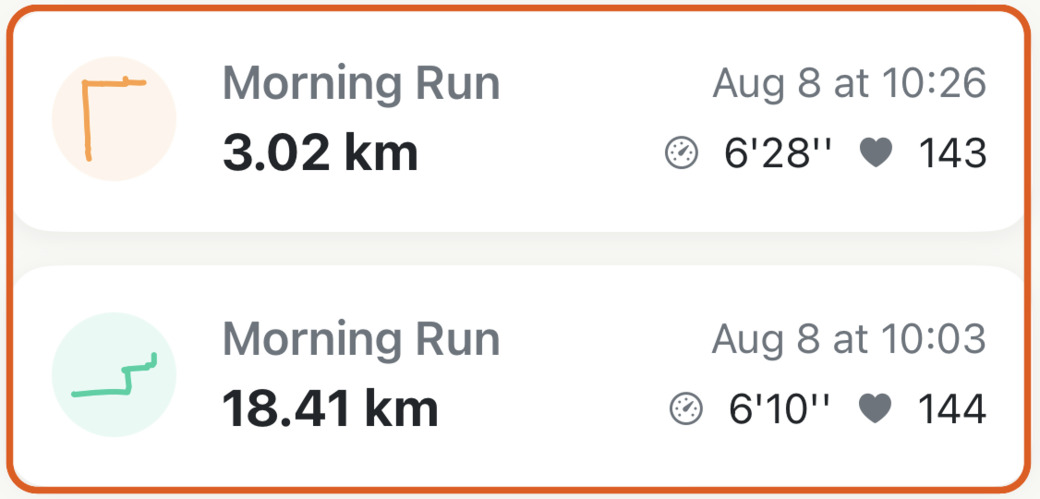
A split run looks like this: two entries close together, and neither of them the distance you actually ran.
2. Open the first one and choose Merge Next Run#
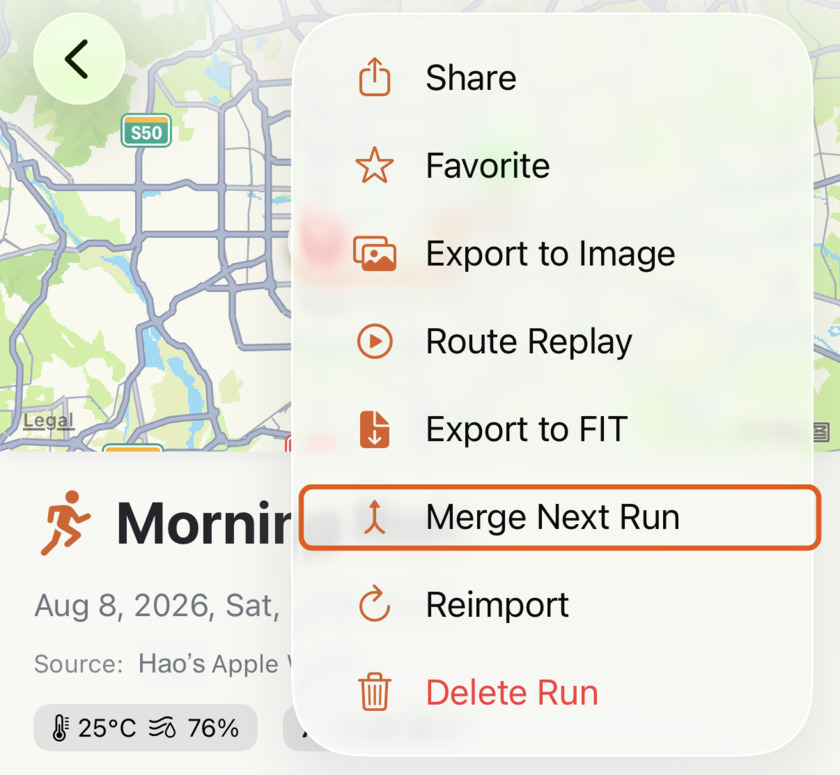
Open the earlier of the two — the 18.41 km one here — tap ⋯, and pick Merge Next Run.
That option only appears when there’s another run starting within three hours of this one’s end. If you can’t see it, you’re almost certainly looking at the second half; go back a run and try from there.
3. Check the pair, then Merge#
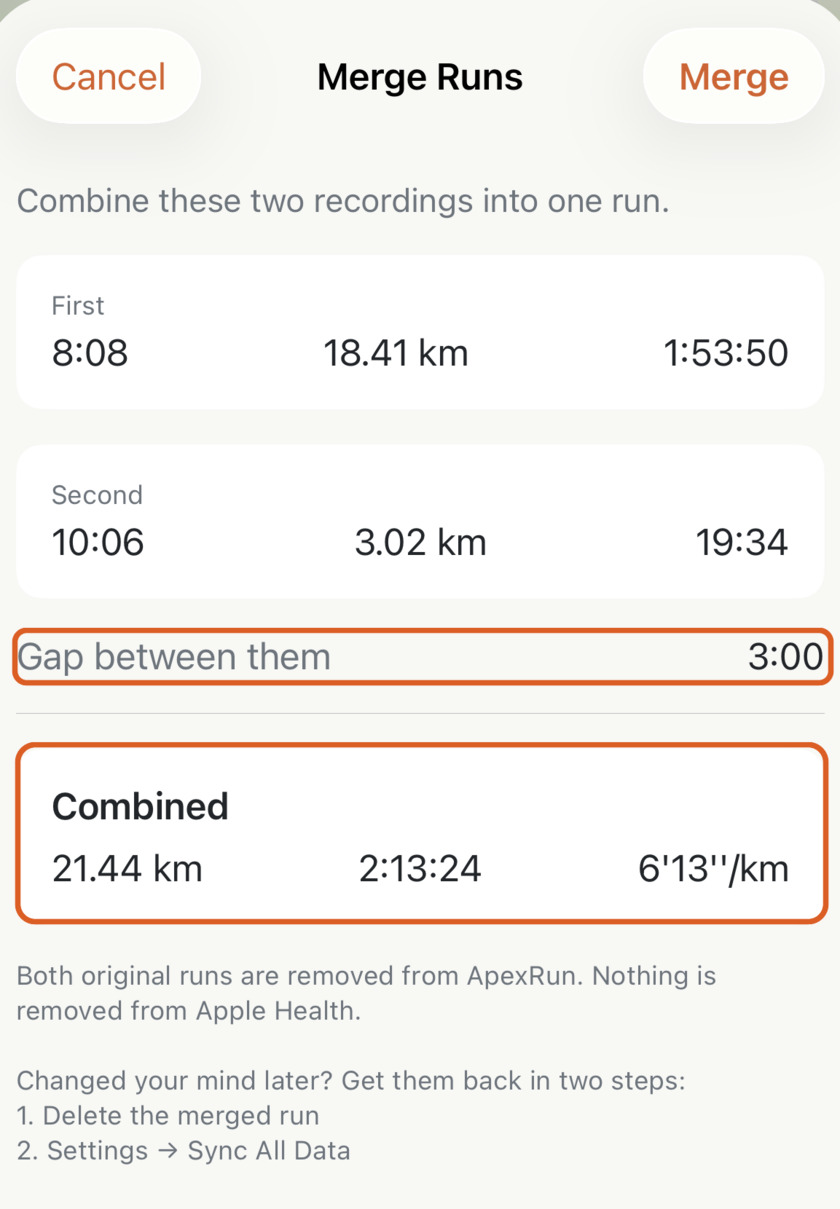
- First and Second — each recording’s start time, distance and duration, so you can confirm you’ve got the right pair.
- Gap between them — how long the watch was stopped.
- Combined — the run you’ll end up with.
4. One run, and it says so#
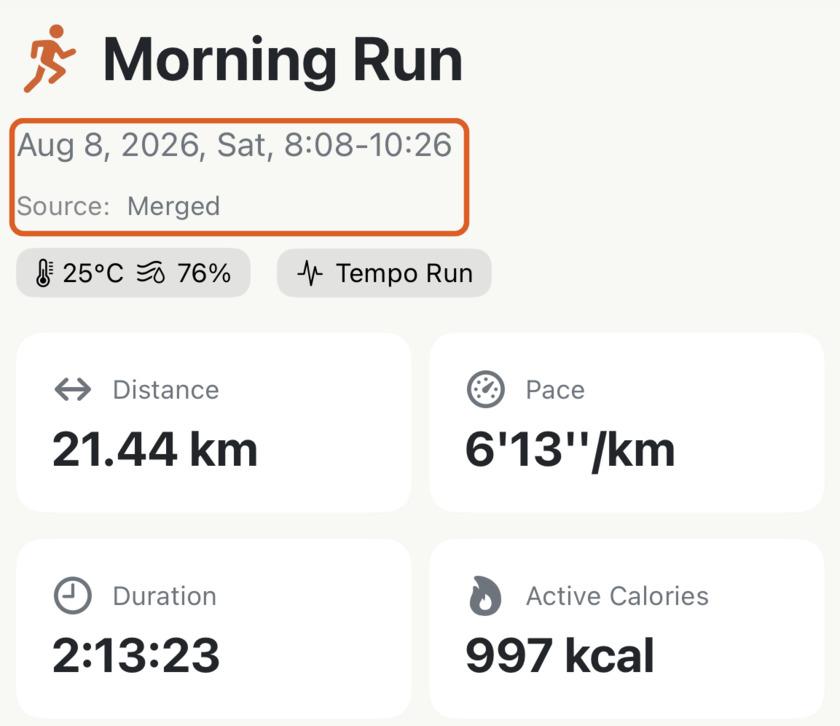
The result carries the full distance, the combined time, and the span of the whole morning. Source: Merged is how you can tell later that a run was put together from two recordings.
Your kilometre markers keep counting#
The merged run’s splits run continuously through the join, so kilometre 18 doesn’t restart at the break — you get one clean table for the whole distance. Best efforts, heart rate zones and your run type are all worked out again from the combined run.
It’s reversible#
The sheet says so, and it’s worth repeating because it’s the reason you can try this without worrying:
- Both original runs leave Apex Run, and nothing is removed from Apple Health.
- Changed your mind? Delete the merged run, then Settings → Sync All Data, and both halves come back.
How to actually use it#
- Start from the earlier run. The option lives on the first half and looks forward.
- Check the pair before you tap. The sheet exists so you can — two runs on the same evening are easy to mix up.
- Three or more pieces? Merge twice. Join the first two, then merge the result with the third — a merged run can be merged again. There’s no limit.
- Do it before you share. A merged run has the right distance for a share card and the right pace on your trend charts; two fragments quietly drag both.
Why it was built this way: Why merging beats re-recording
Try it in your browser: Merge or convert running files
Get the app
Fix the log, not the memory.
One tap puts a split run back into one line with the right distance and the right pace. Merging is free in Apex Run, and it's reversible.
↓ Download Apex Run