
Jump straight to a date in your history
You know it was the week before the half marathon last spring. Scrolling back through five hundred runs to get there is the wrong tool, and you don't have to.
Your run list is newest first, which is right nearly all the time and wrong the moment you want something from a year ago. Two controls fix that, and both are on the list already.
The calendar button#
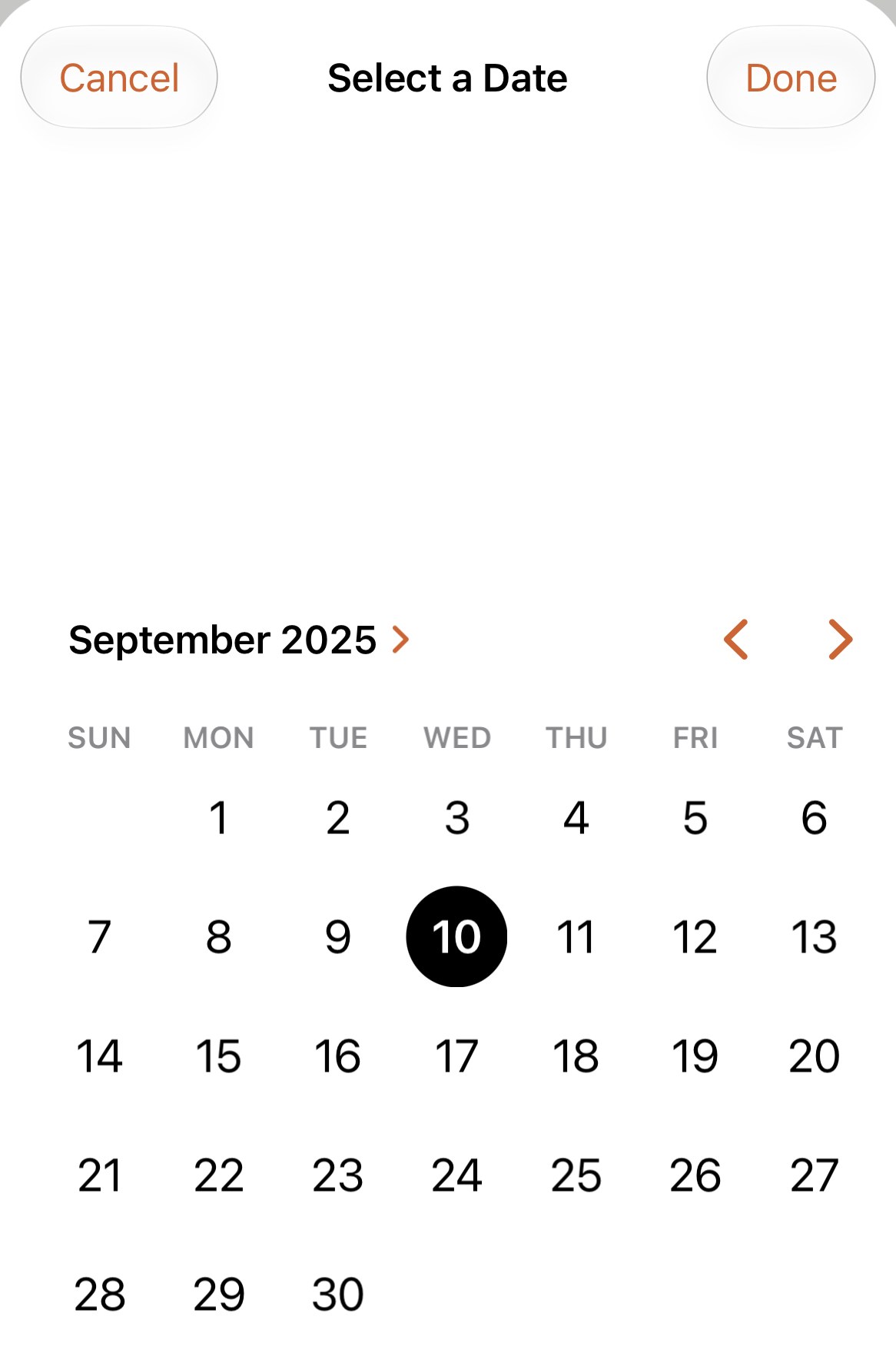
It’s in the top bar of your run list, next to the list and grid toggle. Tap it, and a month calendar comes up under Select a Date. The arrows step a month at a time; tap the month name to pick a year. Tap the day, then Done.
The list now starts on that day and runs backwards from it, with the same month headings as before, so you can keep scrolling into what came earlier. A banner at the top reads Viewing from and the date, and the calendar button, black until now, turns orange to say a jump is on.
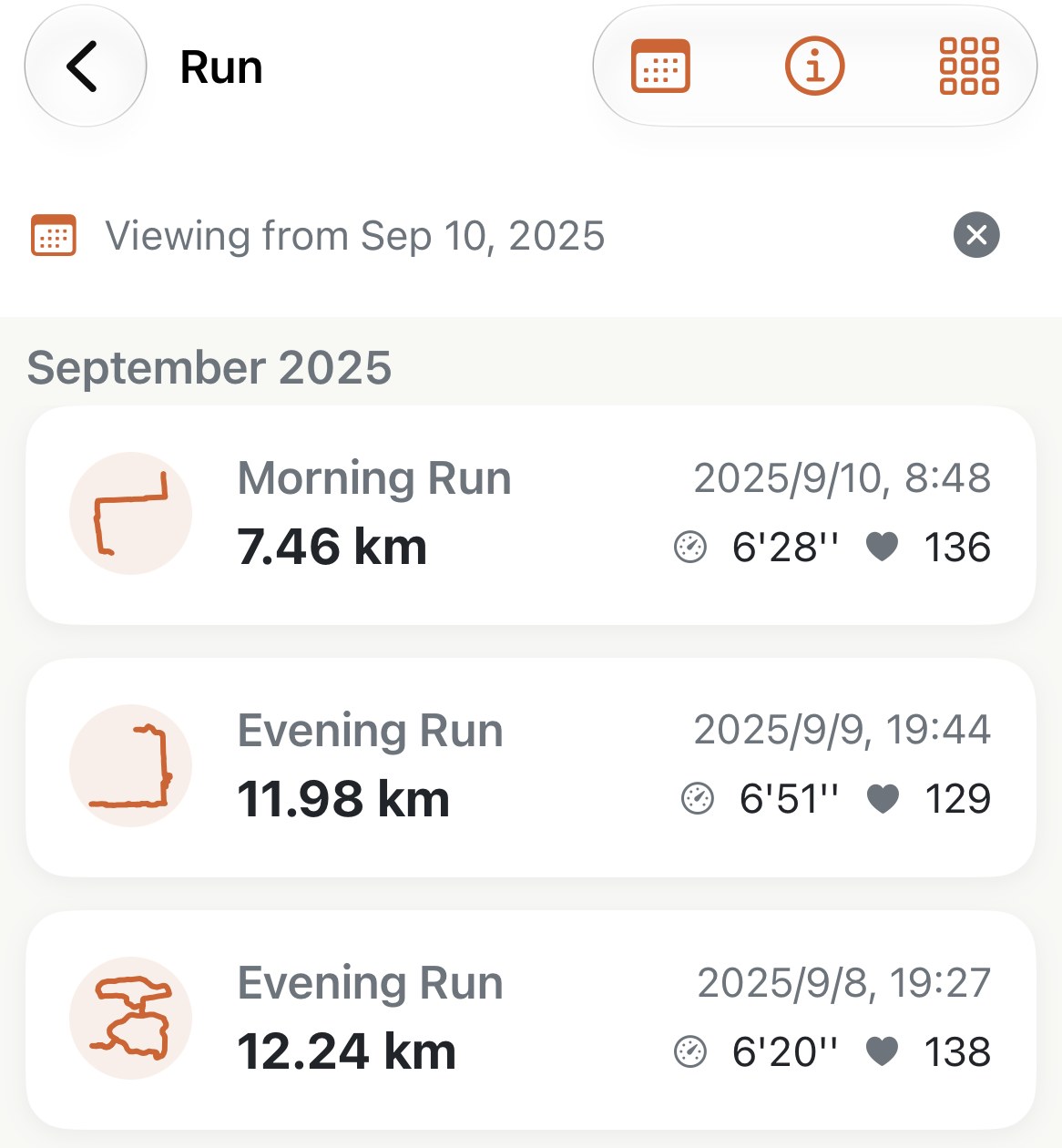
Tap the ✕ on the banner to come back to today. The jump is a view, not a filter you have to remember to clear; leaving the list and coming back later also clears it.
Pick the date of the run itself, or any day after it. The list starts from the end of the day you chose, so a run on that date is the first thing you see.
Search, for when you know its name#
Pull down on the list and a search field appears with Search by name. It matches the run’s name, so it finds the names you’ve given runs as well as the watch’s own Morning Run. Search and a date jump work together: jump to last spring, then type the name.
When the calendar button isn’t there#
- Inside a category on the Insights tab that filters by anything other than date. The calendar belongs to the plain list and to the Date filter; a Favourites or Long Run shelf is already a short list.
- A category sorted by anything other than Date loses its month headings and its calendar button together. Sort By decides that.
Worth knowing#
- Both views. The calendar and the search work the same in the list and in the grid.
- It can’t jump forward, because there’s nothing newer than the top of the list. If you jumped too far back, tap ✕ and pick again.
- Grid view is the faster way to find a run you’d recognise by the shape of its route; the calendar is for a run you’d recognise by its date. They’re one toggle apart, so use both.
Get the app
Last spring, two taps away.
The calendar and the search field are on every run list, free, in both views. Pick a date, and the list starts there.
↓ Download Apex Run