
Hold your cadence without hunting for a track
No more searching for a metronome track before you head out. Set a step rate once, and it plays over whatever you're already listening to — screen locked, pocket shut.
Overstriding is usually a cadence problem, and cadence is the one thing you can change mid-run. The awkward part has always been the logistics: finding a track at the right tempo, keeping it somewhere you can reach, remembering to start it. That part is now a single screen.
What you’re looking at#
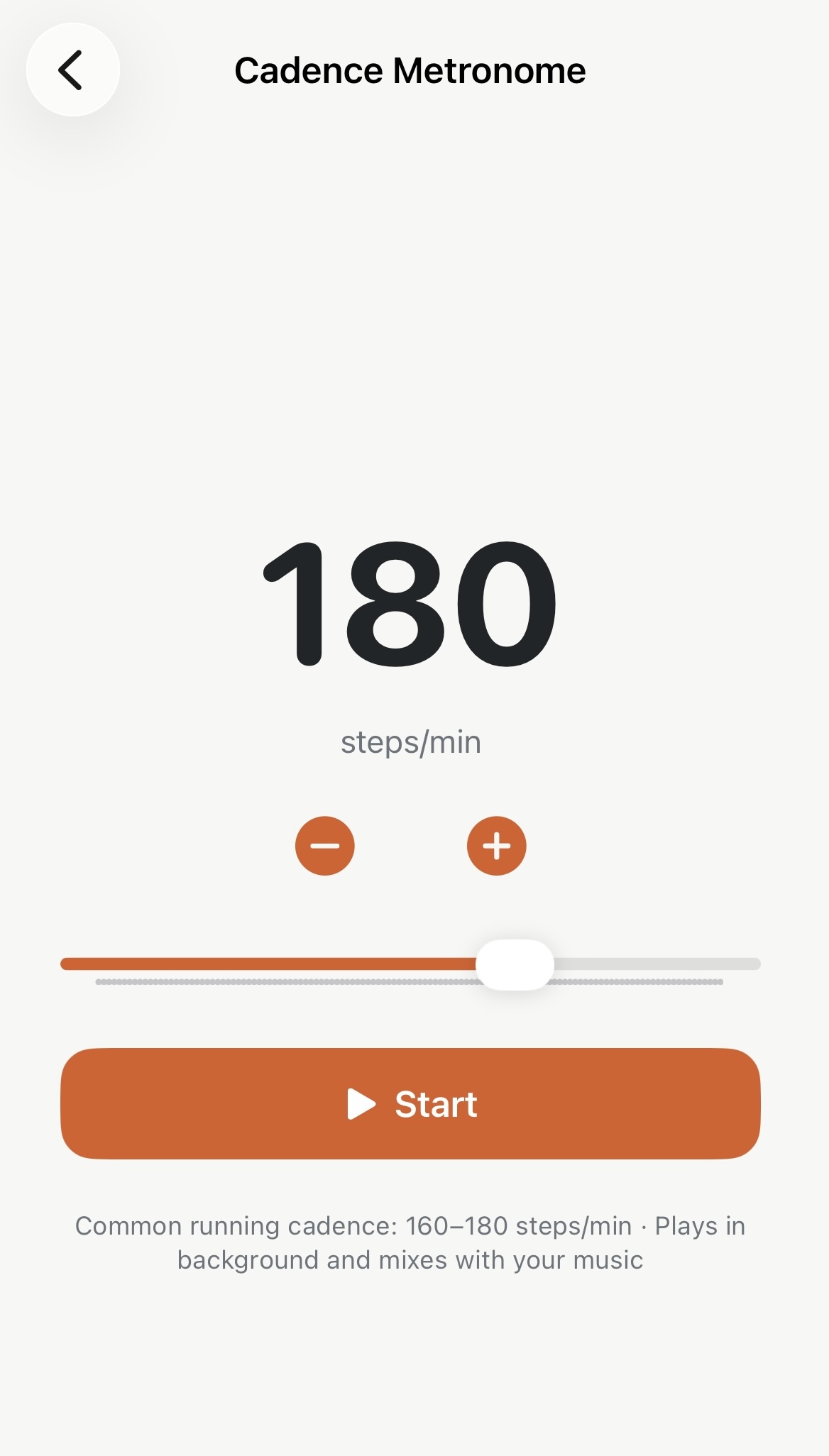
- The big number — your target step rate, in steps per minute. Starts at 170 and remembers whatever you last used.
- − and + — one step per tap, for when you’re dialling in a number you already know.
- The slider — anywhere from 100 to 220 spm, for getting close quickly.
- Start / Stop — that’s it. No warm-up, no countdown.
Most road runners live somewhere between 160 and 180 spm. If you’ve never looked, open any recent run in Apex Run and read its average cadence — that’s your honest starting point, and nudging it up by 5 is a more useful goal than jumping straight to 180.
It keeps playing when you put the phone away#
Two things about it matter once you’re actually running:
- It survives a locked screen. Start it, pocket the phone, and the beat stays honest for the whole run instead of drifting a few seconds every ten minutes.
- It mixes with your music. Podcast, playlist, silence — the metronome layers on top instead of interrupting it. You don’t have to choose.
Start and stop it with the phone locked#
This is how the metronome is normally used. You’re running; the phone is in a pocket or an armband; the screen is off.
Once the beat is going it appears as a Live Activity — on the Dynamic Island if your phone has one, and on the Lock Screen either way. Your step rate is there at a glance, and the button beside it starts and stops the beat without unlocking the phone. Killing the click for a hill and bringing it back afterwards is one tap, no passcode, no app.
There’s also a small Metronome widget for the Home Screen. It shows your target rate with − and + either side, so you can nudge the number without opening the app, and its Start button opens Apex Run and begins the beat in the same tap. For a rhythm session that’s the whole interaction: tap the widget, pocket the phone, run. It’s one of four Apex Run widgets; the other three are about your runs.
Worth knowing#
- It’s free. No subscription, no trial, no Pro gate. A metronome should just work.
- Apex Run doesn’t record your run, so the metronome is a companion to your watch, not a replacement for it. Start your watch as usual; the click is just keeping your feet honest.
- Don’t chase a number for its own sake. Cadence rises naturally with pace. A rate that feels smooth at threshold will feel frantic on a recovery jog, so set it per session rather than once forever.
Why it was built this way: Stop searching for the beat
Try it in your browser: Cadence & Metronome Generator
Get the app
Set the beat once. Then stop thinking about it.
The metronome is free in Apex Run — no subscription, no Pro gate. It plays in the background, mixes with your music, and you can start and stop it from the Lock Screen.
↓ Download Apex Run