
Guide
Every screen, and what it tells you.
A walkthrough of Apex Run screen by screen — what every number means, where each feature lives, and the settings worth changing once. Useful before you install, and after.
Getting started
2The first five minutes: connecting Apple Health, and the two settings that shape everything you see afterwards.
Start with years of runs, not an empty app
Most running apps begin at zero. Apex Run reads the runs already sitting in Apple Health — all of them. What the first import asks for, how long a few hundred runs takes, and why stopping it costs you nothing.
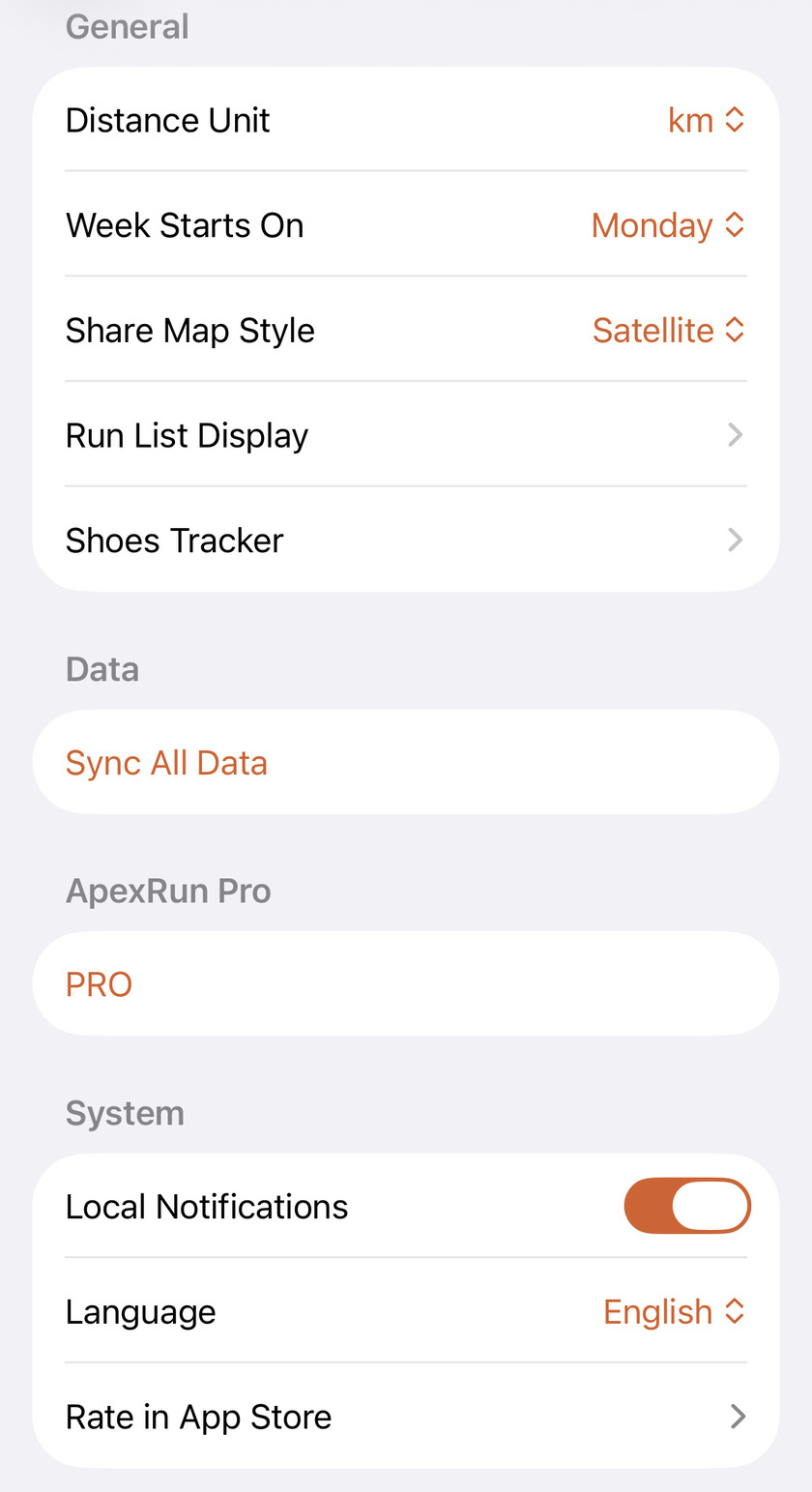
Make Apex Run count the way you do
Kilometres or miles, Sunday or Monday, and which two numbers sit on every run card. The General settings in Apex Run — including the one that quietly rewrites every weekly total you read.
The Summary tab
5Your week's totals, the latest run, trends, training load and the monthly recap.
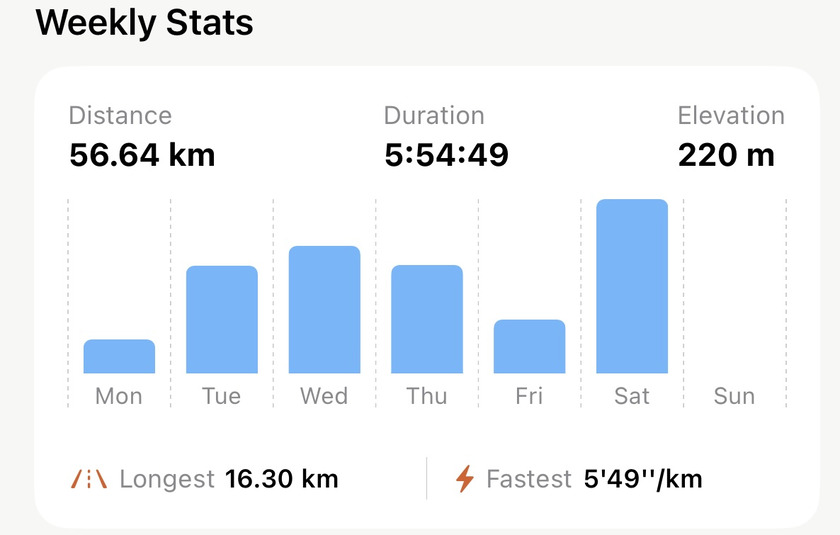
See how your week is adding up
The Weekly Stats card on Apex Run's Summary tab totals your distance, time and climbing for the week so far, draws a bar per day, and names your longest and fastest run — each one a tap away. Free.
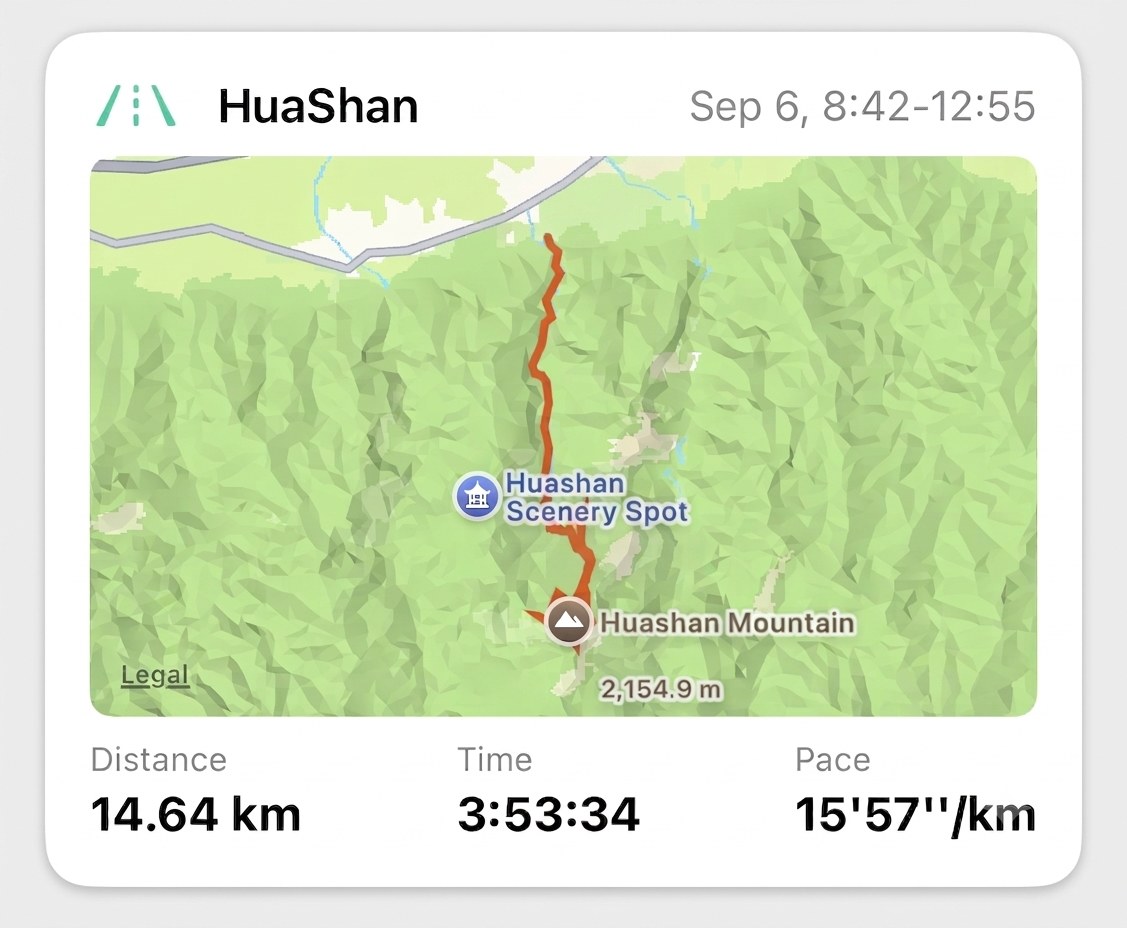
Your last run is the first thing you see
The top of Apex Run's Summary tab is always your most recent run: its name, when it happened, the route, and distance, time and pace, one tap from the full breakdown. Below it, the three runs before. Free.
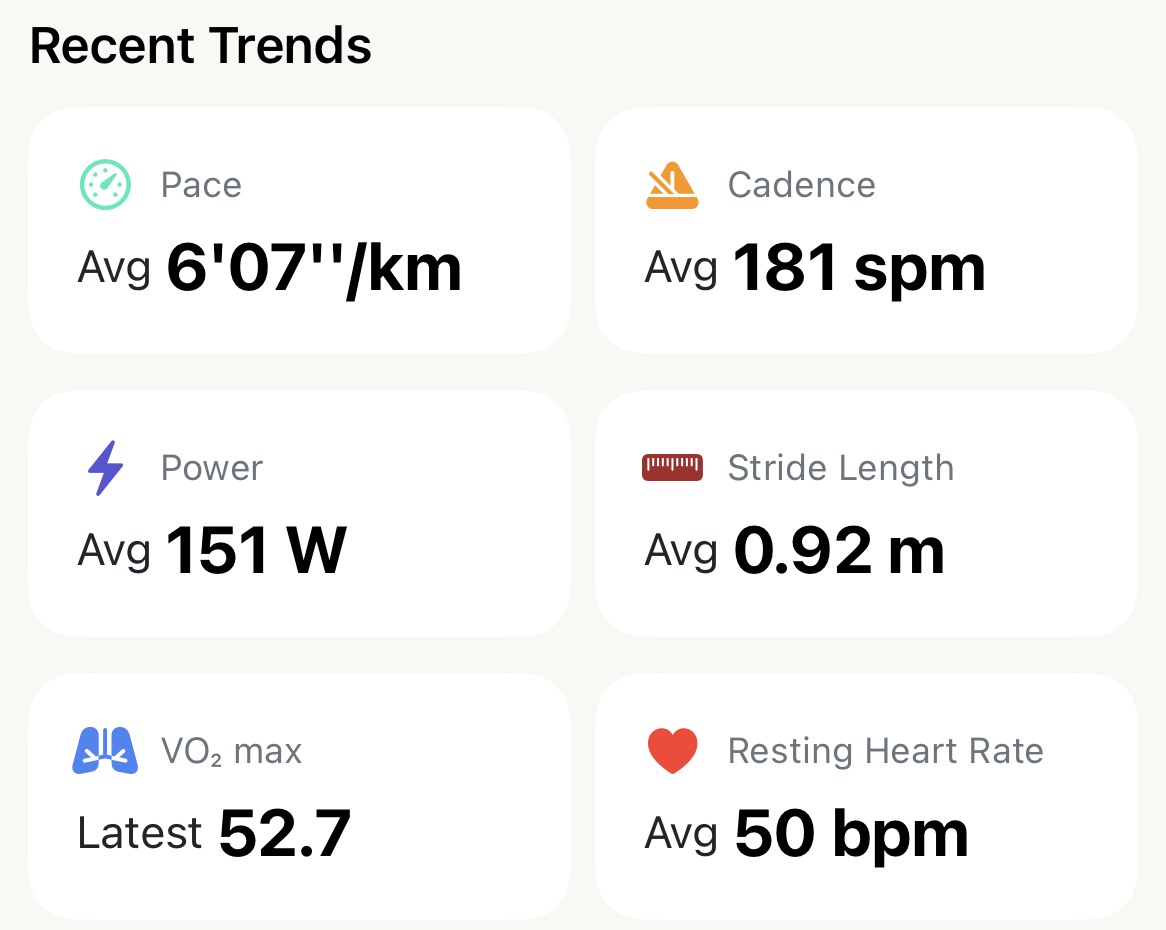
See which way your numbers are drifting
Six cards at the bottom of Apex Run's Summary tab average your last seven days: pace, cadence, power, stride length, VO₂ max and resting heart rate. One tap on any of them opens the same metric over a week, a month or a year. Free.
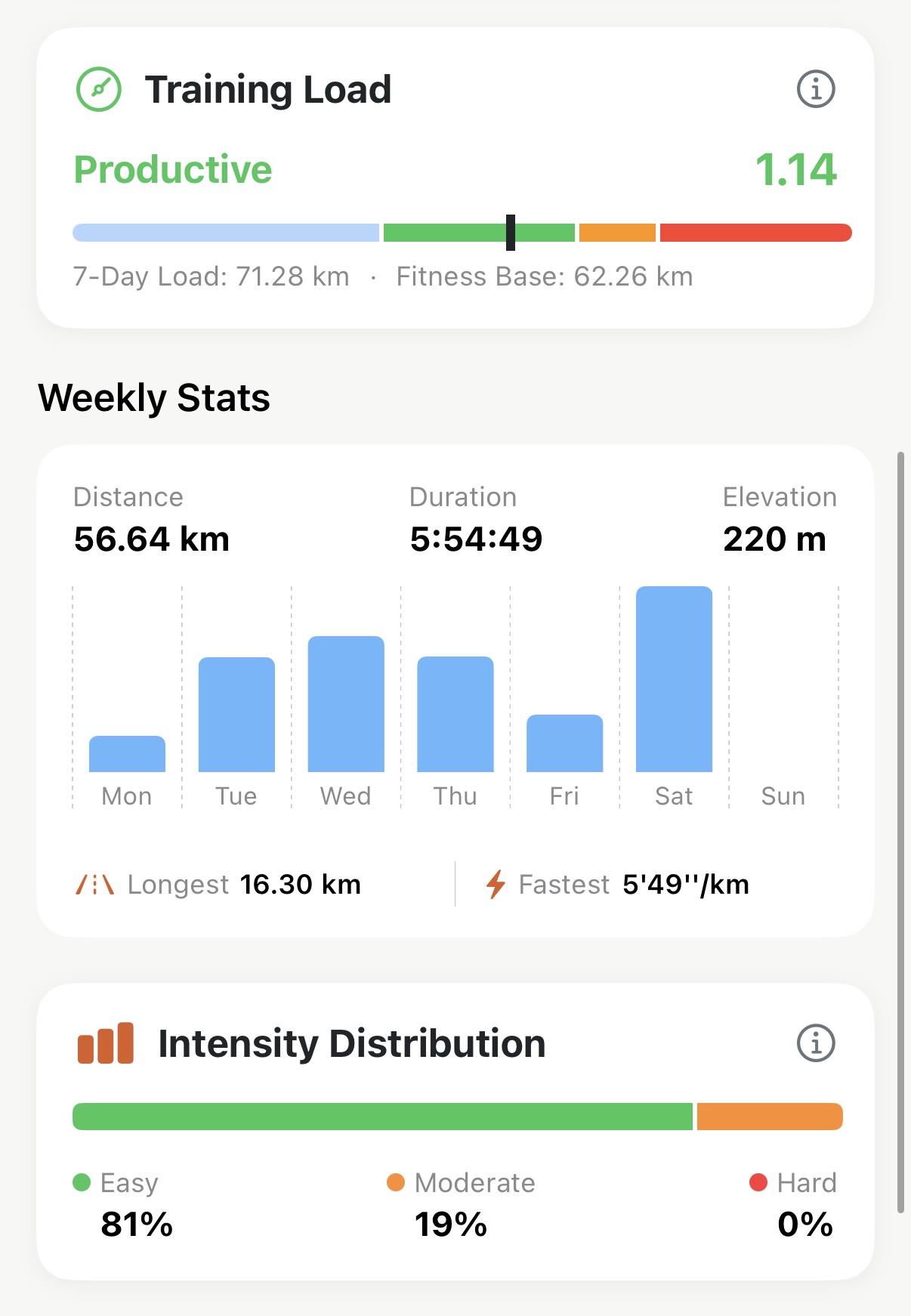
Know if this week's jump is too big
Training Status reads your last 7 days against your last 28 and tells you whether you're building, holding or climbing too fast — one word and one number on the Summary tab.
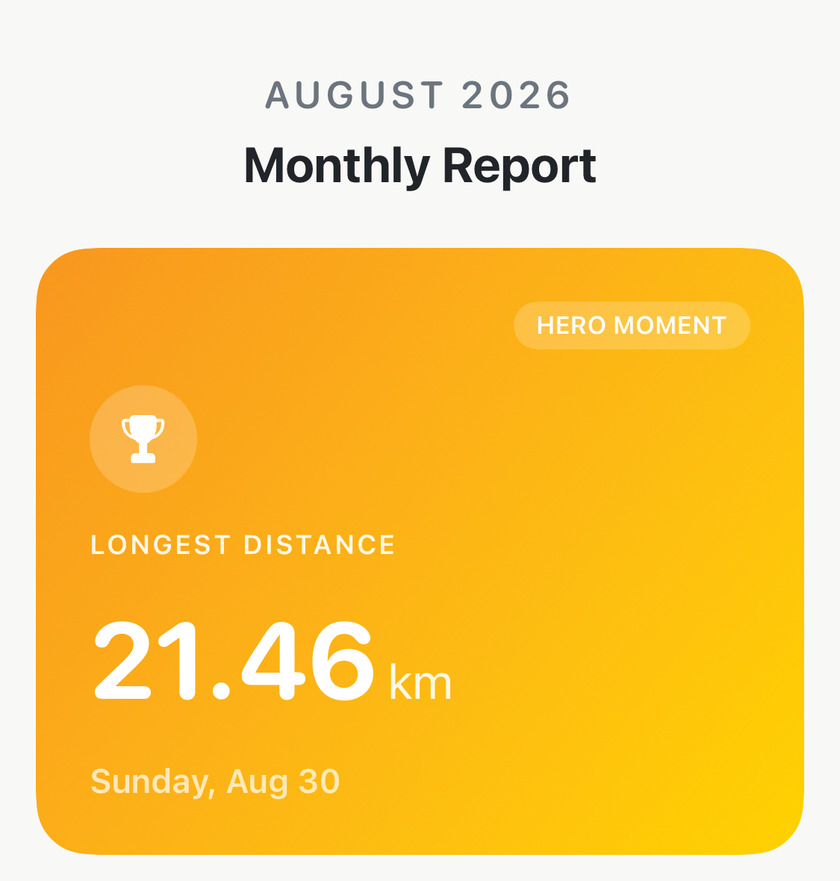
See what last month actually added up to
Apex Run builds a report for every finished month: your longest run, four totals measured against the month before, every personal best you set with its all-time rank, your easy/hard split, and four written observations. Free, and shareable as one image.
Your run history
13Browsing, filtering and fixing hundreds of runs without scrolling forever.
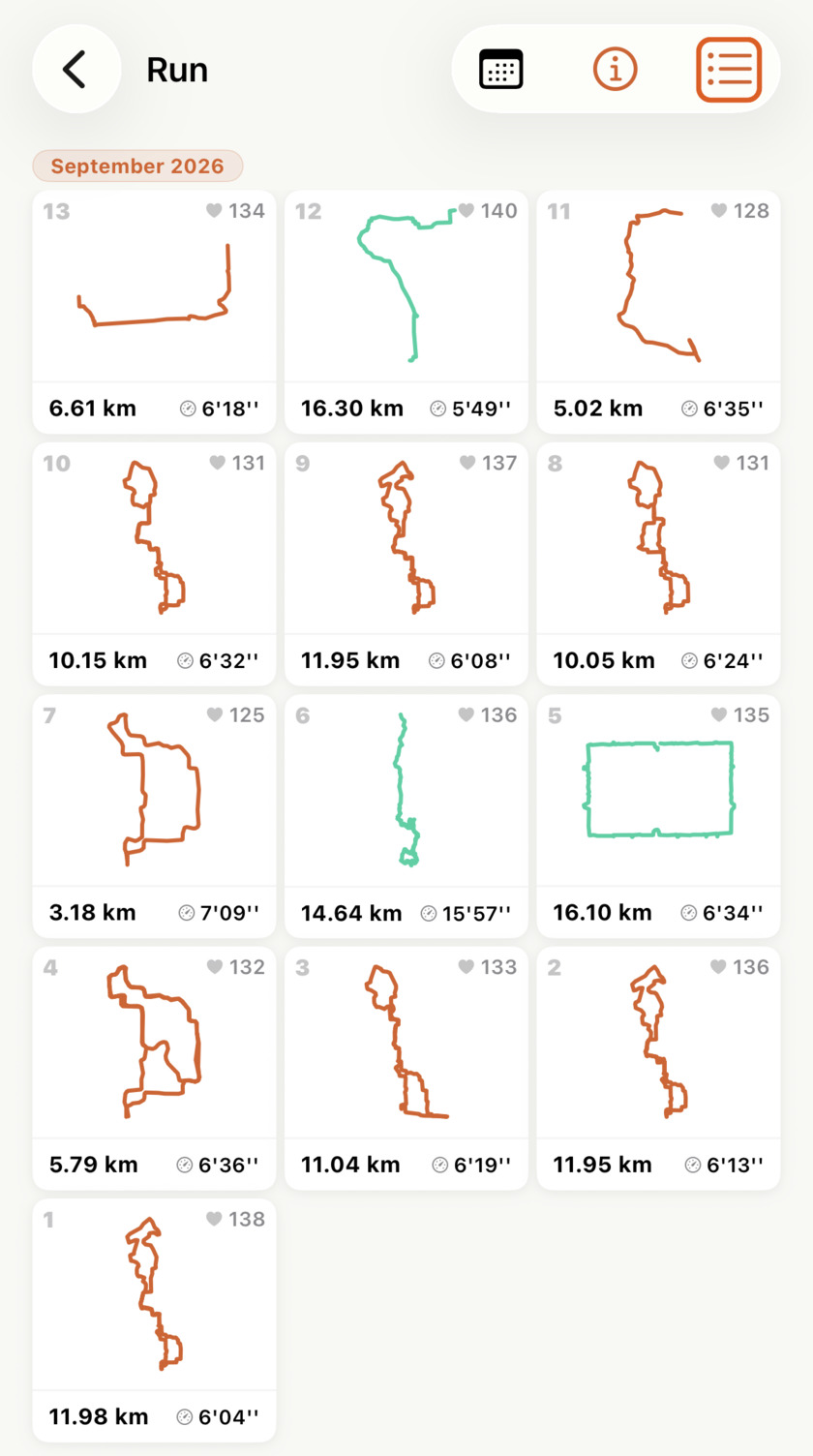
Find the run you're thinking of
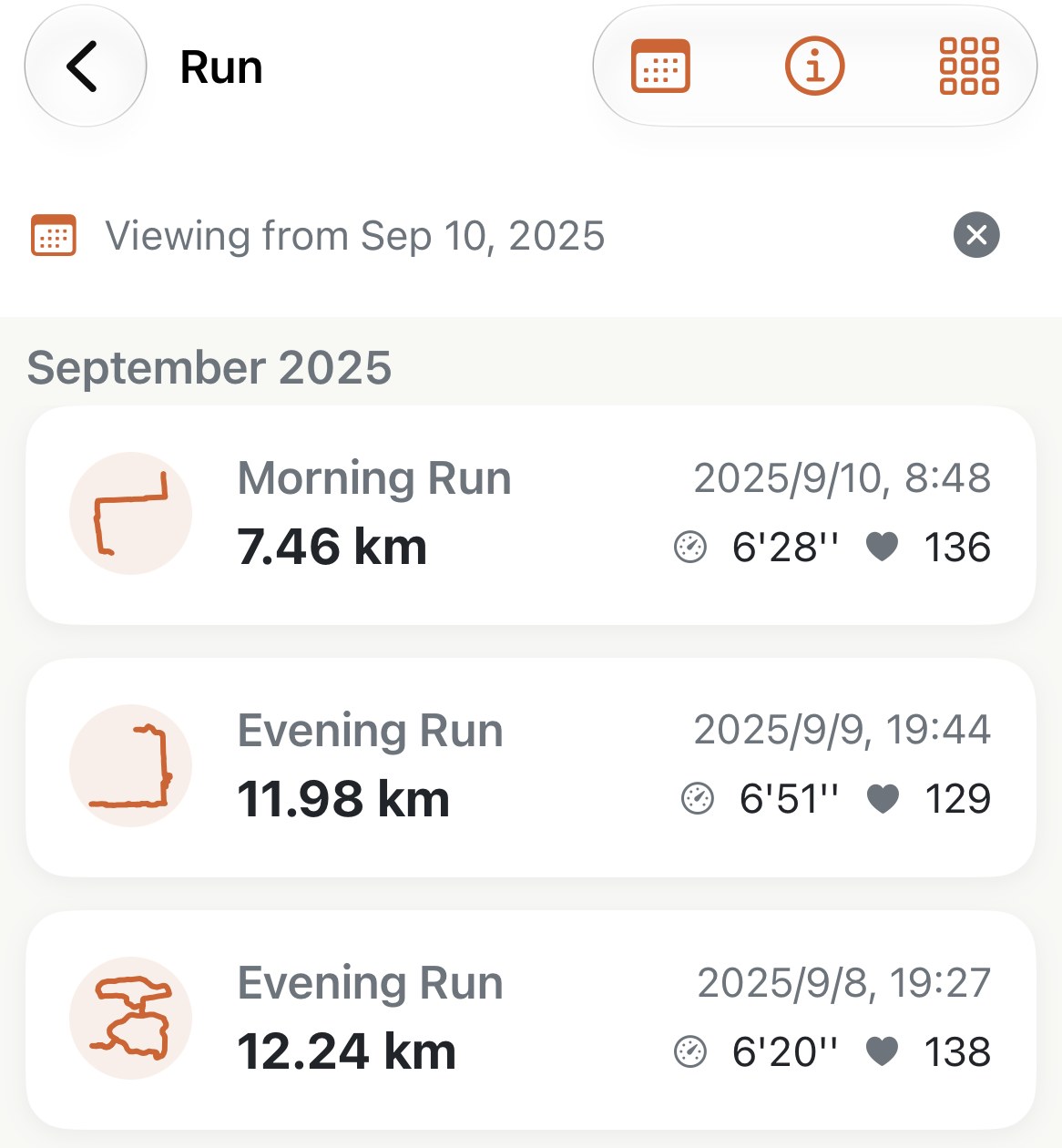
Apex Run's run history reads two ways: a list, for names, dates and exact numbers, or a grid of GPS route shapes, three across, where a whole month fits on one screen. One tap in the top corner switches between them.
Jump straight to a date in your history
The calendar button on Apex Run's run list takes you to any date in your history in two taps, and the search field finds a run by its name. Both work in list and grid view. Free.
Your whole training block, one table
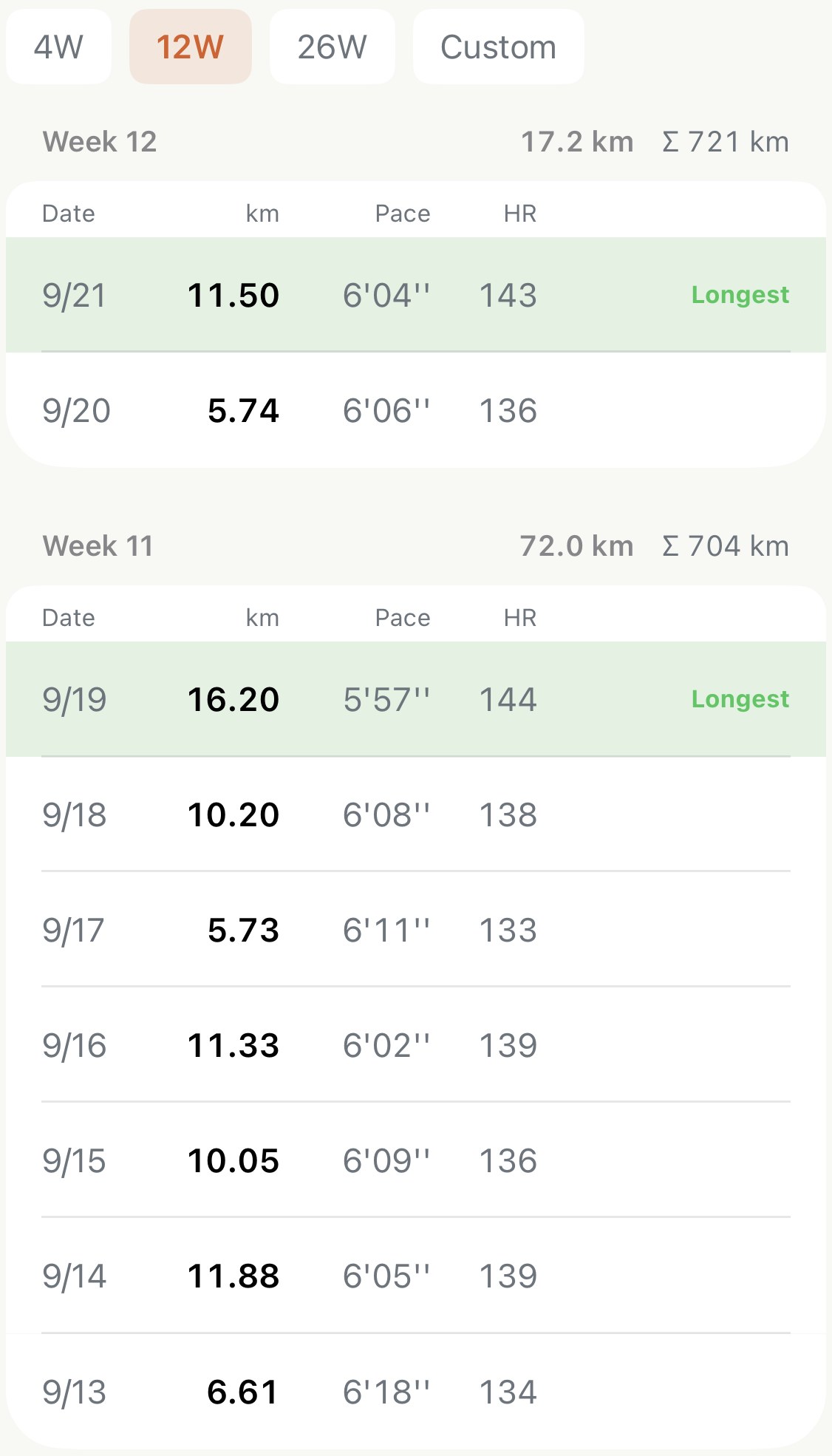
Apex Run's Training Log lays every run out week by week: distance, pace and heart rate per run, the week's total, a running cumulative, and the longest run marked. Pick a 4, 12 or 26-week block or any dates, add a note to a run, and with Pro take the lot out as a CSV.
See what kind of week you've actually run
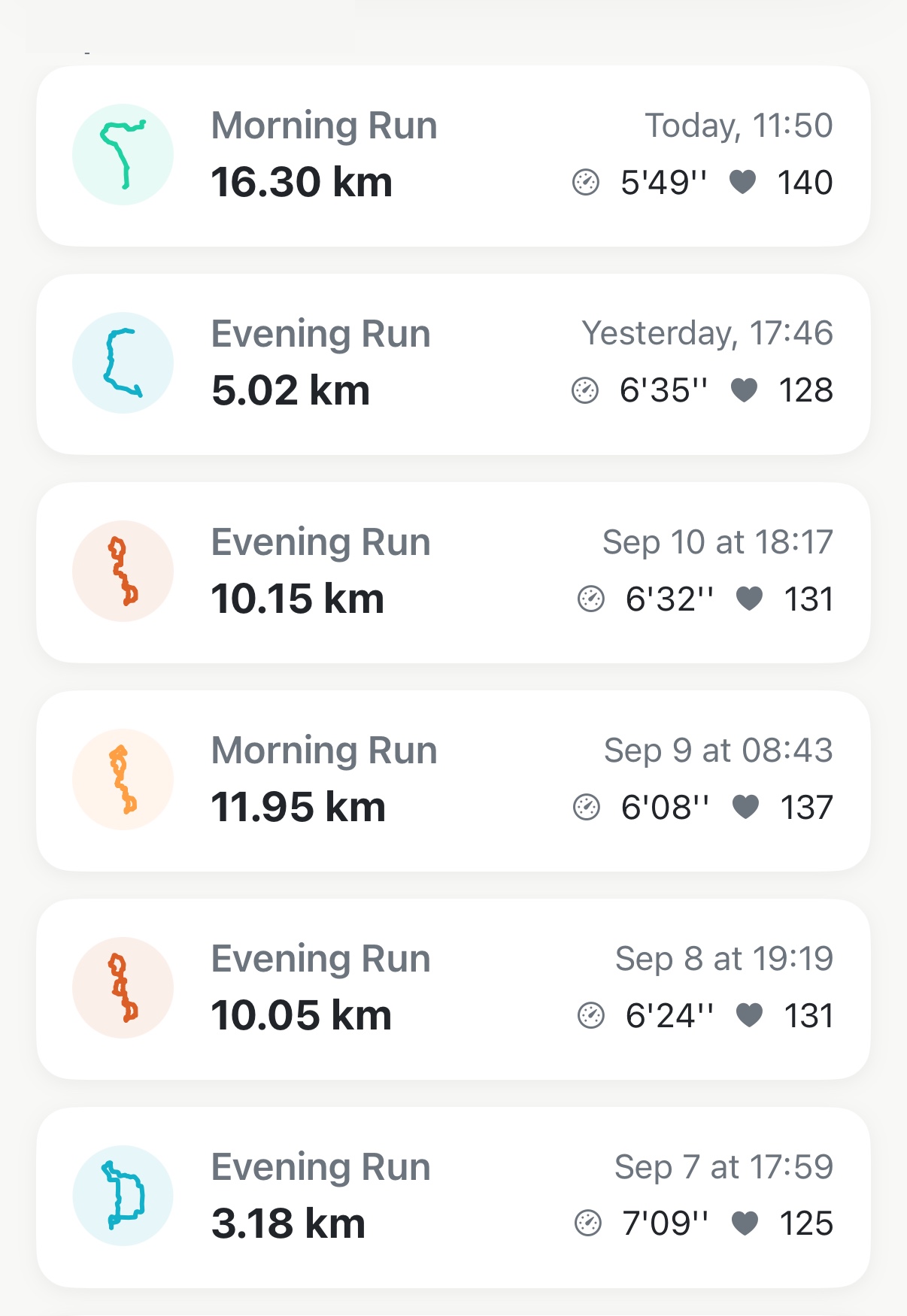
Apex Run labels every run Easy, Long, Tempo, Interval, Recovery or Race, so a month of training reads as a shape rather than a list of distances — and you can correct any label in two taps.
Put back the part your watch didn't record
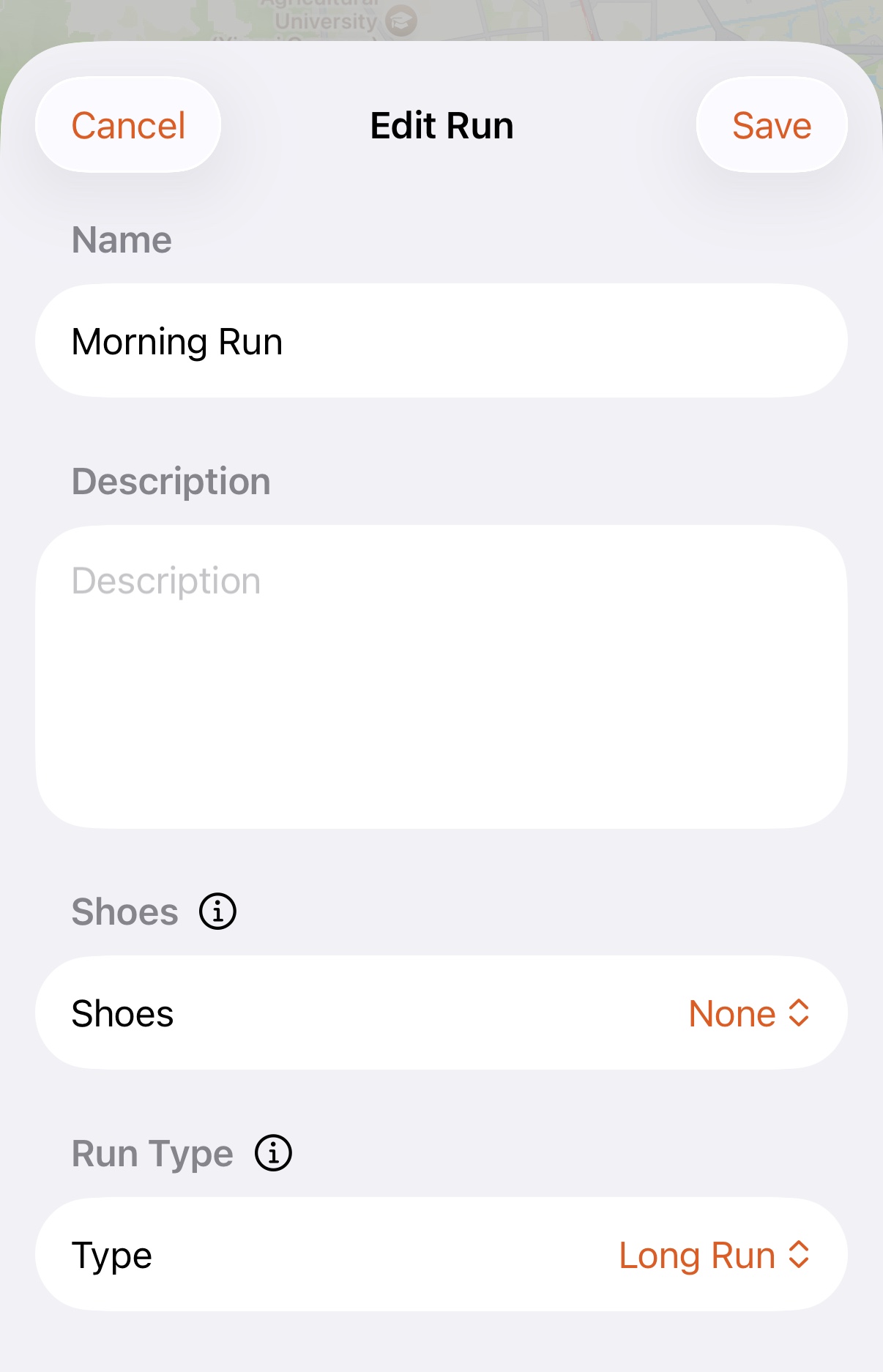
Name a run, write a note on it, star it as a favourite and say which shoes you wore — Apex Run keeps all four, files your favourites into their own card, and adds the distance to that pair's mileage as you go, with most runs arriving already wearing your usual pair. Free.
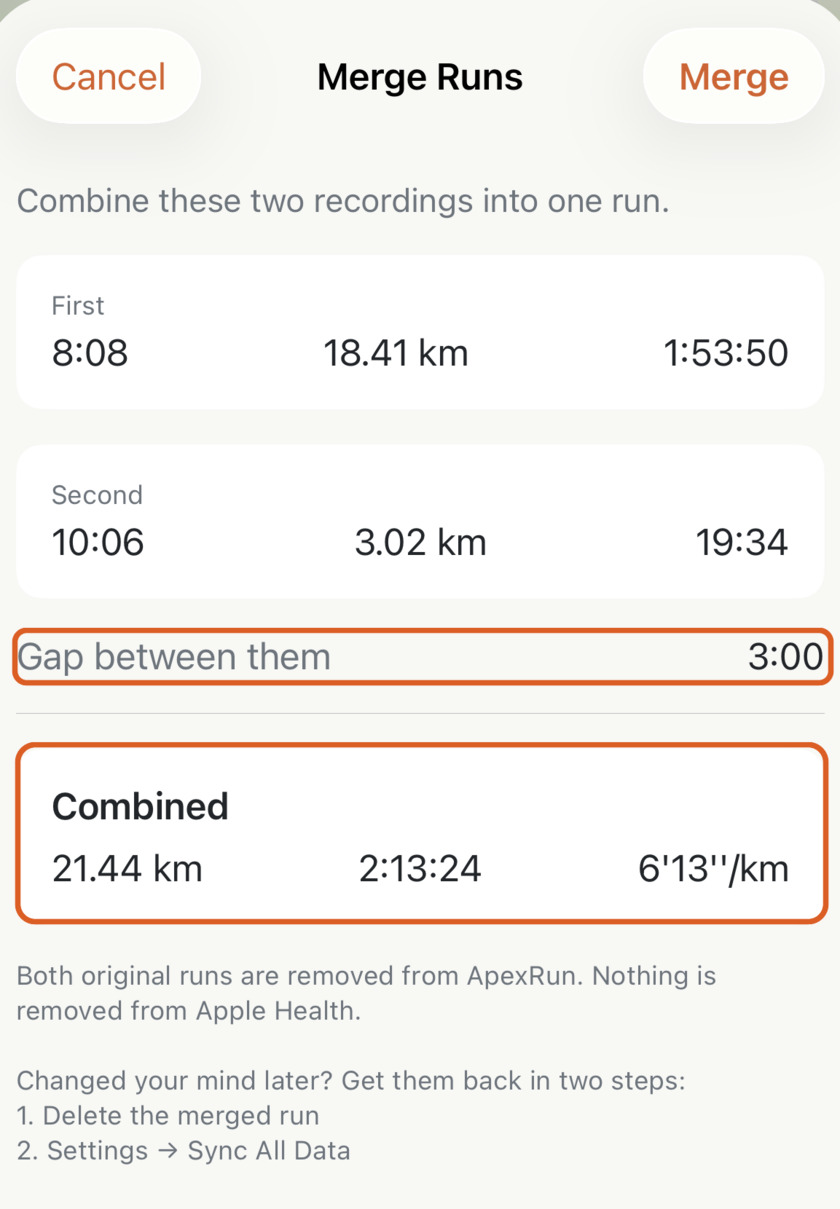
Put an accidentally split run back together
Hit stop instead of pause at a water station? Merge the two recordings into one run in Apex Run — one distance, one pace, and the break left out of your time.
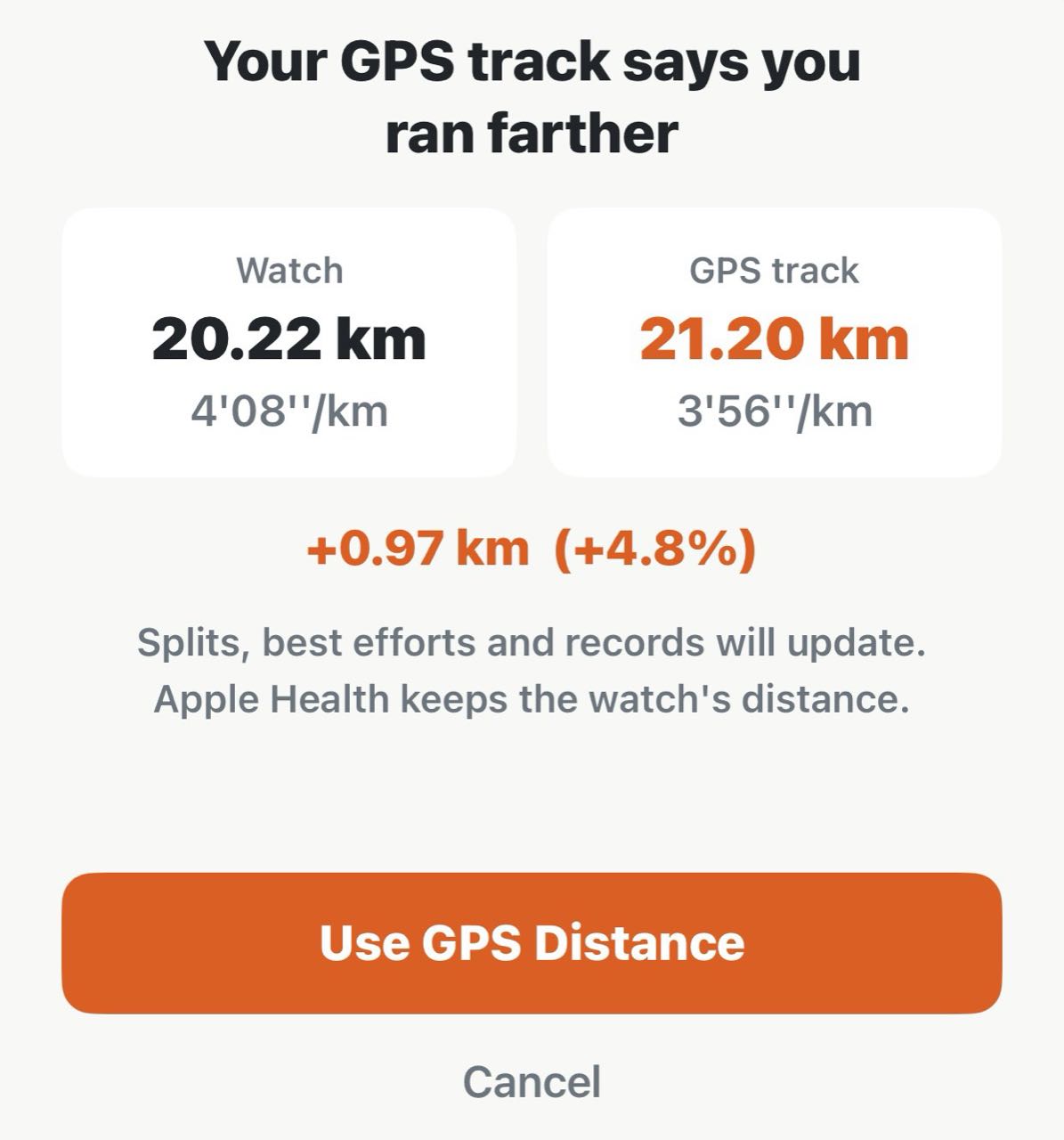
Get back the distance your watch didn't count
When your watch comes up short of the course you ran, Apex Run can measure the run again along its GPS track — splits, pace and records follow, and one tap puts the watch's number back. Free.
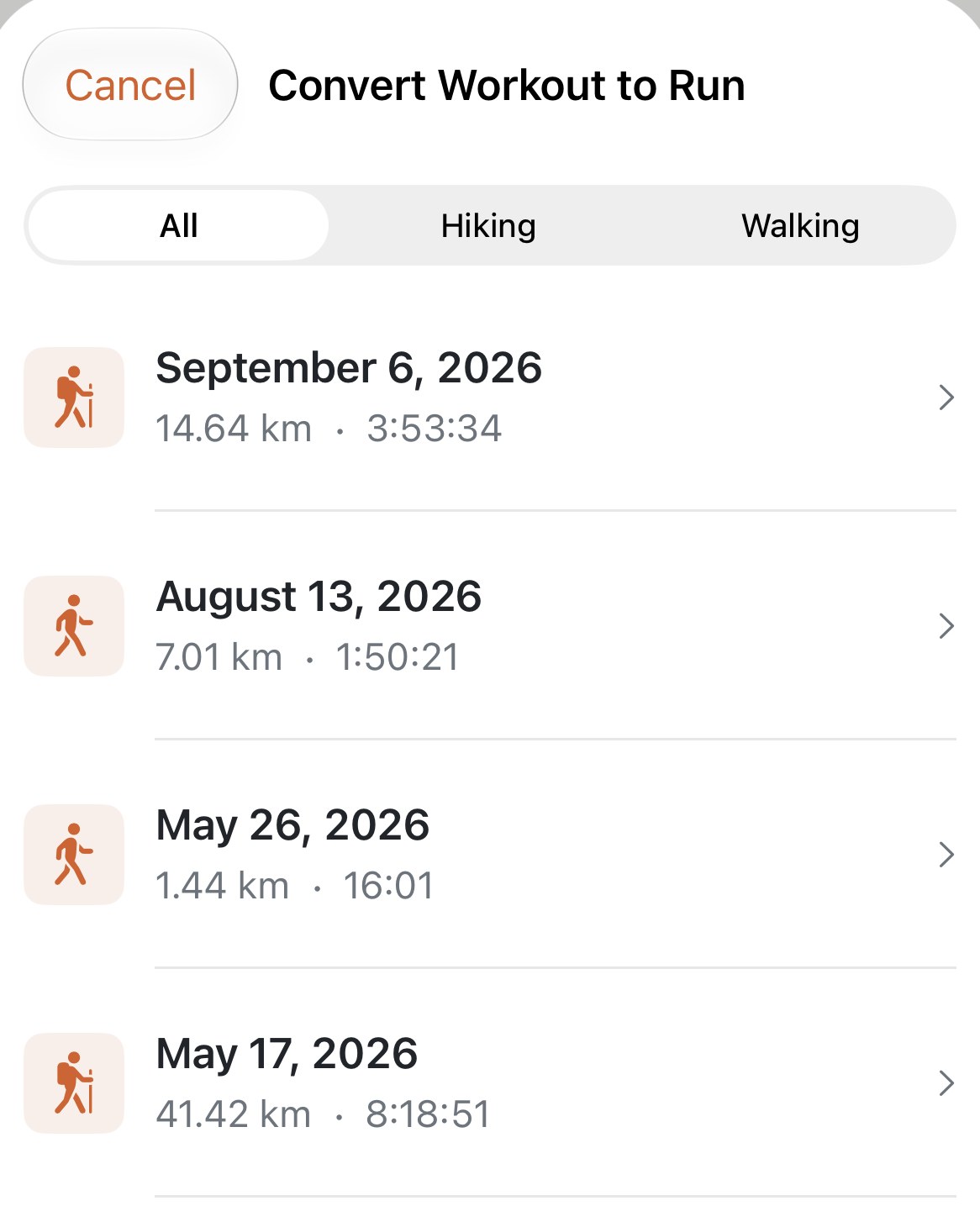
Make a hike or a walk count as a run
Apex Run imports running workouts only. Convert Workout to Run brings a hike or walk from Apple Health into your log as a run, with its route, heart rate and climbing intact: for the hill you broke into a run on, or the mountain day you want in the week's total. Free.
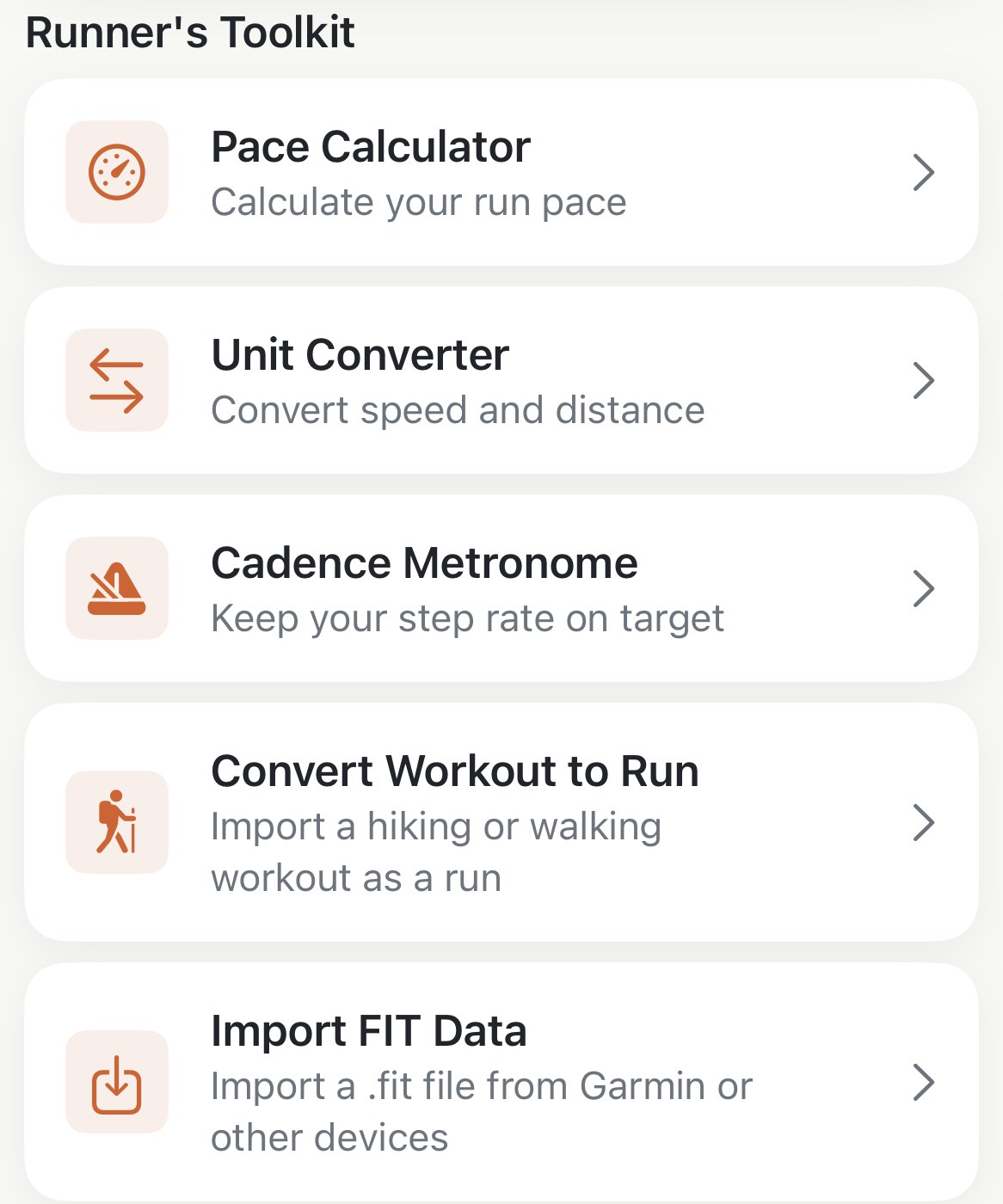
Move a run in or out as a .fit file
Apex Run reads .fit files from Garmin, Coros and any other device into your log, straight from Files, AirDrop or a chat, and writes any run out as a .fit file for Strava, Garmin Connect or a spreadsheet. Where both buttons are, what travels in the file, and the duplicate rule. Pro.
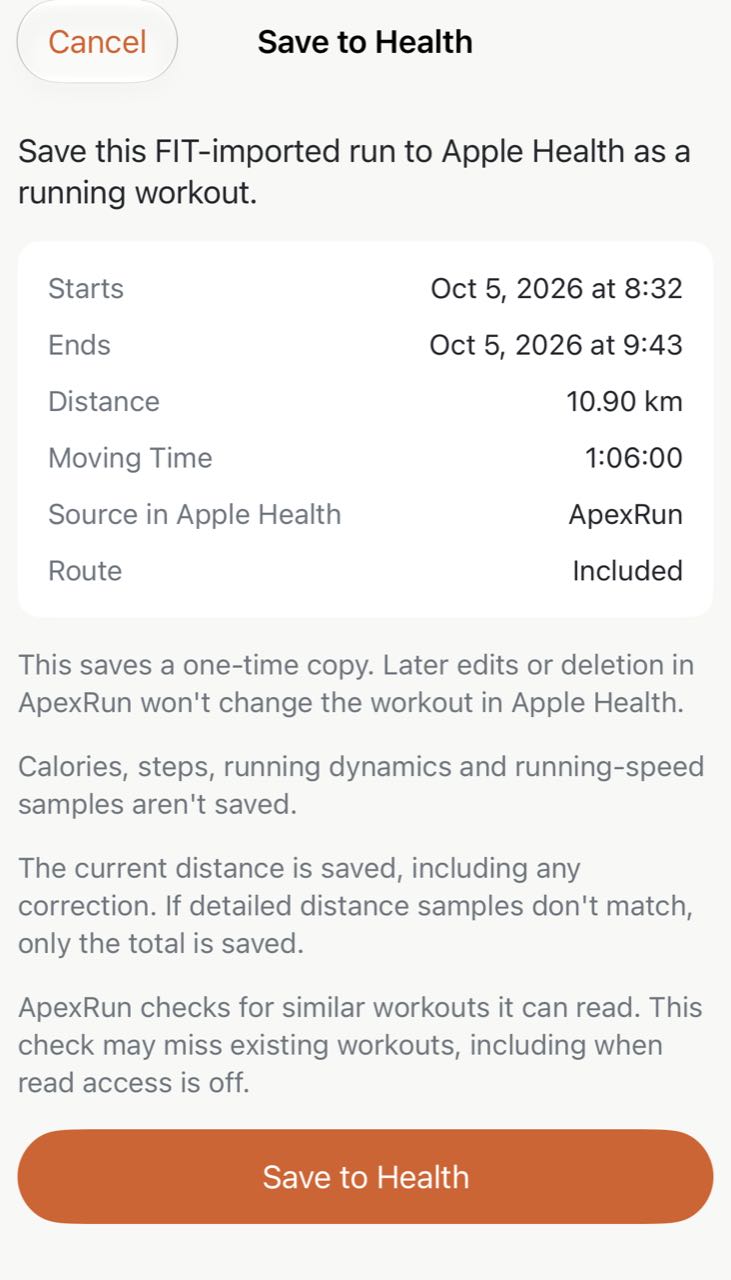
Save a FIT run to Apple Health
Recorded a run without your Apple Watch? Add it to your Health history with Apex Run's Save to Health: import the FIT file, review one run, then save a one-time copy. Pro.
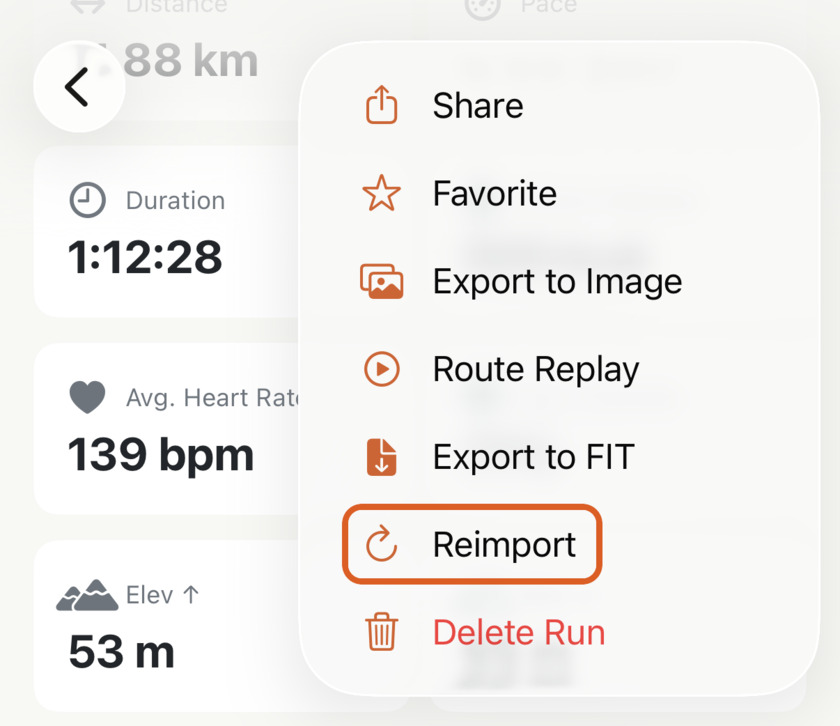
Fix a run that came in wrong
A run with an empty map or a missing heart rate trace isn't lost. Reimport fetches that one run again from Apple Health and rebuilds its route, charts, splits and best efforts — while keeping the name, notes, gear and photos you added.
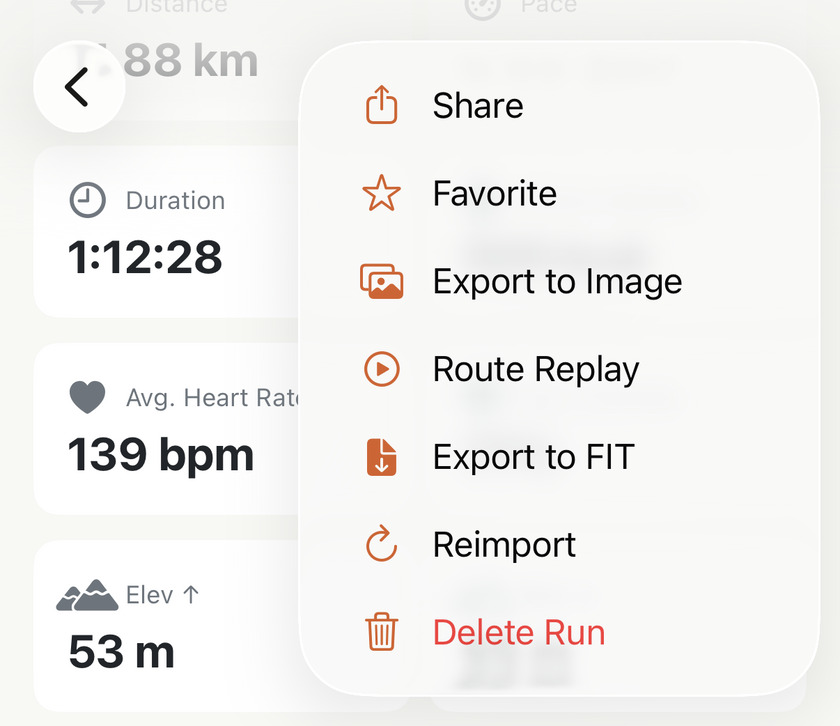
Take a run out of your history for good
Got a run in your history you'd rather wasn't there? One long press and it is out of every total you look at — and it stays out. If you delete the wrong one, Sync All Data can fetch a copy still in Apple Health, but not your local edits. Free.
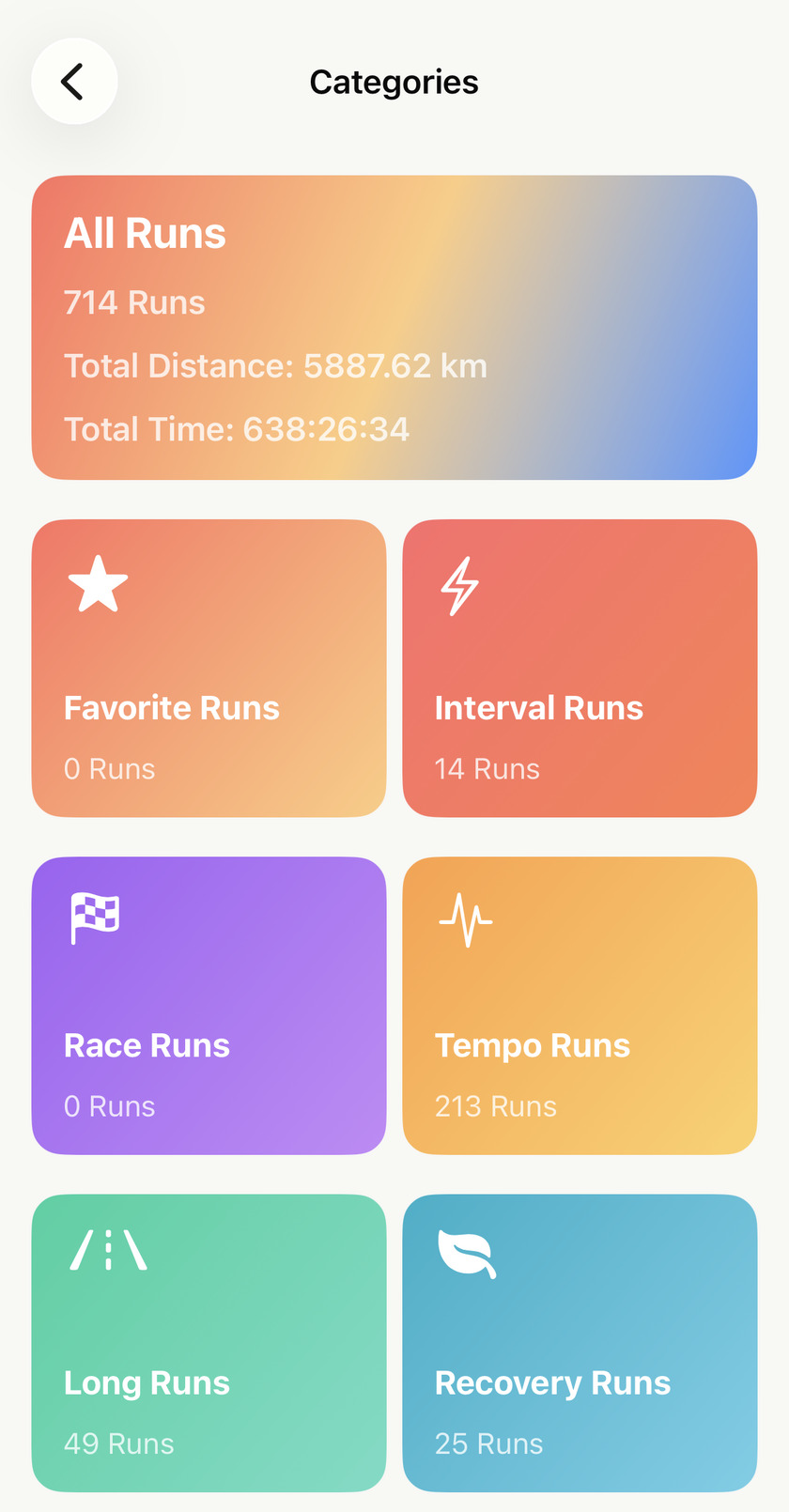
Give every kind of run its own shelf
Apex Run's Categories screen keeps your races, long runs, intervals and favourites each one tap away with a live count — and you can build your own from date, run type, duration, distance, elevation and indoor or outdoor. Free.
Inside a single run
15Splits, zones, best efforts, elevation, form — everything on the run detail screen, section by section.
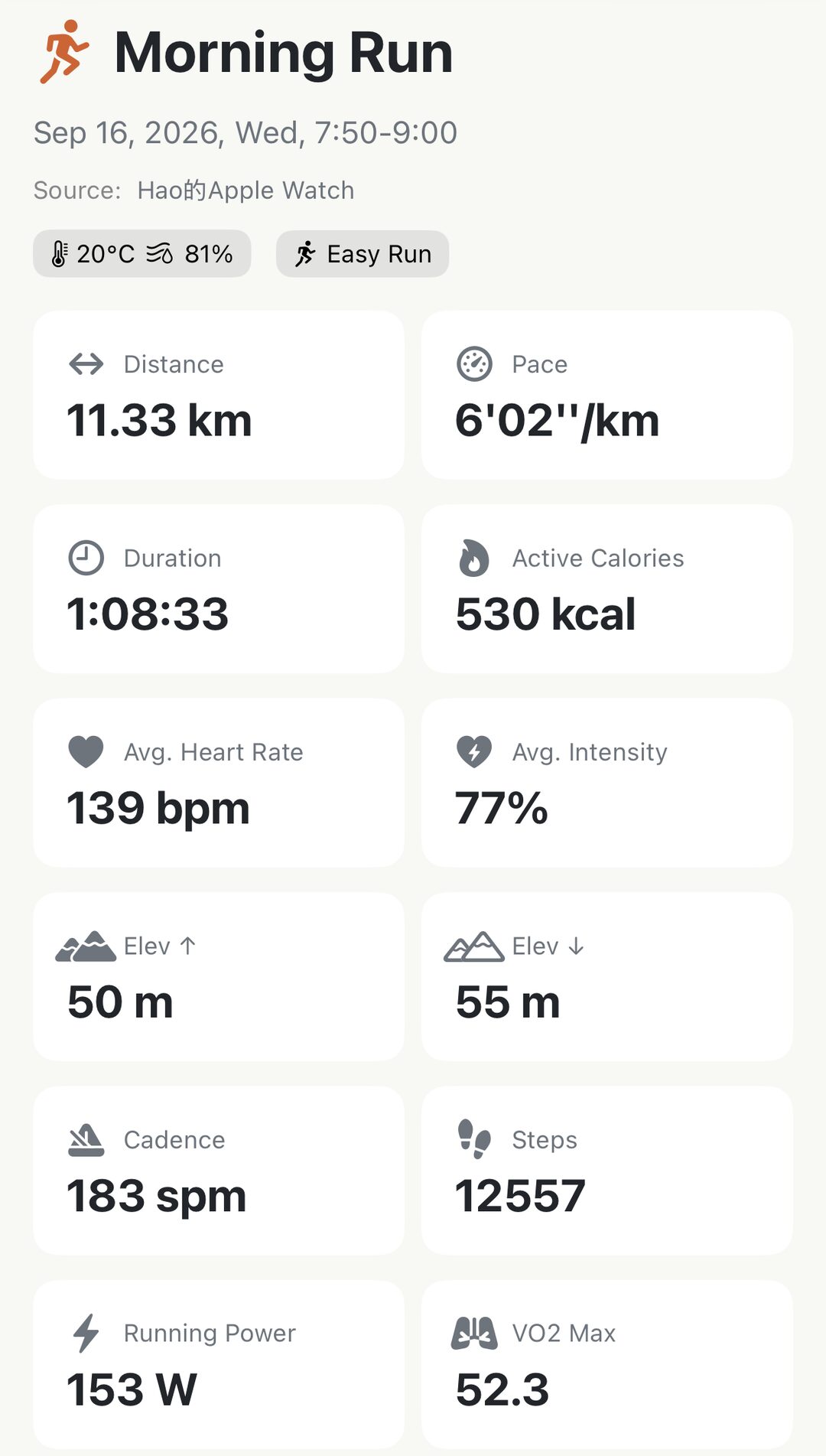
Read the cards at the top of every run
Open any run and the first thing you see is a grid of cards — distance, pace, calories, intensity, climb, power, VO₂ max. Here's what each one is telling you, which ones depend on a setting, and why a card is sometimes missing. Free.
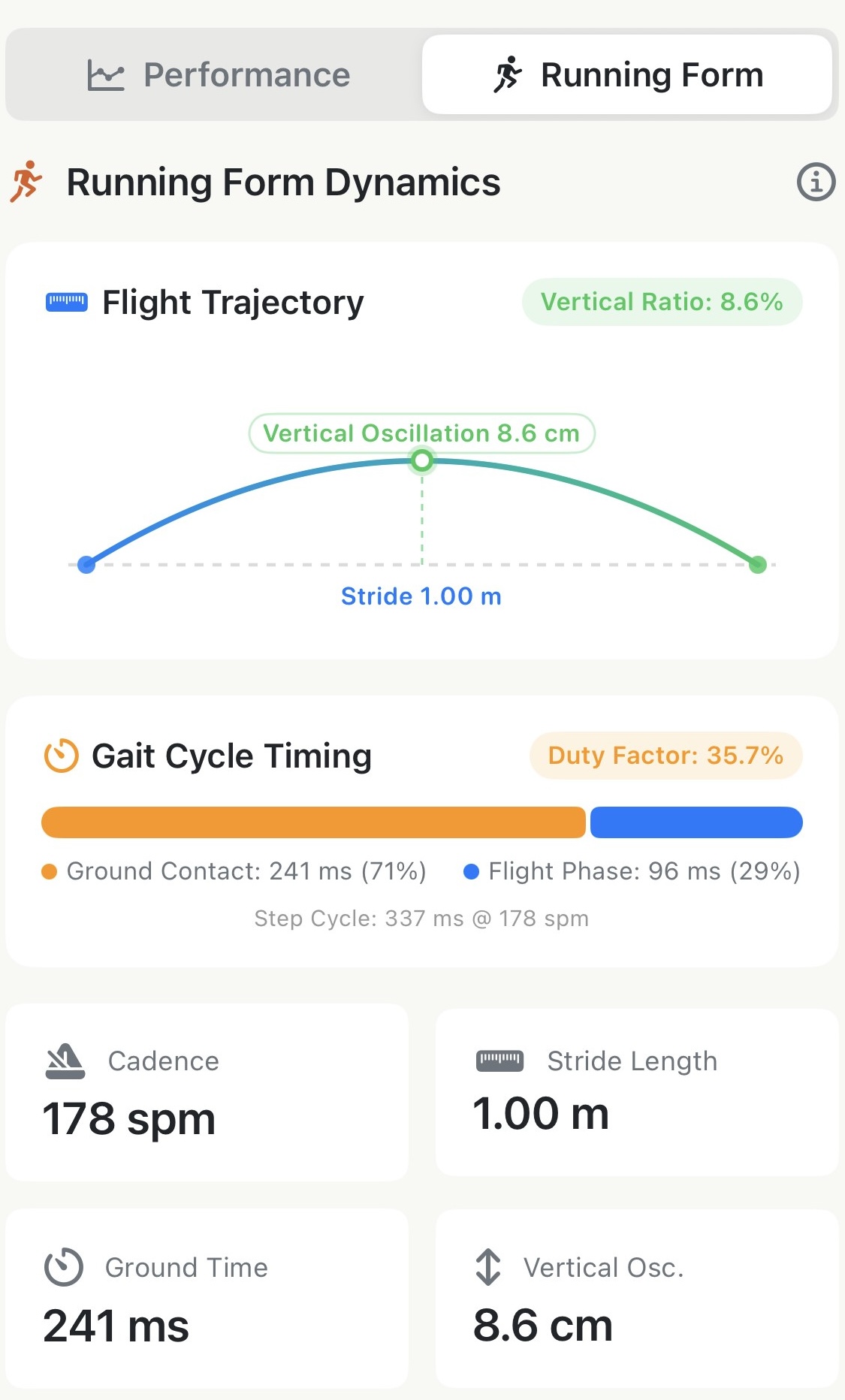
Read your running form on any run
Apex Run's dedicated Running Form tab: full flight trajectory, gait cycle timing, synchronized dynamics charts for cadence, stride, ground contact, and bounce, plus Pro biomechanical ratios.
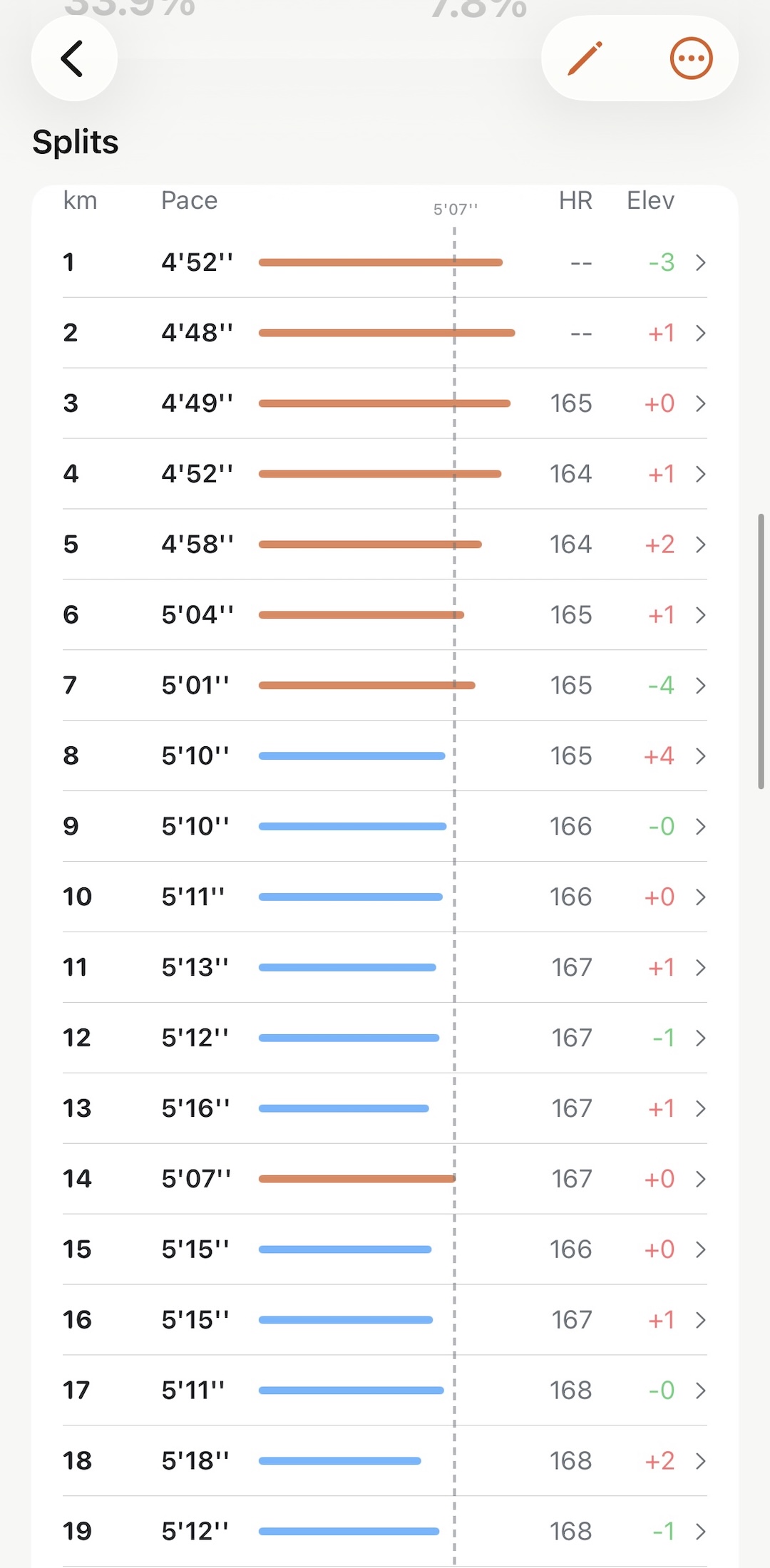
Read your splits at a glance
See which kilometre you gave away without reading a single number — the dashed line is your average pace, so every bar past it is a split you ran slow.
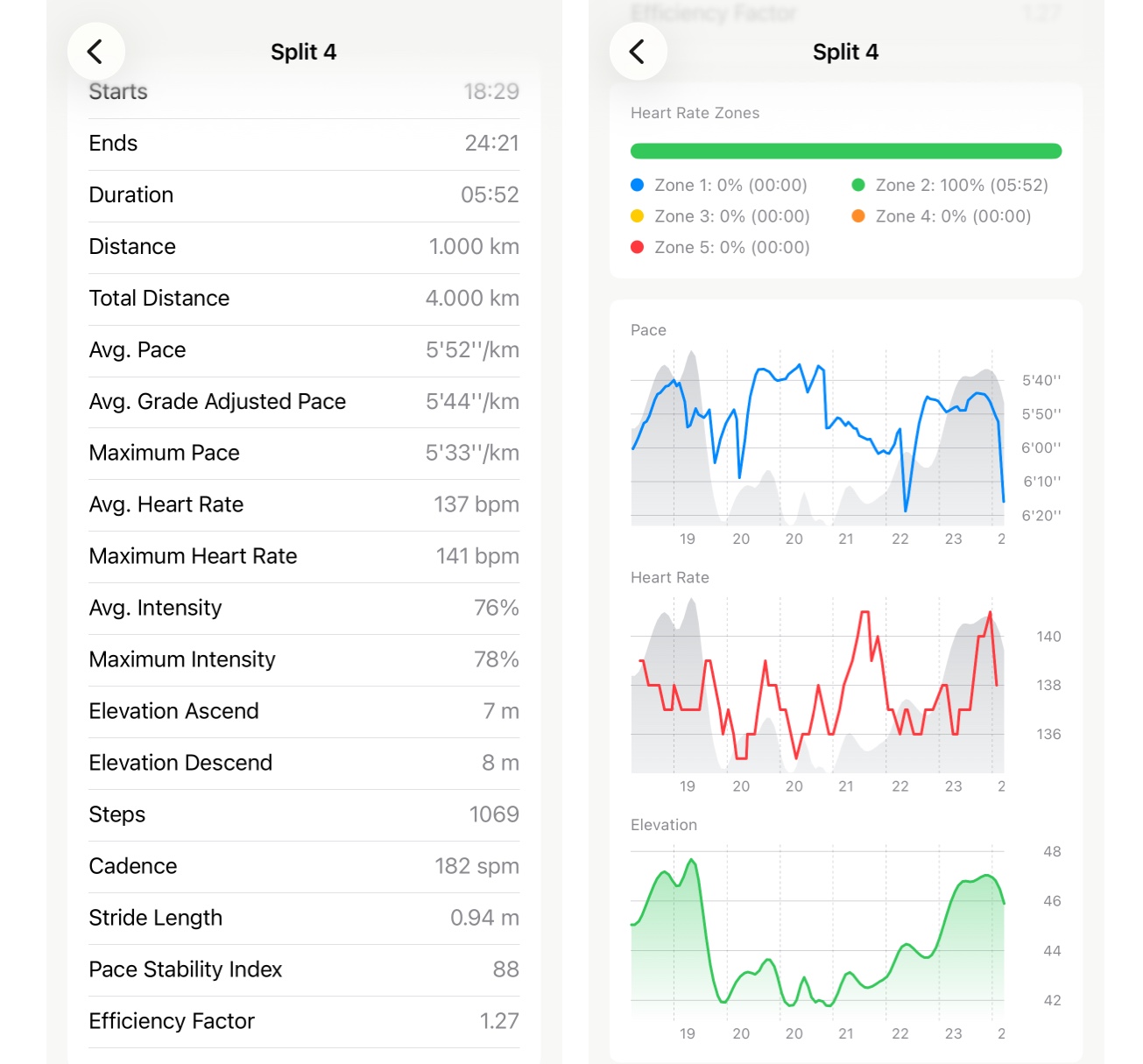
Open one split and see what happened in it
Tap any row in your splits and the whole run narrows to that one kilometre: its own pace, heart rate, climb and descent, and its own charts. Here's how to read the screen, and which line answers the question you came with. Free.
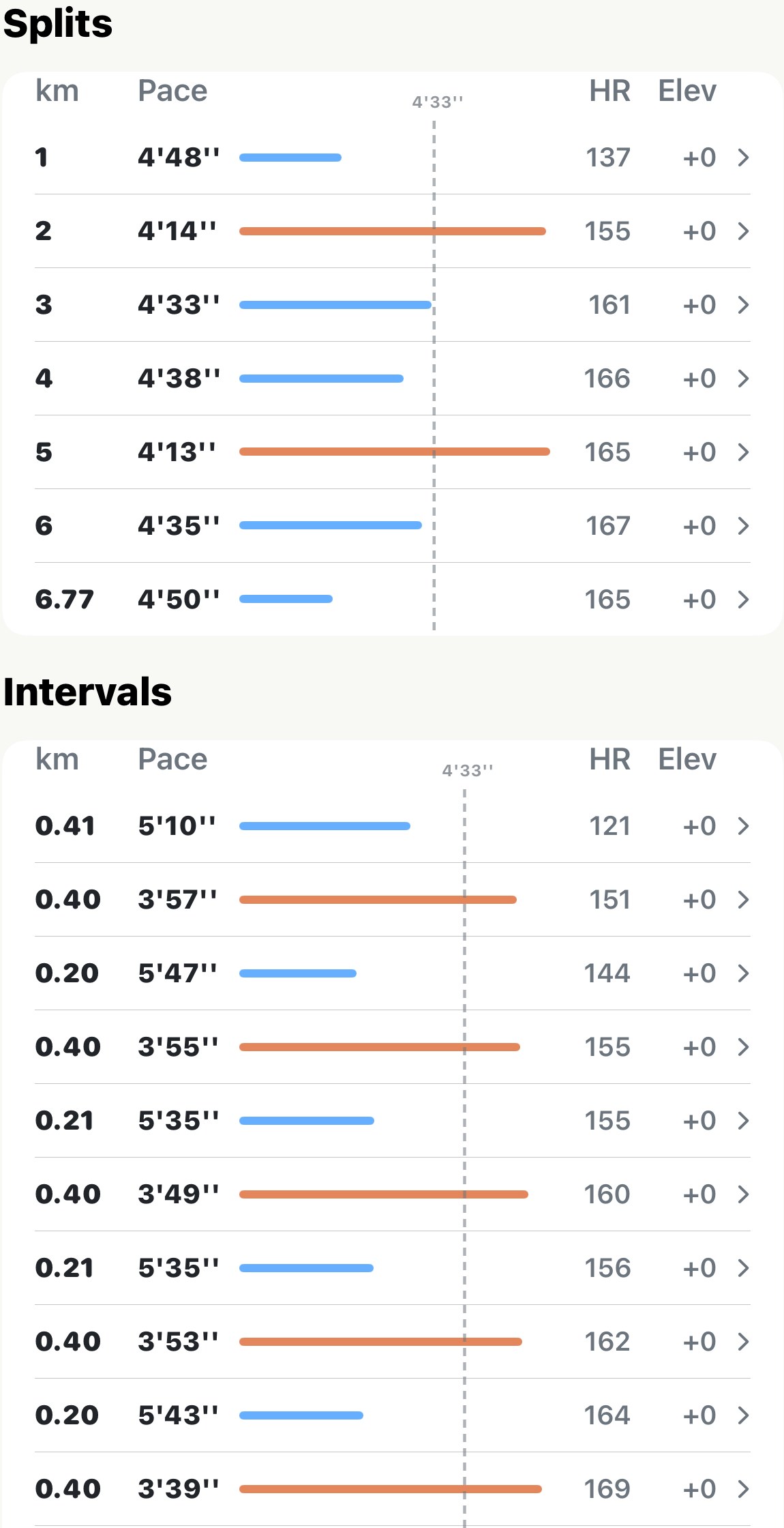
Segments and intervals: the efforts you actually ran
Kilometre splits chop a run at arbitrary marks. Apex Run's Intervals table follows the steps of an Apple Watch custom workout, and its Segments table follows the marks you made on the watch or the lap button on a Garmin, so a session reads the way you ran it.
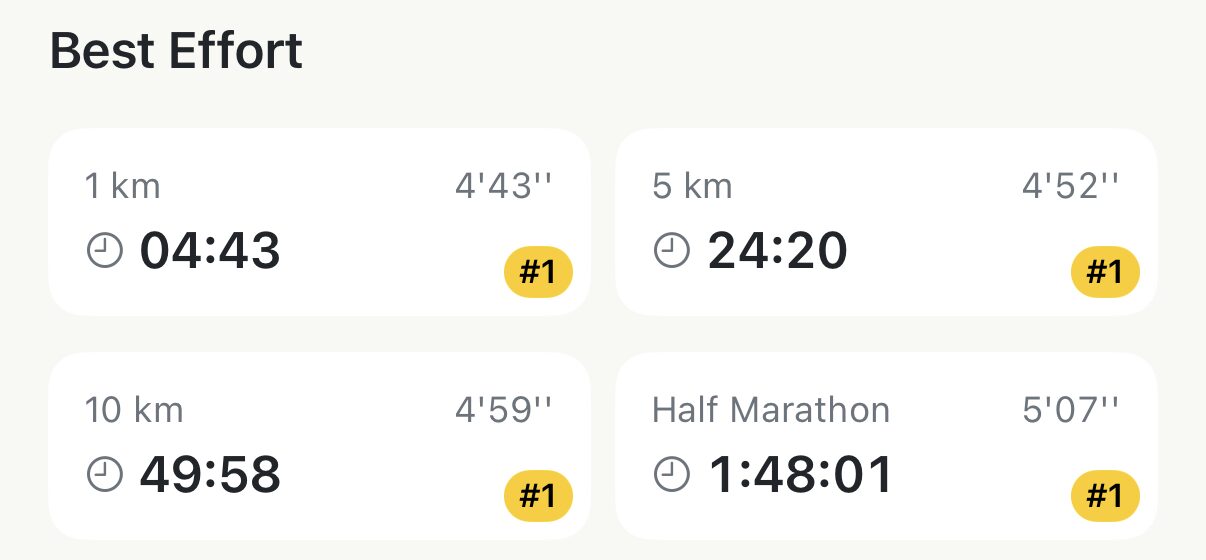
Find your fastest 5K inside any run
Your fastest 5K is rarely a 5K run. Best Effort finds the quickest 1 km, 5 km, 10 km, half and marathon inside every run, ranks each one against your all-time top ten, and shows you where on the route it happened. Free.
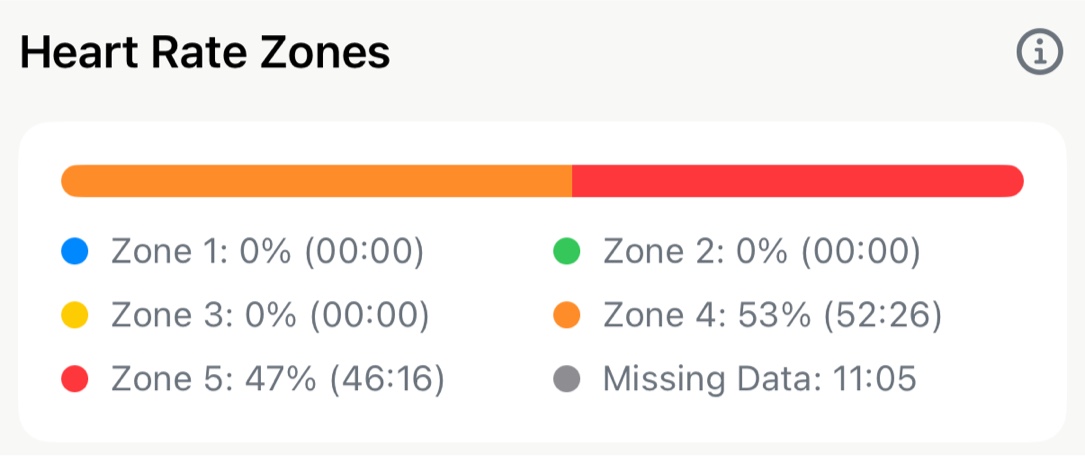
Read the heart rate on any run, gaps included
Every run with a watch on your wrist gets two heart rate sections: a zone bar with minutes in each zone, and the full heart rate trace. Here's how to read both, what the grey Missing Data line means, and why the minutes sometimes don't add up to the run. Free.
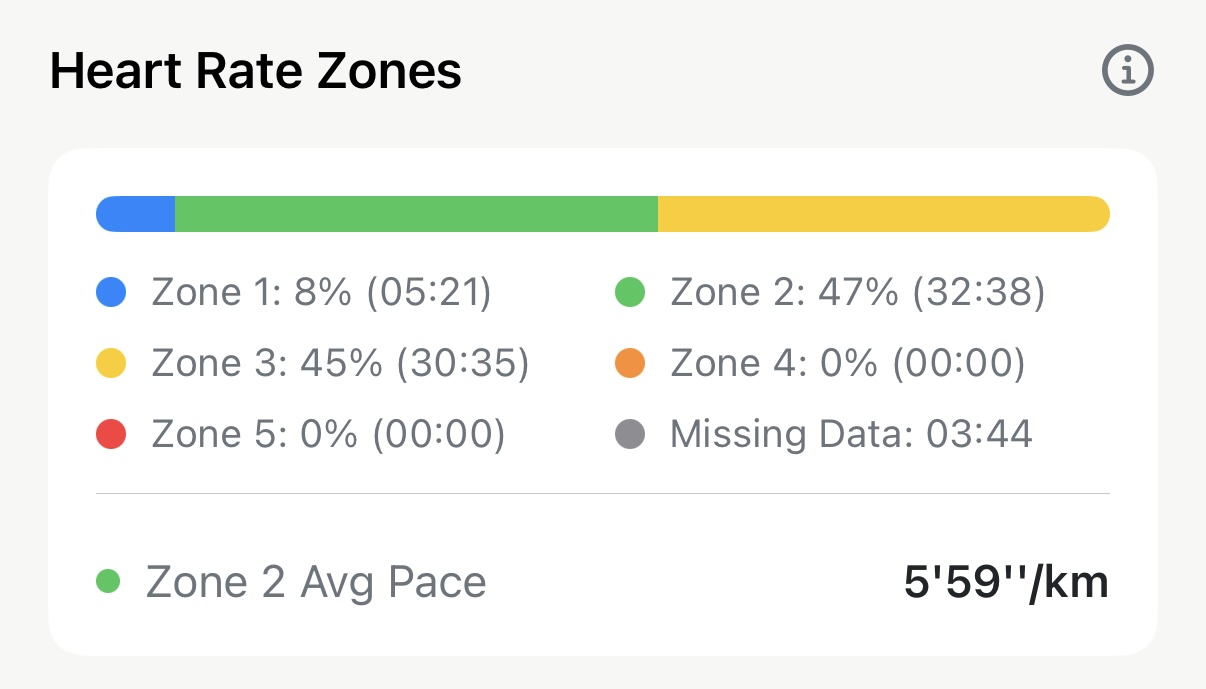
Zone 2 pace and VO₂ max: the two slow numbers on a run
Zone 2 Avg Pace is what easy running cost you on this run, worked out from only the minutes your heart rate was in Zone 2. VO₂ max is Apple's fitness estimate, tied to the run that produced it. Where each sits in Apex Run, when it's missing, and what to compare it with.
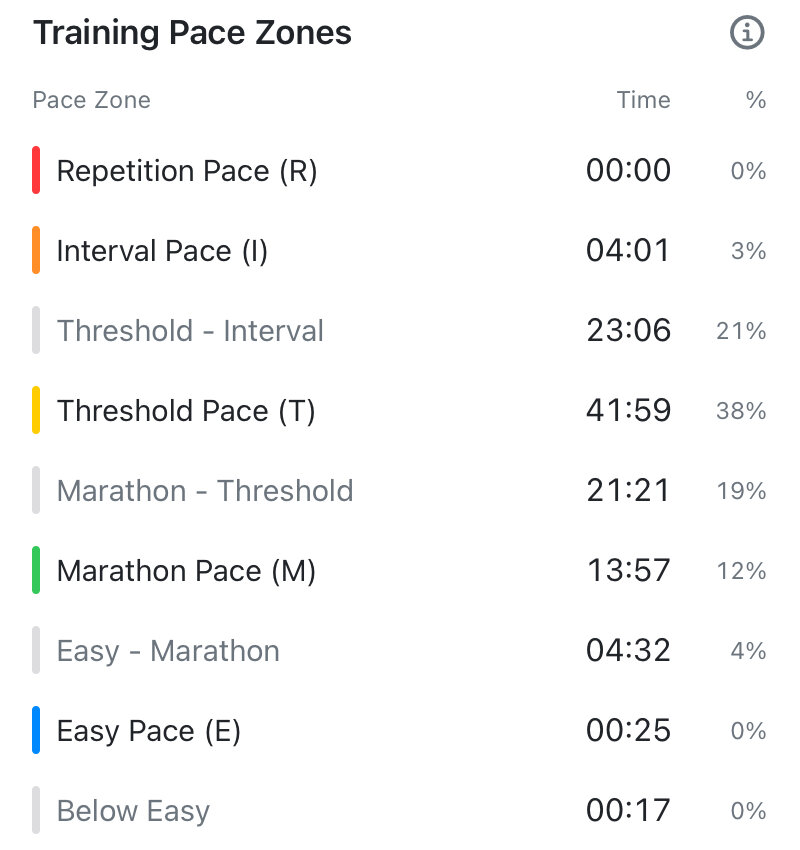
See which pace zone each minute of a run landed in
Enter one recent race and Apex Run turns it into five training paces — Easy, Marathon, Threshold, Interval, Repetition. Every run then shows how many minutes it spent in each, and how many fell between them. Free to set up and see; Pro names the gaps.
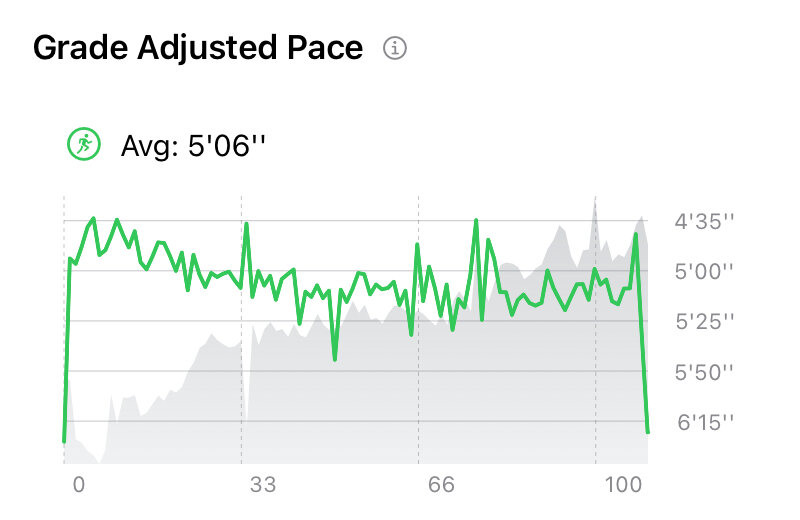
Tell a slow kilometre from a steep one
Grade Adjusted Pace converts every stretch of a run into the pace it would have been on flat ground, so a hill reads as effort rather than as slowing down. Every run shows its average GAP for free; Pro draws the whole trace beside the elevation.
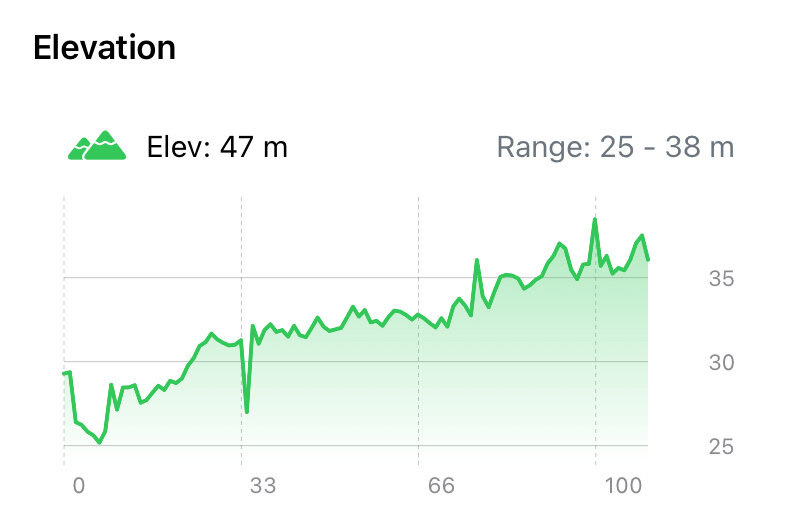
Read the climb on any run
Every outdoor run carries an elevation card up top and an elevation chart lower down. Here's why the climb is usually bigger than the hill, what the range tells you, and why the same grey shape sits behind every other chart on the run. Free.
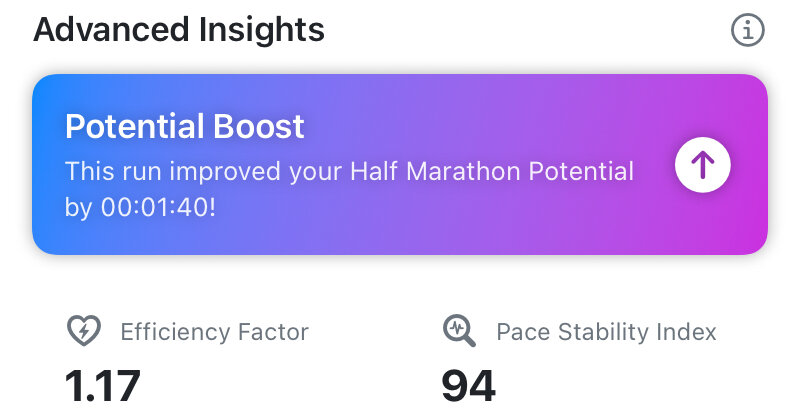
Find out if your engine is getting stronger
Two Pro numbers under Advanced Insights on every outdoor run with a heart rate: Efficiency Factor, how much ground each heartbeat buys you, and Pace Stability Index, how evenly you ran. What each one answers, how to read them across runs, and why a single run's figure means little on its own.
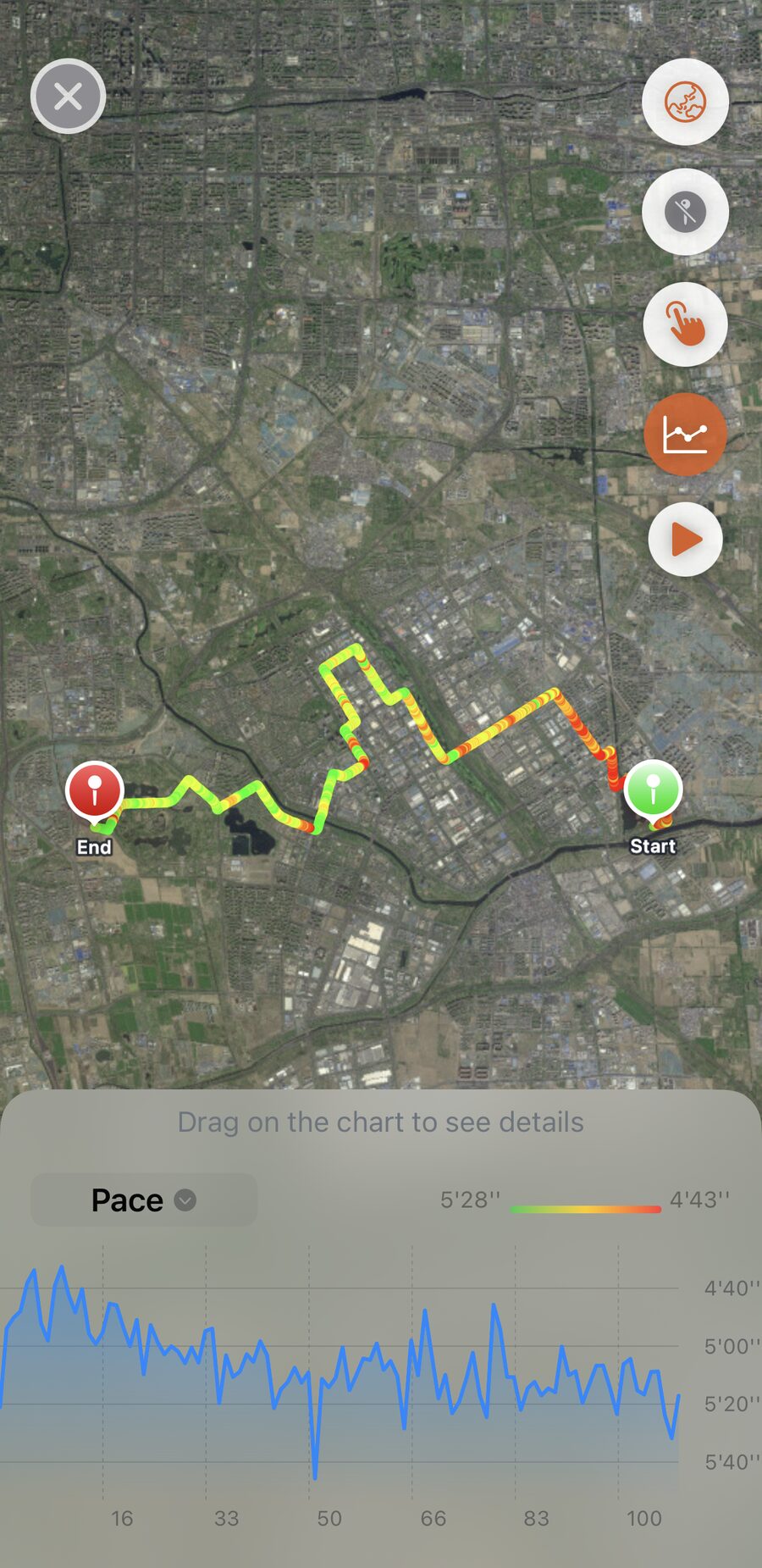
Colour your route by heart rate, pace or elevation
Tap the map on any run and it fills the screen: the route on a standard, hybrid or satellite map, coloured by heart rate, pace or elevation, with a chart underneath you can drag to put a marker on the exact spot. Free.
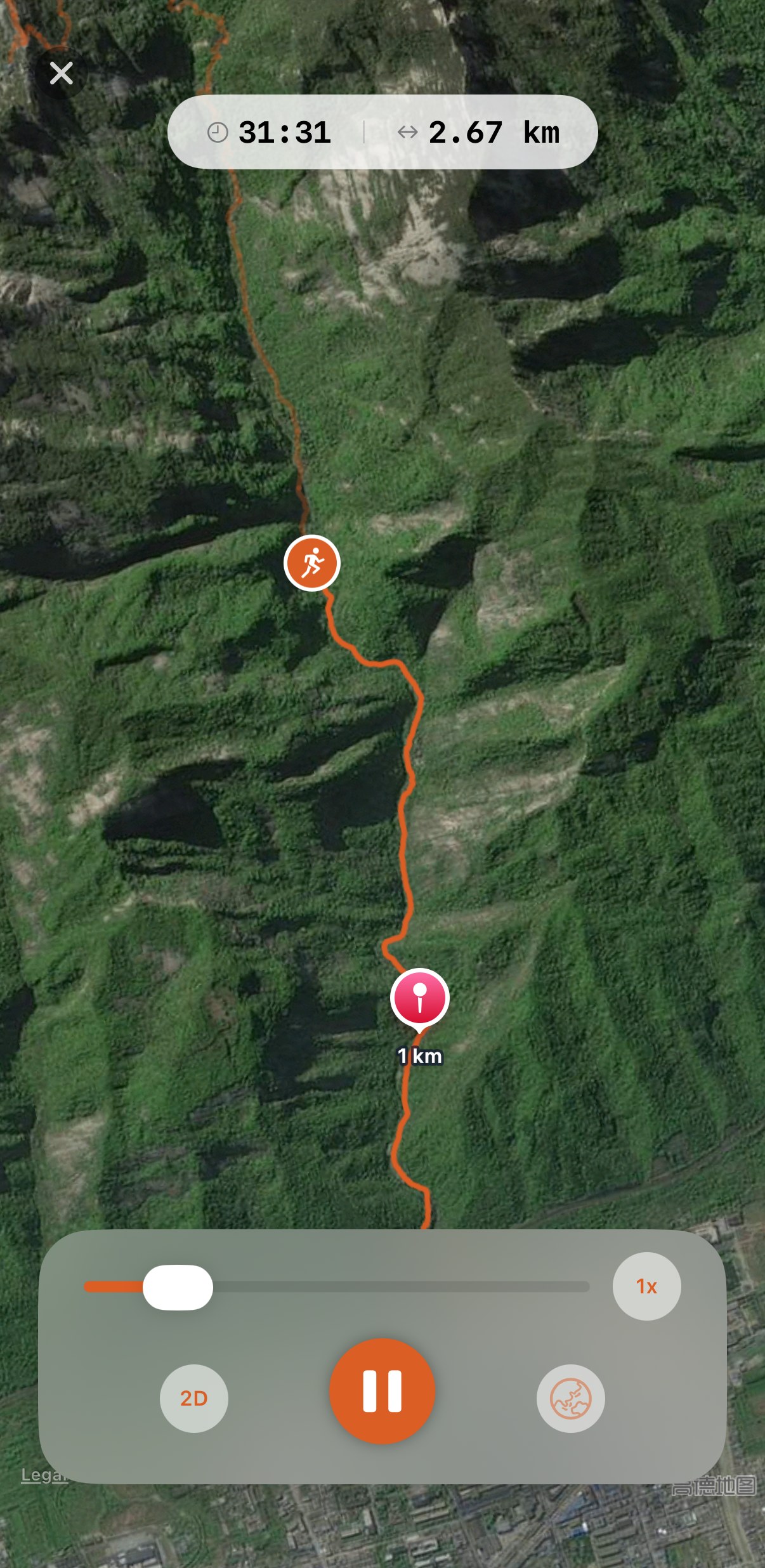
Watch the run again, from above or from behind
Route Replay plays a run back along its map: the route draws itself in, a runner icon moves, a pin drops at every kilometre, and a readout shows pace and heart rate at that moment. In 2D from above or 3D from behind, at one to three times speed, on standard, hybrid or satellite. Pro.
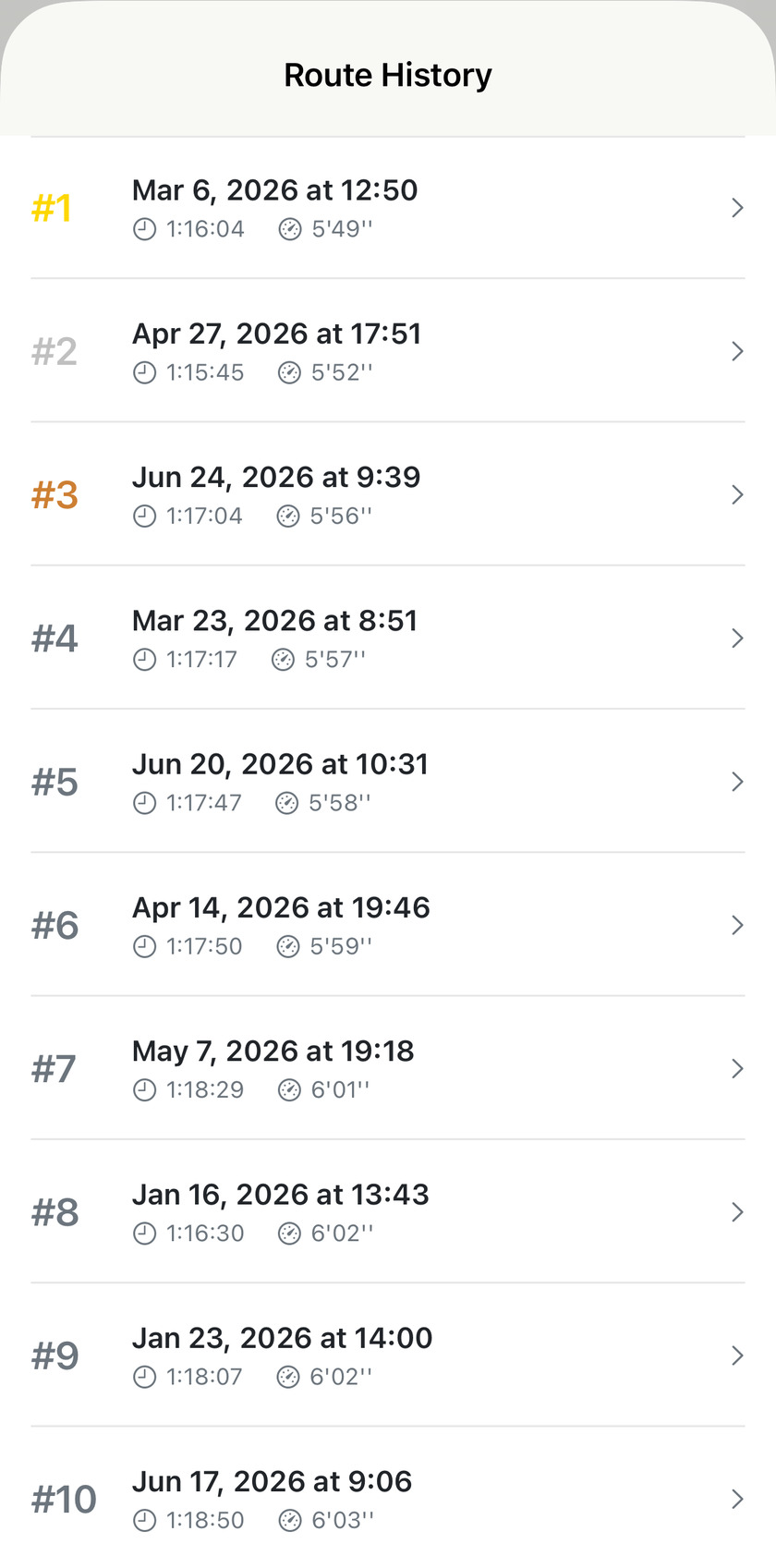
Race your old self on your usual loop
Comparing today's pace to last week's only means something if the routes match. Apex Run recognises a route you've run before, ranks every attempt, and tells you where today landed.
Sharing a run
2Ten share cards, one of them on your own photo, and which one suits the run you just did.
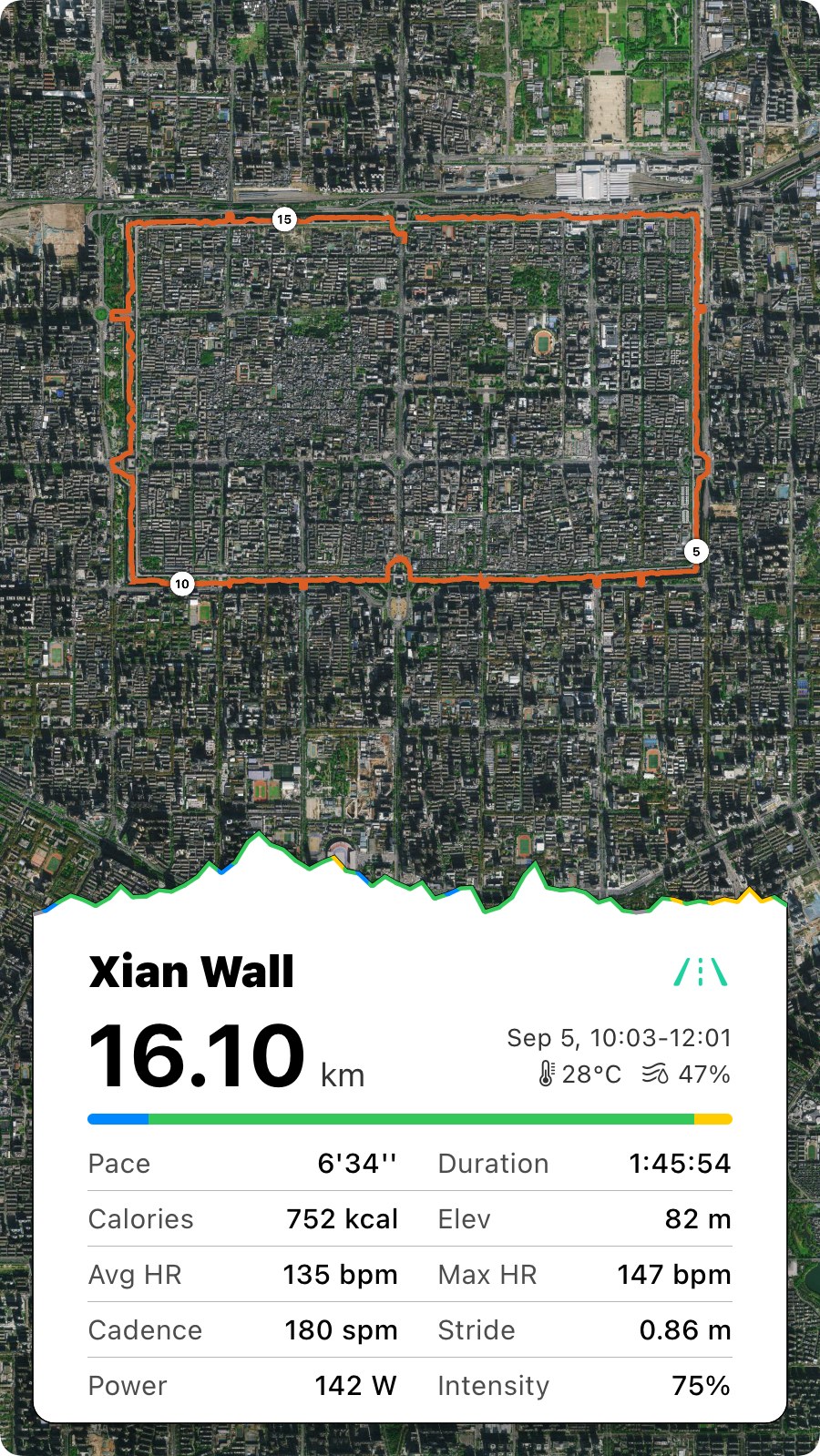
The share cards, and which one suits the run
Every run in Apex Run can leave the phone as one of eight share cards, ten with intervals: one on a photo of your own, two without a map for a chat, two with the map in a square-ish frame, three story-shaped ones with the route, heart rate and climb. Which to pick, and what each one shows. All free.
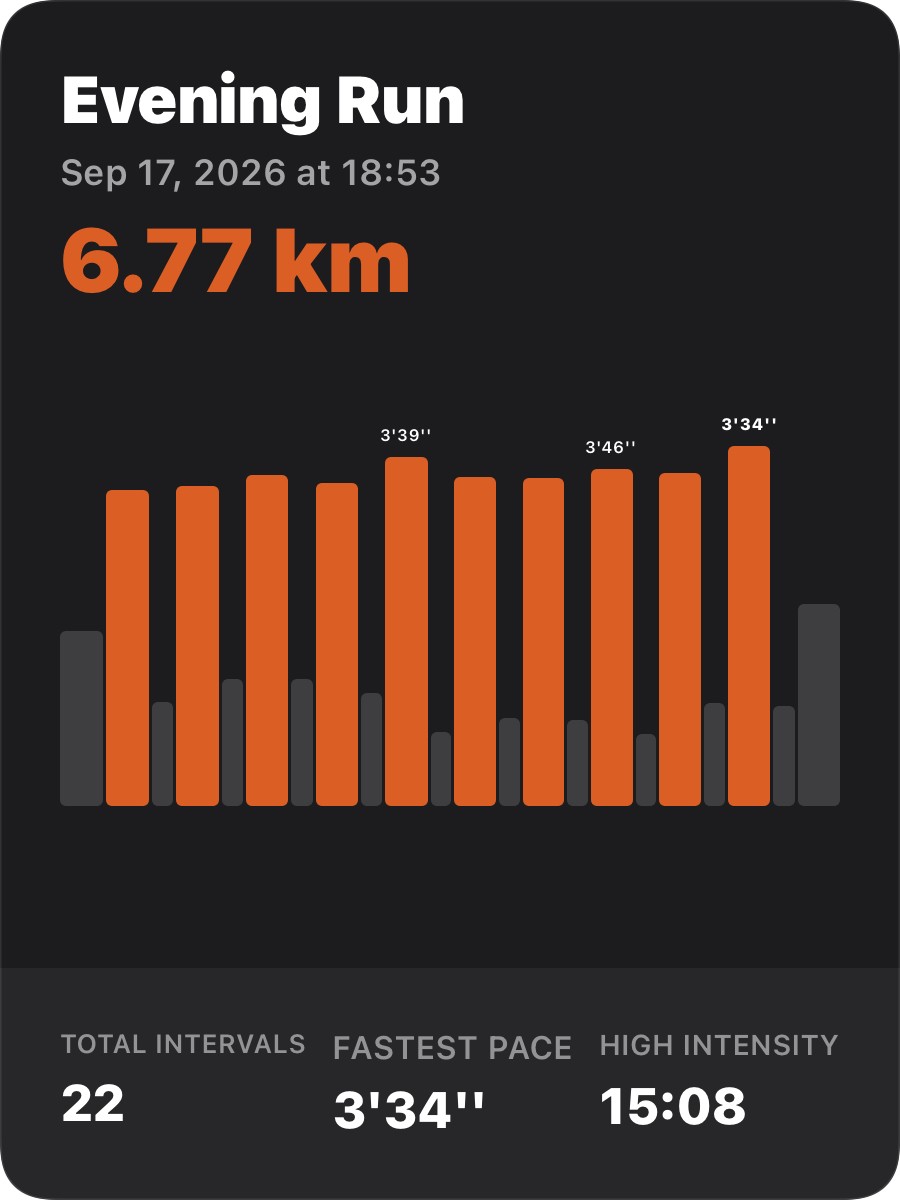
A share card that shows the intervals, not the average
An interval session shared as one average pace looks like a jog. Apex Run's interval card draws every effort and every rest as a bar, marks the fastest, and adds up the time you spent working — and the outdoor version puts work and rest side by side over the map. Free.
Stats, trends and records
6The long view — lifetime totals, personal bests, badges, and what your next race might look like.
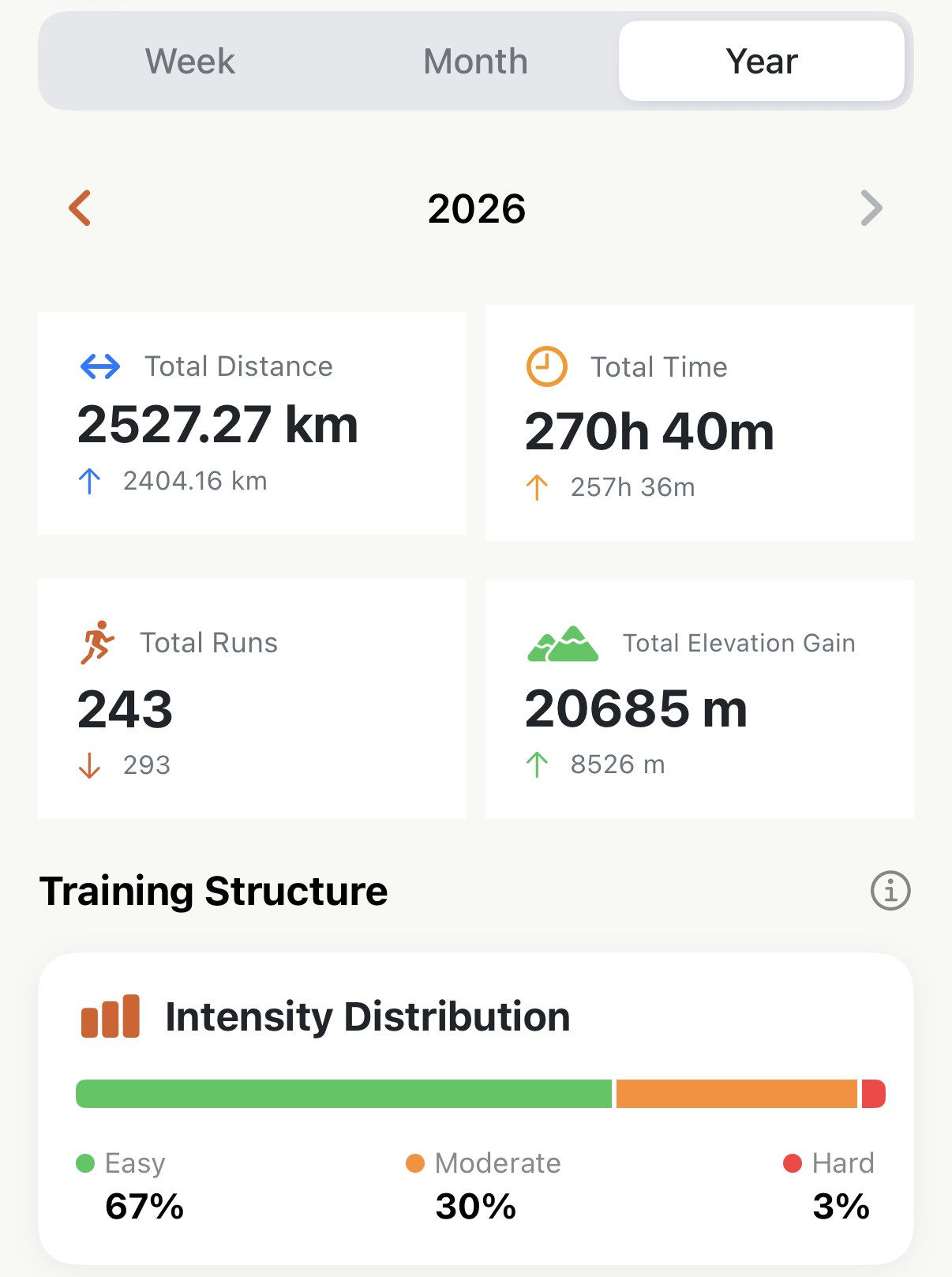
See what a month or a year of running adds up to
The Stats screen totals your distance, time, runs and climbing for any week, month or year, puts last period's figure under each one, and colours in every day you ran on a heatmap. Here's how to read it, and the one setting that changes what a week means. Free.
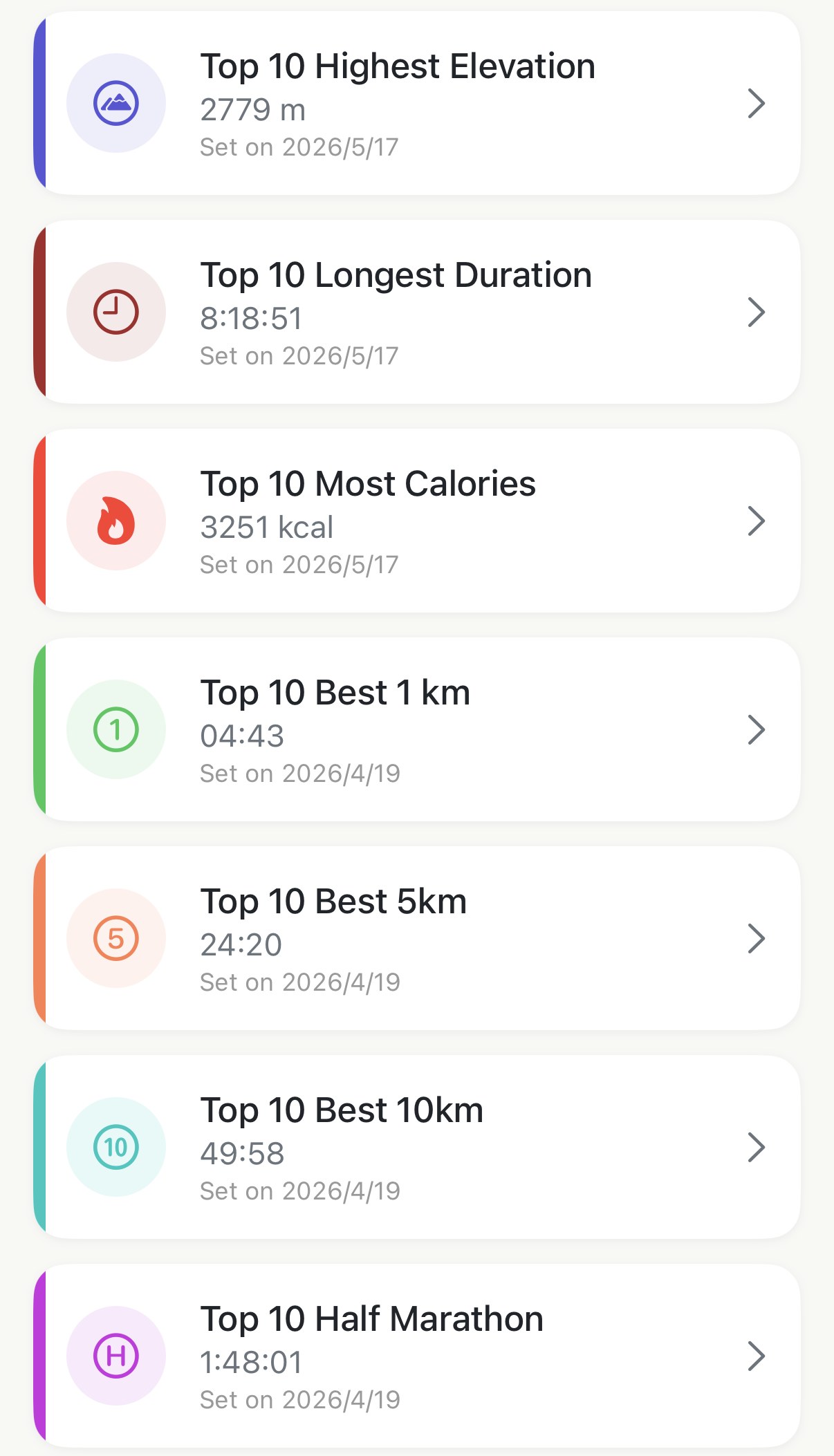
Your ten best, at every distance, kept for you
Apex Run keeps a top-ten board for your fastest 1 km, 5 km, 10 km, half and marathon, and for your longest, highest, hardest runs — filled from every run already in Apple Health. Here's where the boards live, what fills them, and what a place on one means. Free.
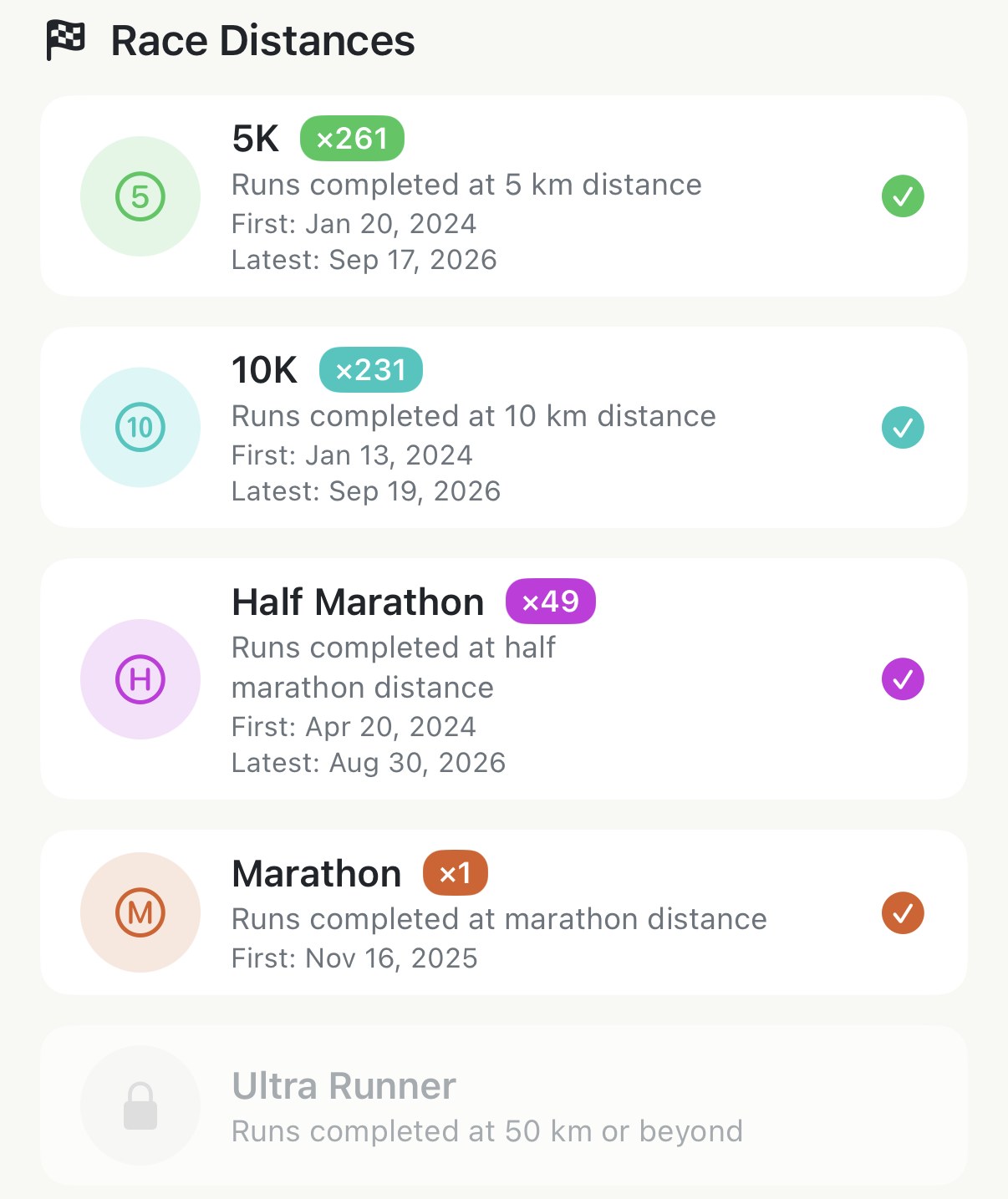
Badges for the running you've already done
Apex Run's Achievements are earned from your whole Apple Health history the day you install it — every 5K, 10K and half you've run, counted; lifetime distance milestones from 100 km to the Moon; and a few for running at odd hours or up a mountain. Here's what they are and how they're counted. Free.
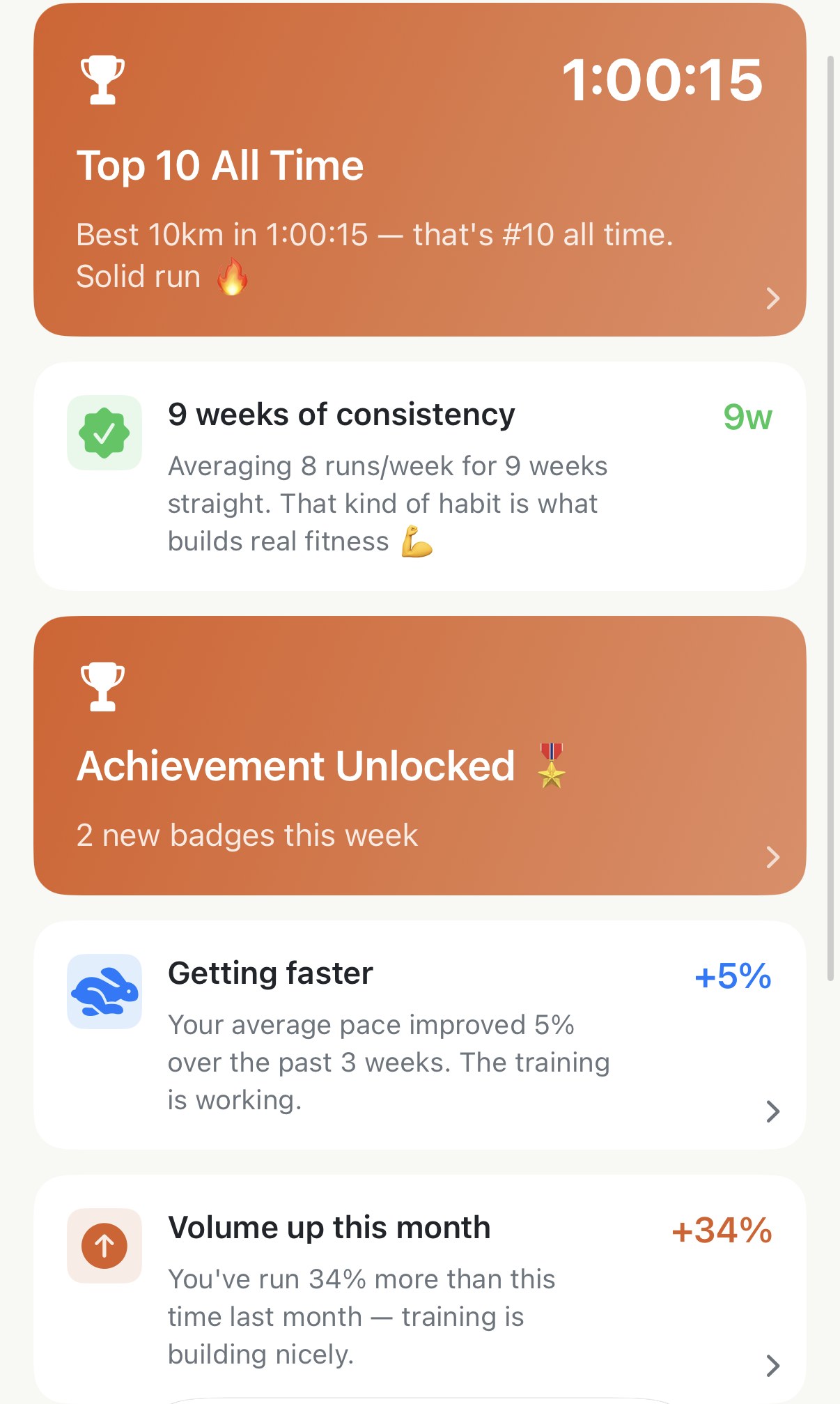
A few cards that noticed something about your running
Apex Run's Insights tab opens on a short feed — a new personal best, a pace that's picking up, a month running ahead of the last one, a badge just earned. Here's what each card is reacting to, where it takes you, and why some days there are none. Free, with a handful of Pro cards.
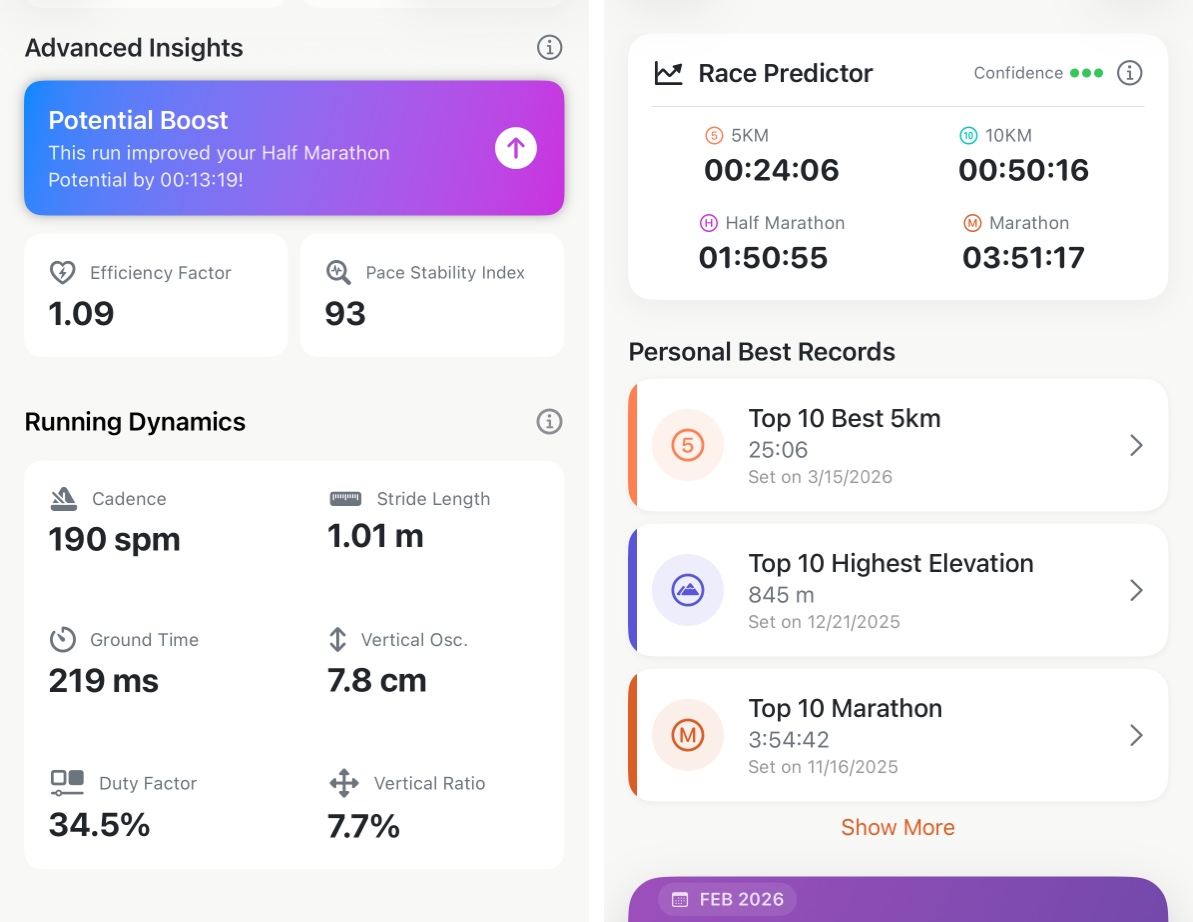
Find out what you could run today
Four finish times — 5K, 10K, half and marathon — worked out from your last six weeks of actual training, updated every time you run. No race result to enter, nothing to estimate.
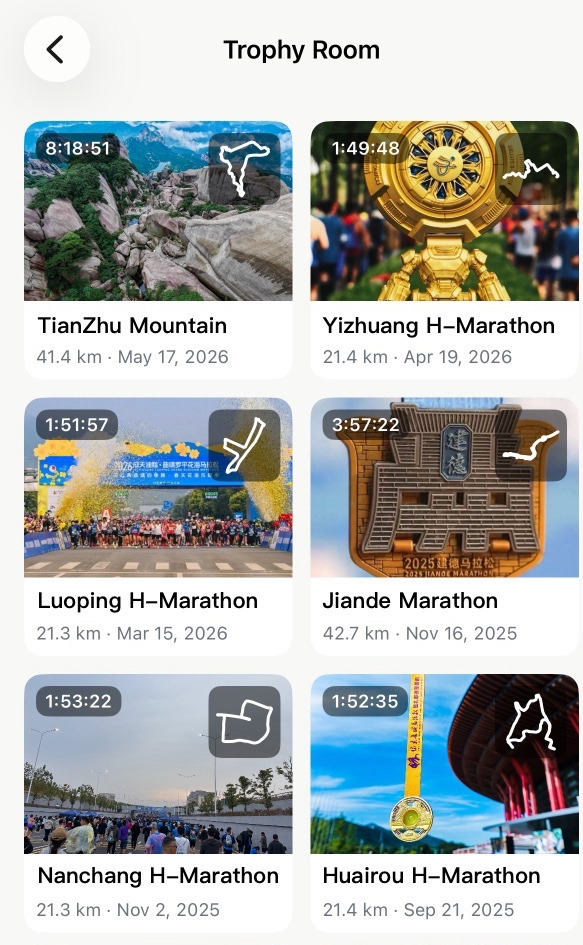
Keep every race photo with the run it belongs to
Apex Run's Trophy Room gives each run you've labelled a Race its own card — cover photo, a gallery of up to nine race-day shots, the route shape and the finishing time — so your medal photos live with the run instead of four thousand pictures deep in your camera roll. Free.
Morning recovery
2Whether to push or hold back today, read from last night and measured against your own baseline.
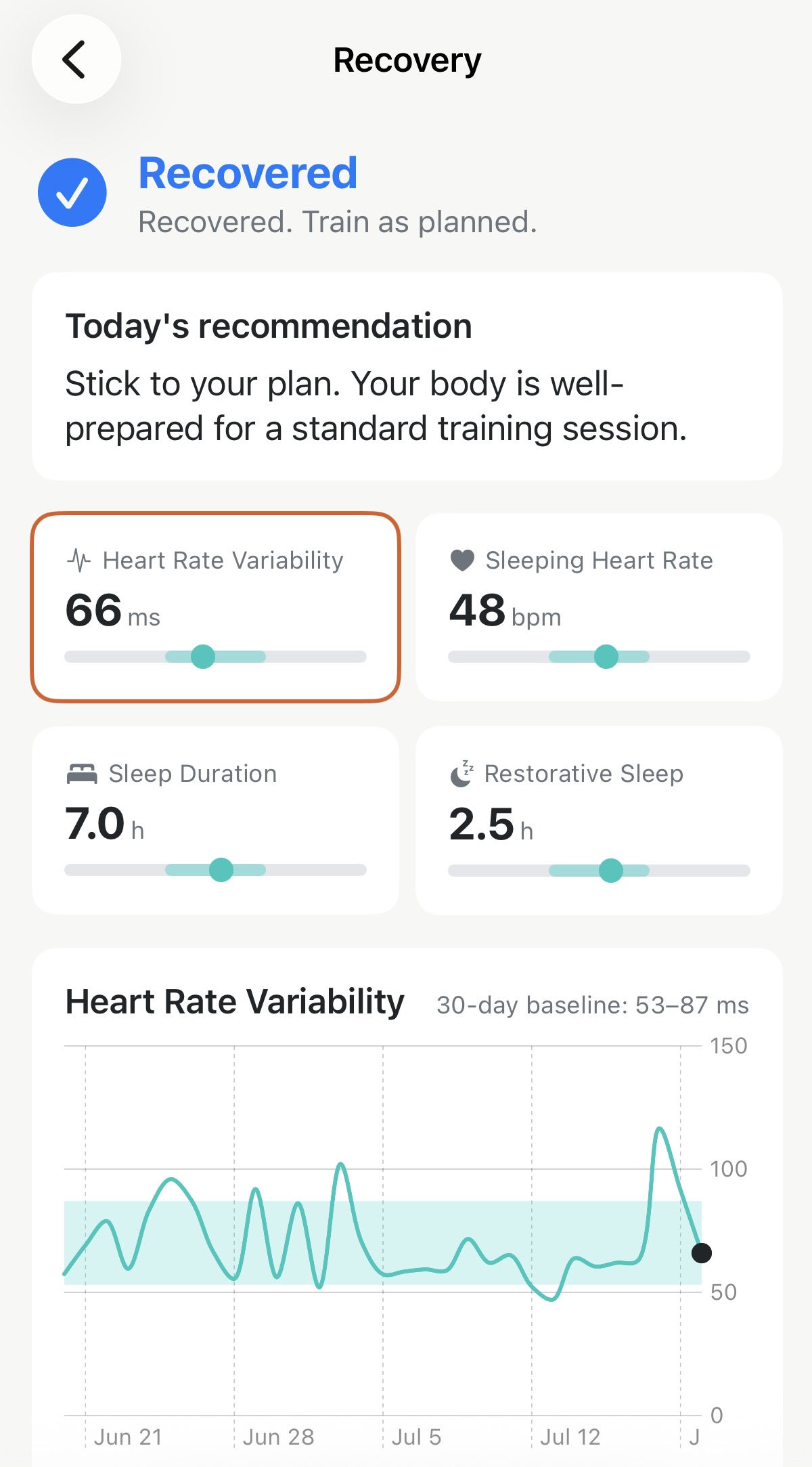
Know whether to push or hold back, before you lace up
A one-word read on your morning — Optimal, Recovered, Compromised or Fatigued — built from last night's HRV and sleep against your own 30-day baseline.
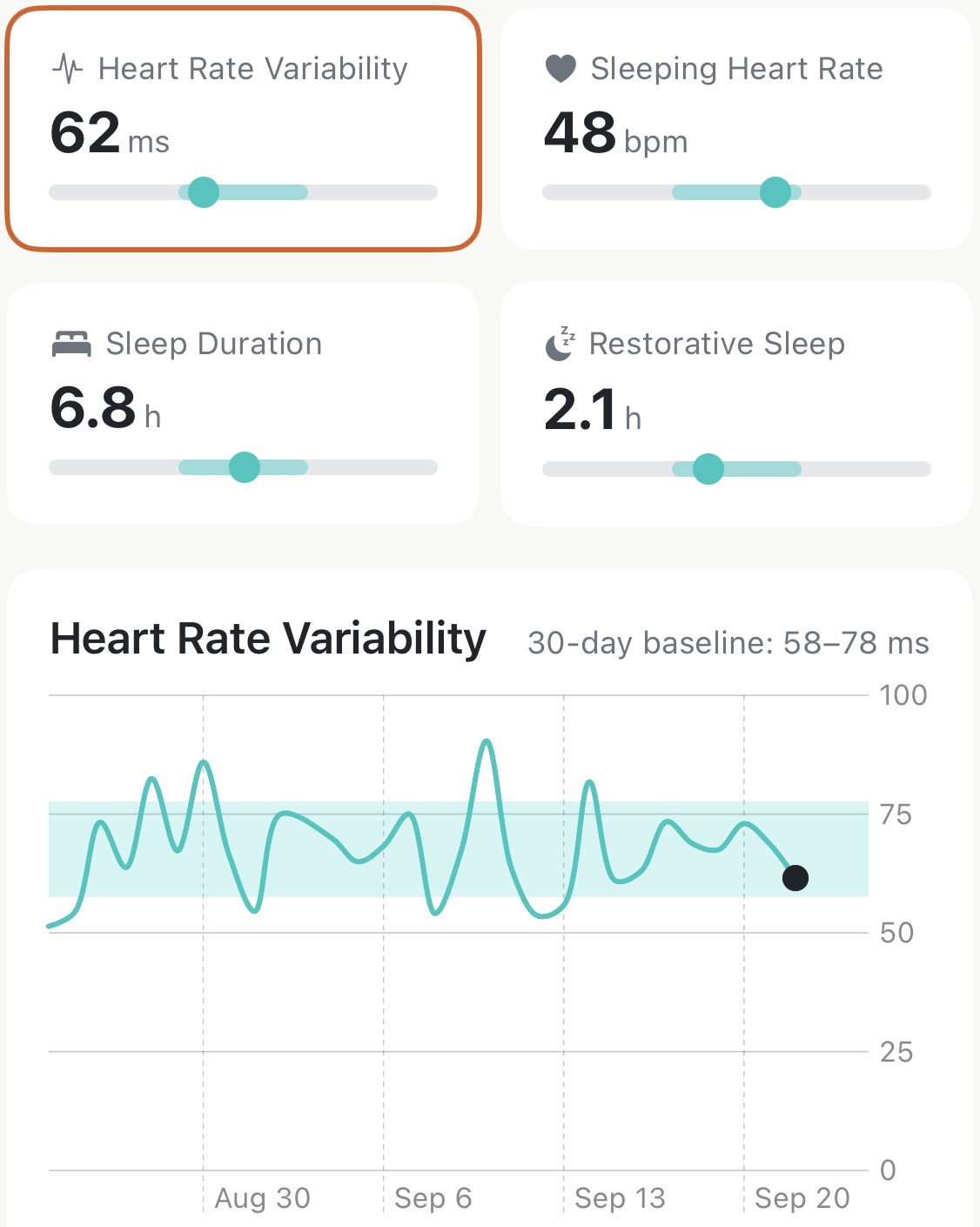
Read a recovery number against your own baseline
An HRV of 62 ms means nothing until you know it's usually 58 to 78 for you. Apex Run shows every recovery metric against your own 30-day band, and this page explains the band, the bar under each number, the 30-day chart, and exactly how the four numbers turn into a morning state.
Make it yours
6Heart rate zones, pace zones, shoes, units. Worth ten minutes once.
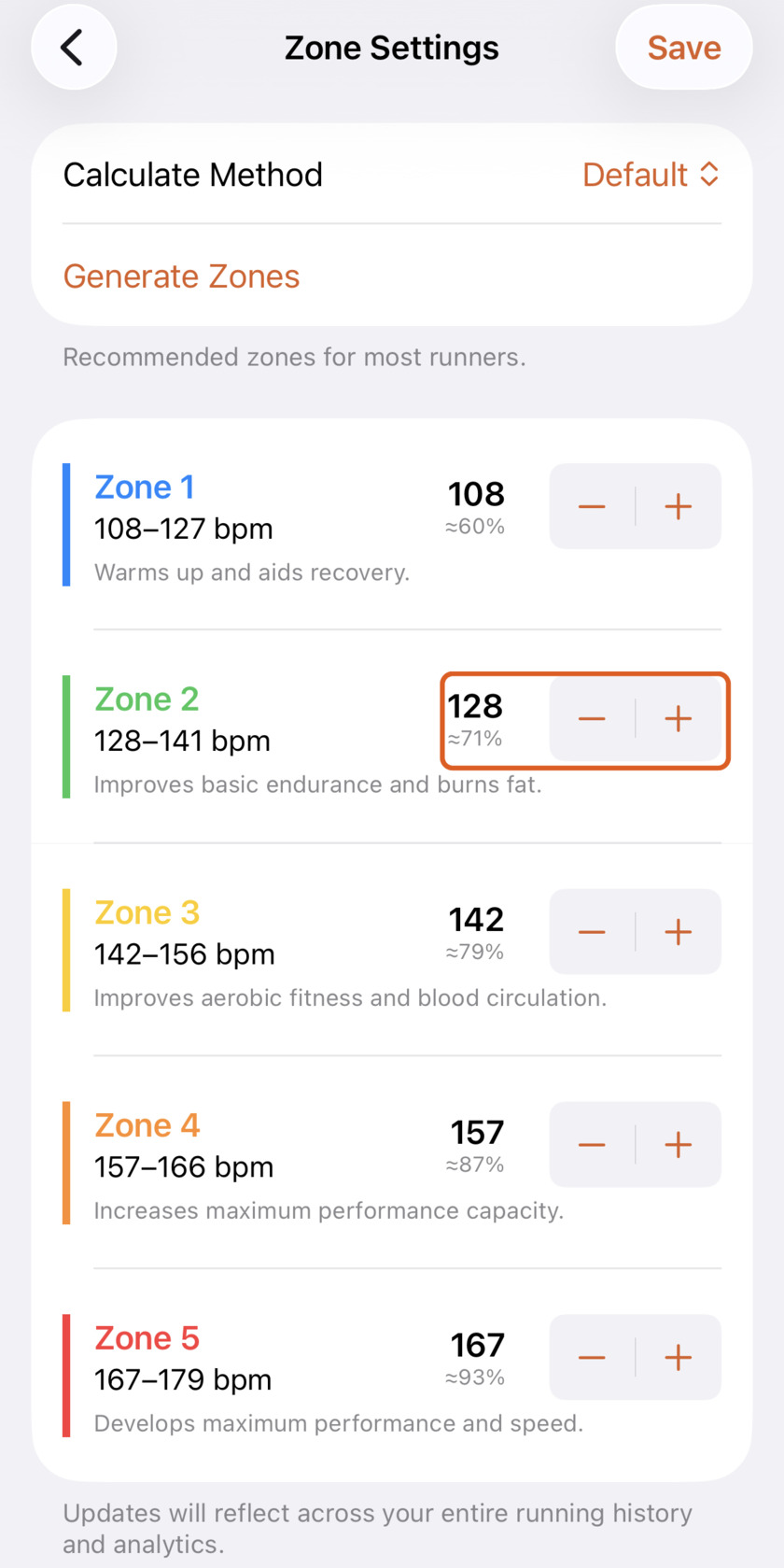
Set heart rate zones that match your effort
Generic watch formulas put half your easy runs in the wrong zone. Generate yours from Apex Run's default, Max HR %, Karvonen or LTHR — then move any boundary by hand.
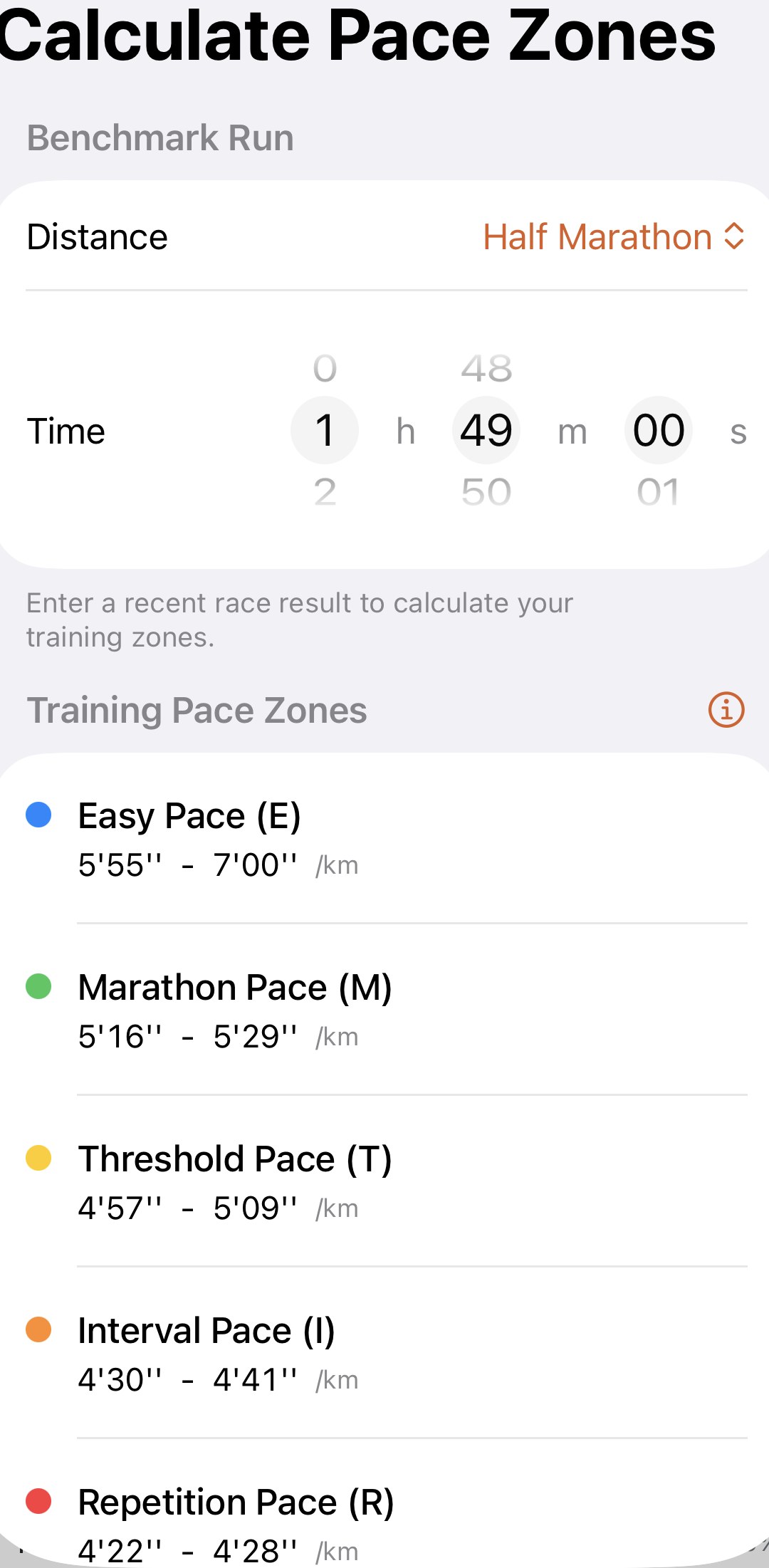
Turn one race into your five training paces
Pick the distance, dial in the time, and Apex Run gives you Easy, Marathon, Threshold, Interval and Repetition paces that are yours. Which race to enter, what each pace is for, and when to come back and change it.
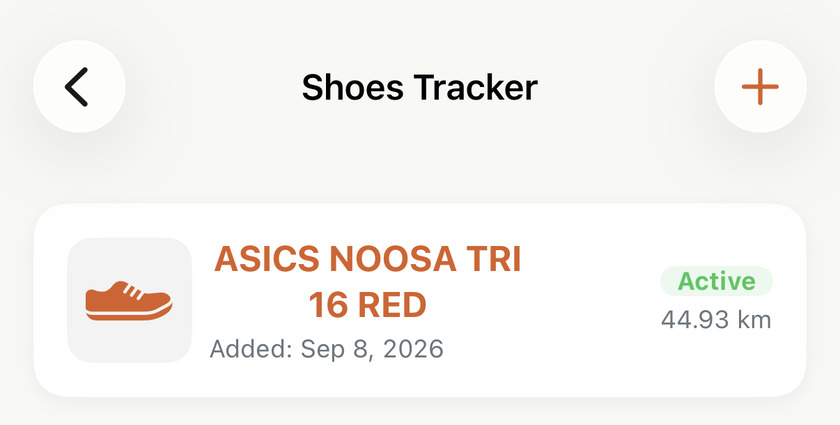
Know how far each pair has actually run
Add your shoes once, pick the pair you usually wear, and every new run arrives already wearing it — so each pair's total keeps itself, and replacing one is a number instead of a guess. Colours, a one-tap swap on any run, and an active-or-retired label. Free.
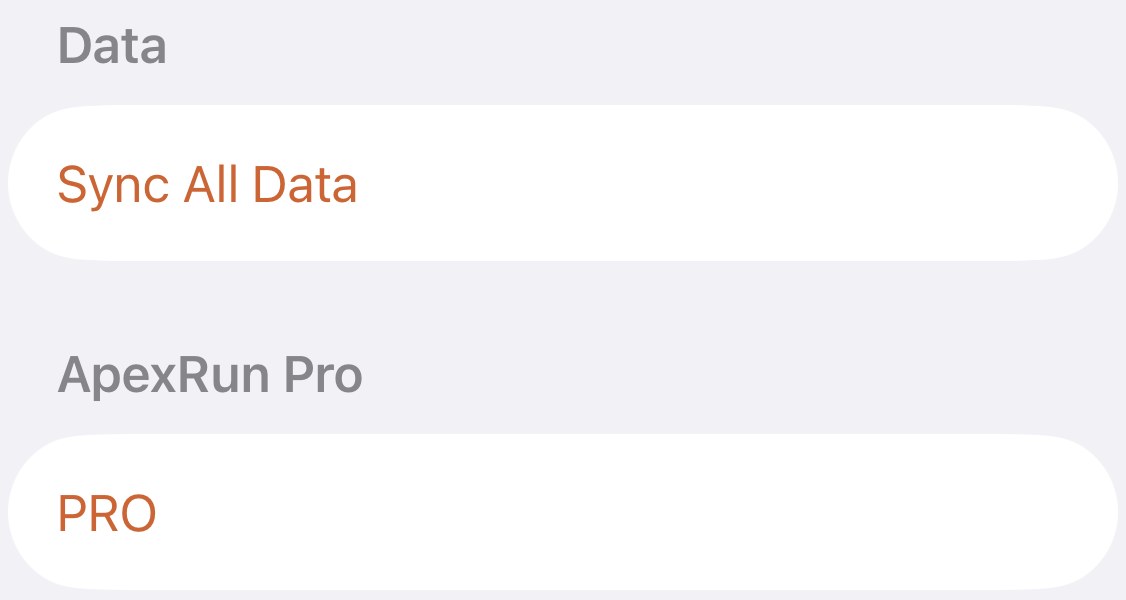
Sync All Data, and the four times you'd want it
One button in Apex Run's Settings asks Apple Health for every run the app is missing and imports them. Here's what it fetches, what it leaves alone, and the four situations it's for: a run that never showed up, a deletion you regret, a merge you want undone, and a workout re-added in Health.
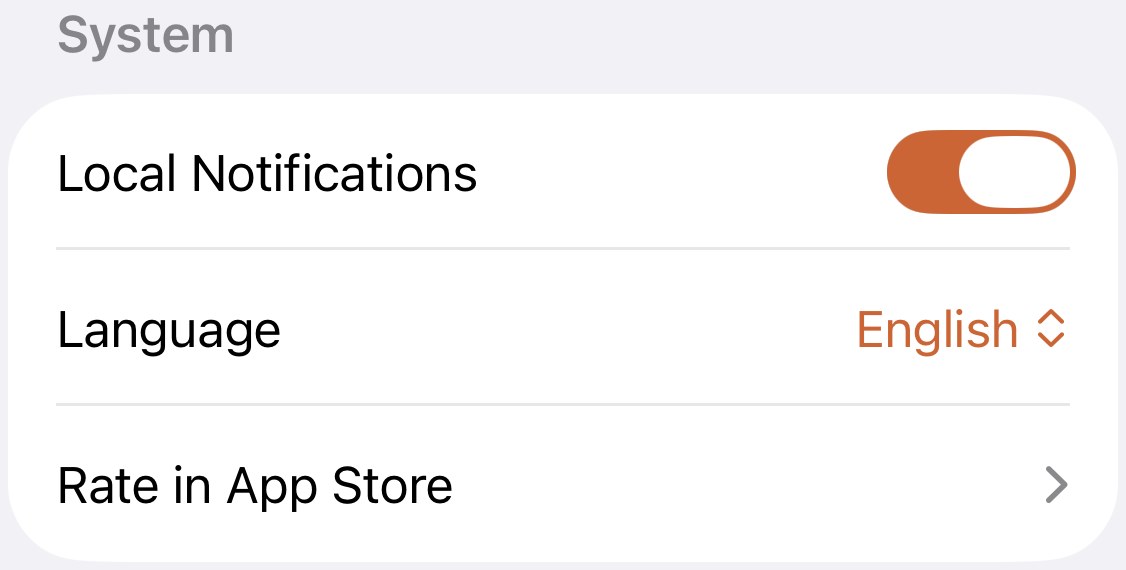
The one notification Apex Run sends
Apex Run sends exactly one kind of notification: a banner a few seconds after a new run reaches your phone. What triggers it, the two switches that control it, and the reminders, streaks and promotions it will never send.
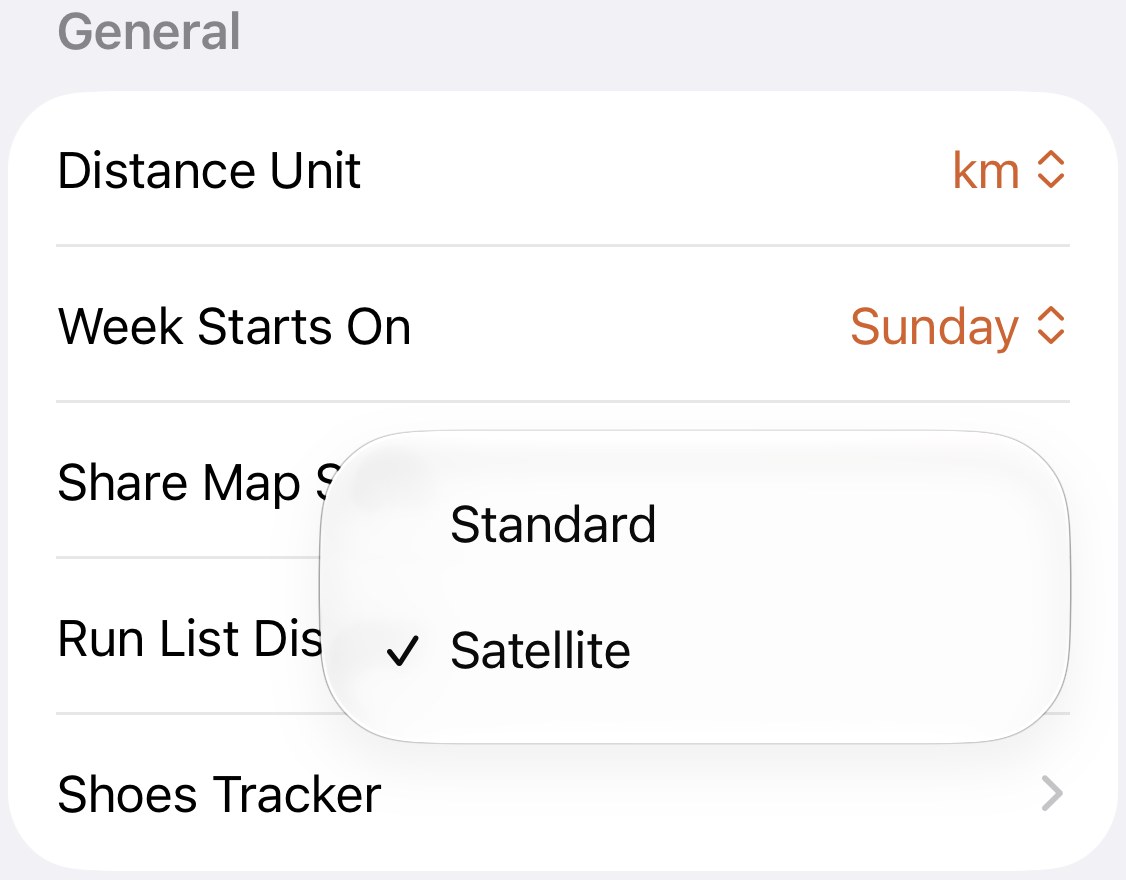
Standard or satellite behind your share cards
One setting in Apex Run decides whether the map behind every share card, exported run image and monthly report is a street map or satellite imagery. Which to pick for a city run, a trail or a coastline, and the screens it doesn't touch.
Toolbox and widgets
3The metronome, the calculators, and getting Apex Run onto your Home and Lock Screen.
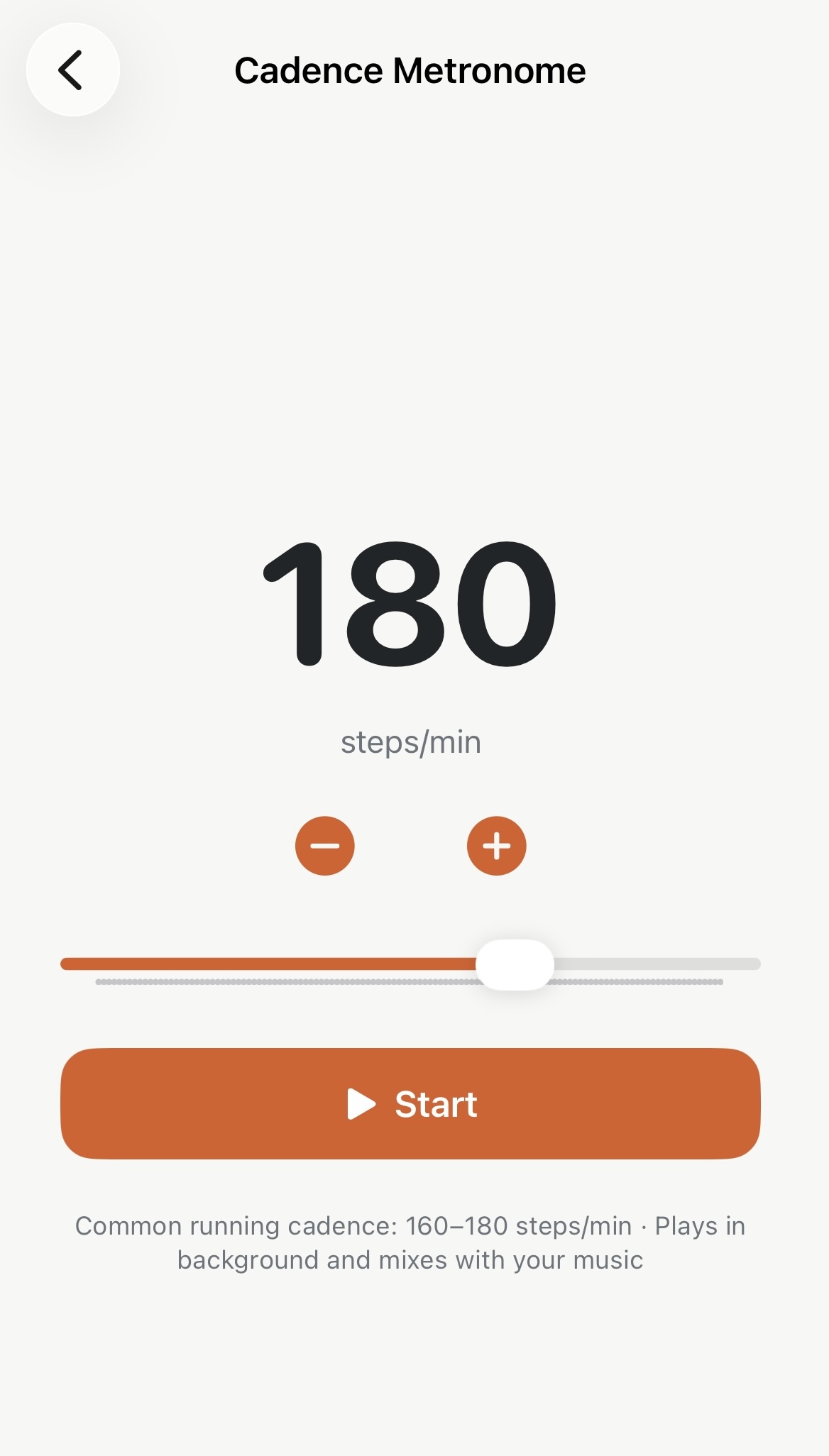
Hold your cadence without hunting for a track
Stop digging for a 180 spm MP3 before every run — set the beat once in Apex Run and it plays over your music, screen locked.
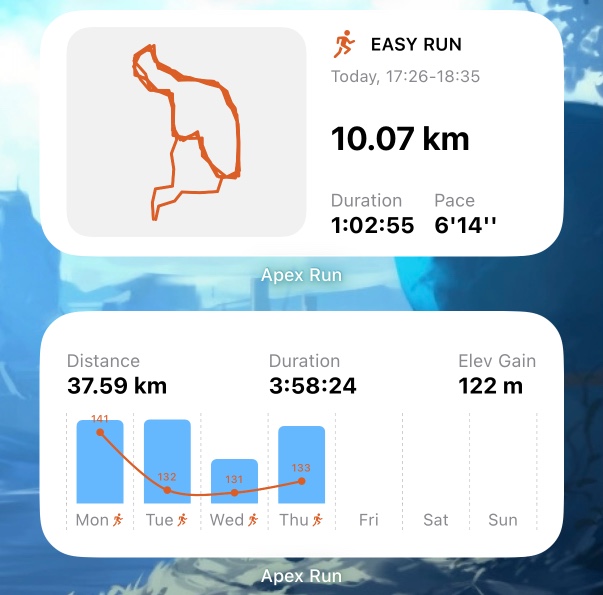
Your week and your last run, on the Home Screen
Apex Run's Home Screen widgets: Latest Run, Weekly Stats and the large Weekly Dashboard. What each one shows, how to choose the metrics on it, and how it picks up a new run without the app being opened. Free.
Work out a pace, or convert one, without leaving the app
Apex Run's Runner's Toolkit has a pace calculator and a pace and speed converter built in: distance, time and pace from any two, and min/km, min/mi, km/h and mph into each other as you type. Free, and they work offline.
Pro, trial and privacy
3What's free, what Pro adds, and where your data lives.
What's free, and what Pro adds
Your whole running history, splits, zones, best efforts and records cost nothing — Pro adds the coaching layer on top. Here's the honest line between them.
Fourteen days of Pro, and what happens after
The Apex Run Pro trial starts itself the day you install, needs no card, and charges nothing when it ends. Where to see the days left, how to subscribe, how to cancel, and how to bring a subscription to a new phone.
Your runs aren't stored on Apex Run servers
Your runs need no Apex Run account or cloud storage. Initial sync only reads Apple Health; Save to Health is an optional, manual Pro action for a single FIT running workout. Here's what stays local and what you can choose to share.
Get the app
Your running history is already there. Go and look at it.
Apex Run reads the runs already in Apple Health — no account, nothing to re-record, nothing leaving your phone. Lifetime stats, best efforts and trends are waiting the day you install.
↓ Download Apex Run