
It happens to almost every runner: midway through a long slow distance (LSD) run, you pull up to a water fountain or traffic light, reach down with sweaty fingers, and accidentally tap End Workout instead of Pause.
Suddenly, your single 21K LSD is fragmented into an 18.4K and a 3K. Your pacing charts look broken, your weekly long run target shows up incomplete in your feed, and your training log feels cluttered.
That exact scenario happened on our August 8 LSD run — and inspired me to build a native solution directly inside Apex Run.
How Merge Runs Works#
Apex Run automatically checks the time gap between your consecutive workouts:
- 3-hour window — if your second run starts within three hours of your first run’s end time (
Second run's start − First run's end ≤ 3 hours), Apex Run recognizes them as candidate segments of the same split session. - “Merge Next Run” Menu Option — when viewing the detail page of the earlier run, tap the top-right menu to find the Merge Next Run option.
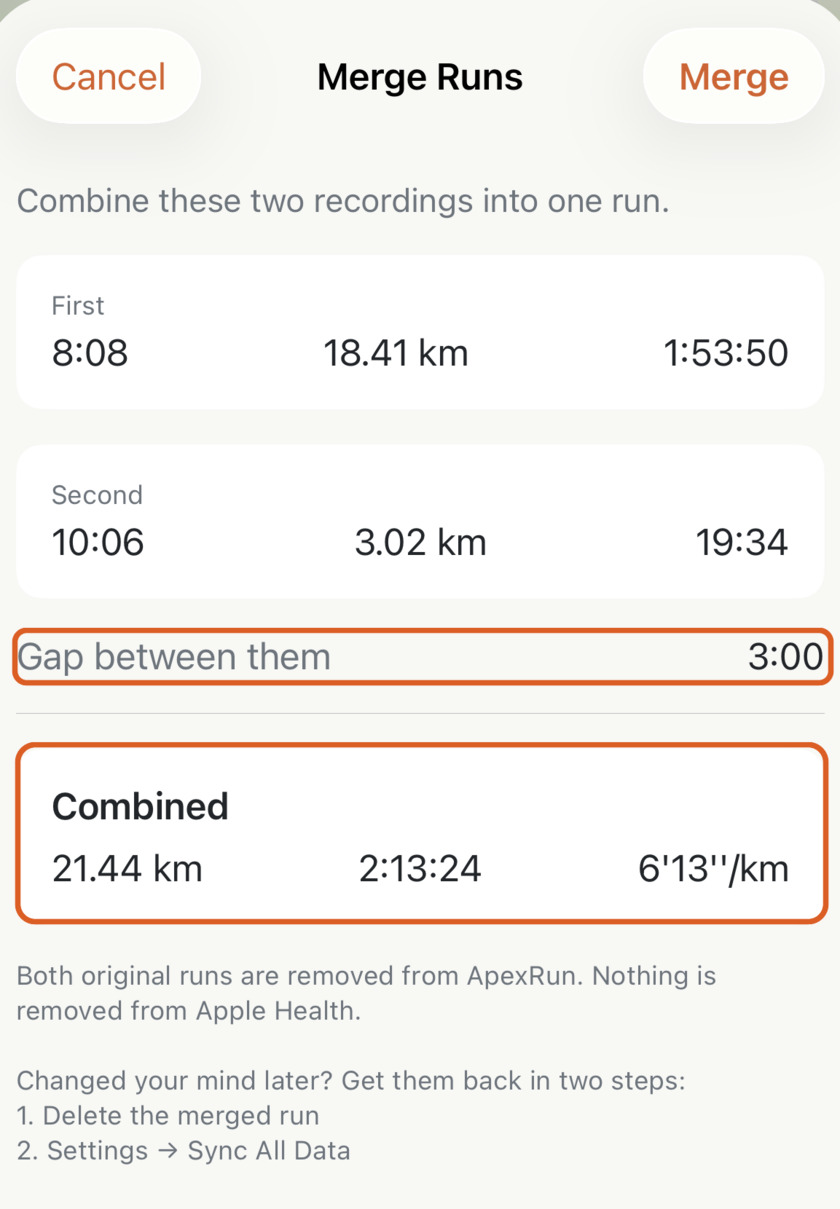
Tap it to bring up the Merge Details screen before any changes take effect:
What Happens When You Merge#
The Merge Details preview gives you complete control before confirming:
- Clear Breakdown: Compare the start time, distance, and duration of both individual segments side-by-side, along with the exact rest gap between them.
- Unified Metrics: See the merged total distance, total elapsed duration, and overall average pace calculated across the full session.
- Clean Local Update: Tapping Merge stitches both entries into a single continuous run record in Apex Run.
Both original runs are removed from your local Apex Run workout list to keep your log clean and uncluttered. However, nothing is removed from Apple Health — your raw workout data in HealthKit remains completely untouched.
Reversible Anytime#
If you ever want to undo a merge or revert to the original separate workouts, getting them back takes just two steps:
- Delete the merged run from Apex Run.
- Go to Settings → Sync All Data to re-import the original split workouts from Apple Health.
No external web tools, no manual .fit file processing. One tap to fix an accidental stop, so your long run stays recorded as the single accomplishment it was.