
For most of my running life, every app showed me the same thing: distance, duration, pace. That trio is a reasonable default. It’s also a blunt instrument.
When I started a heart-rate base-building block last spring, I didn’t care about pace at all — the whole point was to ignore pace and stay in zone 2. But every time I scrolled my run list, pace was right there, judging me. I had to mentally filter out the number I was training myself to stop chasing.
What you see shapes what you think about. A run list isn’t just a log — it’s a daily signal of what your training is for.
Choosing your two#
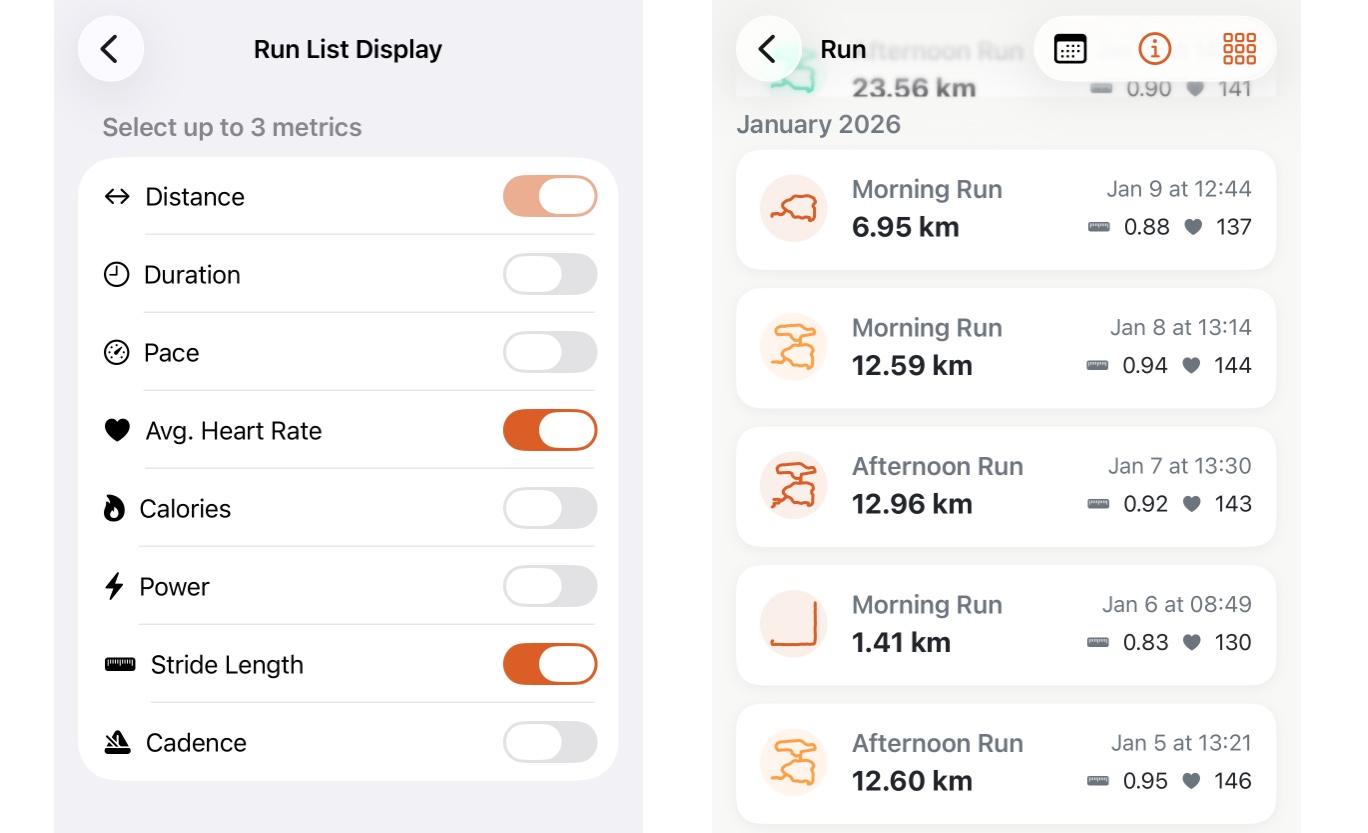
Besides Distance (always displayed), the run list in Apex Run lets you pick exactly two metrics to display on each run card. The options cover everything the app tracks:
- Duration
- Pace
- Avg. heart rate
- Calories
- Power
- Stride length
- Cadence
Two slots. Pick the ones that reflect your current training focus. If you’re deep in a base phase, you might want distance, duration, and average heart rate. If you’re chasing a 5K PR, maybe pace, cadence, and heart rate. If you’re experimenting with power-based training, swap pace out for watts.
The configuration lives in Settings and takes ten seconds to change.
Why it matters more than it sounds#
Metrics you don’t care about right now aren’t neutral — they’re noise. Seeing a slow pace when you’re deliberately running easy, or seeing low calorie burn when you’re focused on long-slow-distance, creates a small friction every time you open the app.
Removing that friction means your run list becomes a clean record of the thing you’re actually building. A month of heart-rate data, lined up in a list, tells a story that a month of mixed signals can’t.
Change the metrics when your training focus changes. The app should reflect where you are, not where you were.