
You finish a workout, tap end on your Apple Watch, catch your breath, and glance at your iPhone’s home screen — only to see yesterday’s stats staring back at you.
Until now, seeing what you actually just ran required a familiar ritual: unlock your phone, tap Apex Run, wait for it to launch and sync, and only then would the home screen update.
It rather defeated the entire point of having a widget there in the first place.
Zero taps to see today’s run#
Your Home Screen keeps up with you now.
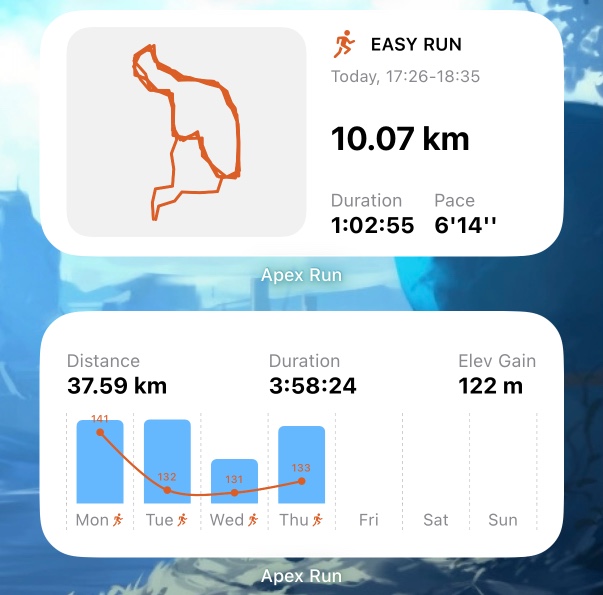
Finish a run and the widget picks it up on its own — distance, pace, weekly progress, and your route — usually within seconds of your workout saving, without opening the app first.
- Instant glance: Take off your shoes, pick up your phone, and your latest numbers and route map are already sitting on your home screen.
- Weekly stats stay honest: Your weekly mileage and trend sparklines update immediately, so you always know exactly where you are in your training block.
- Zero friction: No launching, no manual pulling down to refresh.
Why this took time (and why it matters)#
On iOS, making widgets update reliably without launching the main app is notoriously finicky. Apple strictly governs background execution to protect battery life. The app has to quietly listen for HealthKit workout notifications in the background, process the route and metrics efficiently in a tiny execution window, and prompt WidgetKit to refresh the timeline.
It took a while to get the plumbing right, but widgets only work when you can trust them blindly. If you have to wonder whether the numbers on your screen are fresh or stale, you stop looking at them.
You did the hard work out on the road. The screen in your pocket should quietly keep up without asking for extra taps.
Live in the latest update#
This is live now in the latest version of Apex Run.
If you already have the Latest Run or Weekly Stats widget on your home screen, you don’t need to configure anything — it will just start keeping up. If you haven’t set them up yet, long-press your home screen, tap the + button in the top left, and search for Apex Run.